Skip to content
CHRONO PORTALSKnowledge base

OPERATOR'S FIELD GUIDE

Start with a walk.
Discover a whole world.

Guides, game mechanics, the complete Atlas Rules, documents, world history and useful links in one place.

Your first operation

CHRONO PORTALS Knowledge base RU + EN

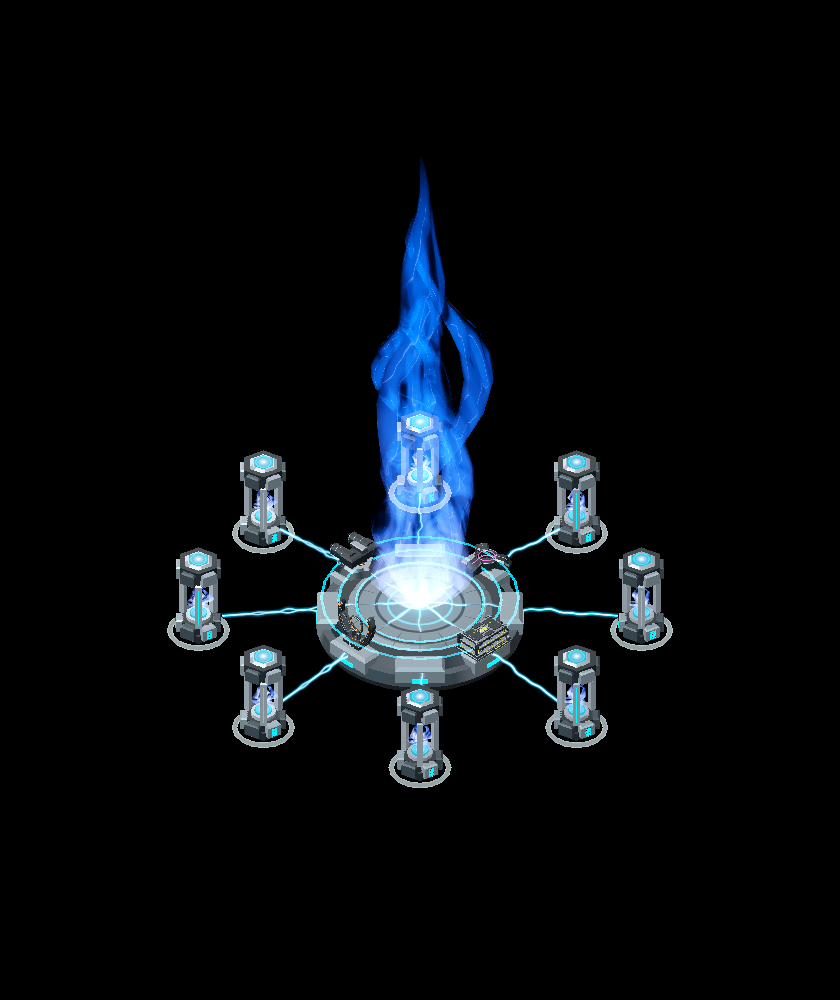
In-game portal model
01 / CHRONOPORTAL

Rules, documents and links

Read the complete texts here, find a specific clause or share a link to a section.

01 / START

Your first operation

Take your time. Three steps to feel ready for your first walk.

02 / EXPLORE

Explore what interests you

Follow a path or jump straight to the topic you need.

How to install the game and join the closed test

Chrono Portals is in closed testing. Sign in to your account with your existing game account, or register and verify your email. In the testing-access section, provide your device model, system version and the scenarios you are ready to test.

Submitting an application does not itself grant game access. Check the team's decision, conversation, available build and device requirements in your account. Do not obtain installation files from unofficial channels.

Android

  1. After admission, open the Android build available in your account. Check its number and device requirements.
  2. Download and open the APK. If Android asks, allow installation for the particular app used to open the file.
  3. Complete installation and sign in with the same game account.
  4. On first launch, grant location access through the game's system request. Enable precise location if offered.

The Godot client updates without uninstalling. When moving from the old Panda client, it installs as a separate app; do not remove the earlier client for the first check. Game progress is stored on the server. For package or signing conflicts, ask a GM about the procedure first and preserve account access.

iPhone: TestFlight is available

  1. Add your iPhone model and iOS version to your closed-test application.
  2. Give the invitation email through the application conversation or a private Telegram message to @Roferso54. Do not post it in public chat.
  3. After the team's admission, receive your invitation. Check the specified inbox and spam folder; if it is missing, write in your application conversation.
  4. Install TestFlight from the App Store, open the invitation on your iPhone and accept it. Check device requirements and available updates in TestFlight.
  5. Open Chrono Portals and sign in with your game account.

An invitation needs an email address, not your Apple Account password. Do not give the team passwords, verification codes, your lock-screen code or tokens. TestFlight does not require renewing a manual signature every seven days. See the iPhone instructions.

Manual IPA installation with Sideloadly is a separate technical route used on a GM's instructions with an issued file. It is not needed for normal TestFlight installation. An Android APK cannot be installed on an iPhone.

If something goes wrong

Approval without a download button does not establish that a file has been made available to your account. Tell the GM your device, system, build or installation stage and the exact error. Do not start by uninstalling a working game. For map problems after installation, see location help.

Your first walk: from sign-in to your first portal

Chrono Portals is an international game connected to real places. Choose a familiar, safe route for your first walk. You do not need to attack or build a large network immediately.

Five steps

  1. Prepare your phone. Charge it and enable internet and location services. Use the official website for installation and test access; iPhone players use TestFlight.
  2. Sign in with your game account. The website and game use the same account. Read the documents shown to you and make your own consent decision. Never share your password or sign-in codes.
  3. Wait for a current position. Allow the game to access your location and enable precise location if offered. An ordinary fresh GPS fix is sufficient; a separate satellite-status indicator is not required.
  4. Choose an accessible portal. Walk along a permitted route, stop and open its card. Check the name, faction and interaction-zone indicator. Seeing a point on the map does not automatically allow an action.
  5. Start with a Portal Scan. The action labelled “Hack” in some interfaces gives you items without capturing the portal. Wait for the result and check your inventory and CE.

What to try next

You can deploy an available Chrono Stabilizer on a neutral portal, or help deploy and recharge a friendly portal. If an action is unavailable, read the reason. Do not bypass location checks or cross a fence to change an indicator.

A successful first outing means a relaxed walk, an understandable scan result and a safe return. Next, learn about the scanner and capturing a portal.

The scanner, factions and interaction zone

The scanner shows the game world around your real position. Chrono Portals are tied to places where you collect items, deploy stabilizers and develop a network. An in-game portal is neither a physical passage nor permission to enter a site.

What the colours mean

  • Blue — Continuum.
  • Green — Vector.
  • Red — Paradox.
  • A white portal is neutral. This is a portal state, not a fourth faction.

The name, photograph and description help you recognise the location. The portal faction shows its current affiliation. An individual stabilizer may belong to someone other than the player who first captured the portal.

Why nearby does not always mean available

The normal interaction radius is 40 metres. Your zone must cover at least 50.01% of the portal core, and your position must meet accuracy and freshness checks. A rounded distance of “40 m” does not guarantee an action. Follow the availability indicator in the portal card.

Moving the camera does not move your operator. Viewing a remote portal through a Portal Signature does not allow remote deployment, attacks or channel creation. Remote recharging has separate conditions.

If your position is inaccurate

Check location permission and internet access, stop in a safe open place and wait for a new measurement. Do not spoof your position. Accuracy may be worse indoors or near tall buildings; choose an accessible route instead of taking risks to get closer.

Player glossary

If an old message or button uses a different name, follow the action’s purpose and this glossary. For example, “Hack” in some interfaces means a Portal Scan rather than capturing a portal.

Chrono Portal, portal
A game-world node tied to a real place, used to obtain items and build a network.
Operator
A player and their game profile.
Faction
One of three sides: Continuum is blue, Vector is green and Paradox is red.
Neutral portal
A node without a current faction affiliation. White does not represent a fourth faction.
CE, Chrono Engine
Operator energy spent on actions and recharging, limited by capacity.
XP, Operator Experience
Progress towards development and levels; it cannot replace CE.
Coverage Index
A measure of territory covered by Chrono Contours.
Chrono Stabilizer
A portal support with a level, energy and owner. A portal has eight support slots.
Portal Equipment
Modules for protection, collection, retaliation or range, sharing four portal slots.
Portal Scan
An action that obtains items at a portal, labelled “Hack” in some interfaces.
Sigil
One drawing memorised and reproduced during a Chronocode.
Chronocode
A complete sigil sequence in a scan with a memory and accuracy challenge.
Portal Signature
An item tied to one node, used for channels to it and supported remote actions; it does not establish portal ownership.
Chrono Charge
A consumable item used for a Quantum Discharge.
Quantum Discharge
An attack action that spends a charge and CE.
Chrono Channel
A connection between two faction portals.
Chrono Contour
A triangular network area created by eligible channels.
CE Cell
An item that refills operator energy.
Chrono Container
Portable item storage that does not increase total inventory capacity.
Cooldown
The recovery time between actions.
Burnout
A separate limit on a player’s series of scans at one portal.
Alliance
A team of players from one faction for communication and shared operations.
Anomaly
A world object capable of absorbing parts of the network, with its own state and CE reserve.
GM
A game-management team representative handling moderation and support matters.

For practical steps, read about your first walk, portals and the network.

Complete game guide

CHRONO PORTALS / FIRST STEPS

Game guide

Explore real places, fortify your faction's portals and connect them into a network. This guide covers what you need for your first outing and what the items in your inventory do.

Updated October 2, 2026. The game is in closed beta. Check your current build for available actions and exact parameters.

01 / GETTING STARTED

Your first outing

  1. Get access to the closed beta. Create an account and apply through your account. Once approved, the builds authorized for your account become available there. For iPhone, see the separate installation instructions.
  2. Sign in with your game account. Read the documents shown at sign-in. Make your own decision about consent. Do not share your password or verification codes with anyone.
  3. Allow location access and wait for the map. You need an internet connection and a current location. An inaccurate or outdated position may temporarily block game actions; it does not automatically make the nearest portal accessible.
  4. Approach a publicly accessible portal. Open its card and check the name, faction, distance and availability indicator. The interaction radius is 40 meters; you need at least 50.01% portal coverage and a recent position. Use the range indicator rather than just the distance to the point.
  5. Start by scanning: use the Scan button. Collect items, check the reward receipt and your CE reserve. At a neutral portal, you can deploy an available stabilizer; at a friendly portal, fill an empty slot or upgrade a weaker stabilizer.

You do not have to capture or attack immediately. Your first goal is to learn the scanner, collect items and understand the portal card.

02 / MAP

What portals are for

Chrono Portals are tied to real places. They are nodes in the game network where you collect items, deploy equipment and create Chrono Channels. They are not passageways for people.

There are three factions: Continuum, Vector and Paradox. A white portal is neutral: this is a node state, not a fourth faction. The first stabilizer deployed claims a neutral portal for the deploying player's faction.

The name, photo and description help you recognize the place. The faction shows who currently controls the node; a stabilizer's owner label refers to that particular deployed stabilizer, not necessarily the entire portal.

If an opponent controls a portal, normal deployment is unavailable: first disable its stabilizers and neutralize the node. You do not attack friendly portals with your Chrono Charges.

03 / RESOURCES

CE is spent. XP accumulates.

  1. Statistic
    CE / Chrono Engine
    Purpose
    Energy for game actions and recharging equipment. The reserve is limited by the operator's capacity.
    How to obtain it
    Collect energy on the map, use CE cells and receive confirmed credits. Server-side energy regeneration also applies.
  2. Statistic
    XP / Operator Experience
    Purpose
    Progress toward the next level. It is not currency for paying for attacks or deployment.
    How to obtain it
    Perform game actions and missions, build the network and publish new portals through Atlas.

You cannot hold more CE than your meter allows. Check free capacity before using a cell or recycling; what matters is the energy actually credited, rather than just the amount offered.

The server sets action costs, final consumption and rewards. Skills and balance changes may alter the values, so check the current card and action result.

04 / PORTAL STABILIZERS

Chrono Stabilizers

Stabilizers maintain a node's faction alignment and energy reserve. Each has a level from L1 to L8, a charge and a player who owns that deployed stabilizer. Empty positions weaken a portal.

Deployment fills an empty position and consumes the item along with CE. Upgrading replaces a weaker stabilizer with a stronger one; you cannot deploy an equal or lower level over an existing stabilizer. The item must not exceed the level available to the operator.

Select Deploy, choose a position and an available item, check the level and cost, then confirm. If a stronger stabilizer already occupies the position or your personal limit is exceeded, choose another eligible option.

  1. Item level
    L1-L4
    Stabilizers per player
    Up to eight
  2. Item level
    L5 and L6
    Stabilizers per player
    Up to two of each level
  3. Item level
    L7 and L8
    Stabilizers per player
    One of each level

Limits are counted separately for each player. Eight L8 stabilizers at one portal therefore require eight players. Upgrading an ally's stabilizer transfers ownership to the player who upgrades it and counts toward that player's personal limit.

Portal level depends on all eight positions: an empty slot counts as zero. For Chrono Channel range, the server uses the exact average rather than just the whole number in the heading.

05 / MODULES

Portal equipment

All equipment types share four slots. Deployment consumes the module and CE. Choose a combination for your objective: protect the node, collect items more often or extend the network's range.

Open Equipment, choose an empty slot and an available module. Read its effect before confirming: an item with a similar name may serve a different purpose.

Phase Barrier

Reduces damage to stabilizers. Total protection has a cap: multiple barriers do not make a portal invulnerable.

Cooling Circuit

Reduces the cooldown between scans. The separate burnout limit still applies.

Scan Buffer

Adds scans before burnout. The normal timer between actions still applies.

Chrono Channel Amplifier

Increases the permitted range of outgoing channels. Crossing checks and channel limits still apply.

Response Amplifier

Strengthens the portal's counterattack against an opponent's energy. It does not increase the damage of your Chrono Charge.

Pulse Guardian

Increases the chance of a counterattack. Counterattack chance and strength are different properties.

Check the item card and portal statistics for exact effects and rarity. Values may change during the closed beta; a shared purpose does not guarantee the same numerical bonus.

06 / ITEM COLLECTION

Scanning: Scan and Chronocode

The Scan button starts a normal portal scan: it provides a set of items and possible rewards, but does not capture the portal. Use it to replenish stabilizers, Chrono Charges, equipment and Portal Signatures. The server determines the items: a particular item is not guaranteed in every result.

Chronocode adds a memory and accuracy challenge. Remember the displayed sigils and draw them in the correct order by connecting nodes. A single pattern is called a sigil, and the whole sequence is a chronocode. Its length and difficulty depend on the portal.

There are two separate limits: the regular cooldown between actions and burnout after a series of scans within a server-defined time window. Cooling affects the first; the buffer affects the second. Check the reason and timer on the card rather than repeatedly tapping to try to bypass them.

When finished, check the reward window: which items were added, in what quantities, and how much CE or XP was credited. If a response is lost due to connectivity, refresh the data first rather than assuming failure from a single error message.

07 / MAINTENANCE

Recharging a portal

Stabilizers lose energy over time and when attacked. Recharging converts your CE into energy for a friendly portal's stabilizers. You can recharge a selected stabilizer or an available group, depending on the action shown on the card.

Select Recharge and check the result. To recharge a specific stabilizer, select it on the card. If asked to confirm an amount, compare it with your CE reserve and the missing charge.

Check the current charge, required energy and your own CE. A fully charged stabilizer needs no additional recharge. If all stabilizers are disabled, the portal becomes neutral; having a Portal Signature alone does not preserve ownership.

A Portal Signature may allow you to view its node and remotely recharge a friendly portal where the client supports this. It does not permit remote deployment, attacks or channel creation: those actions require confirmed access at the portal.

08 / CONFLICT

Quantum Discharge

A Chrono Charge is a consumable attack item. Its level affects radius and base damage; distance to stabilizers and defensive modules change the result. You need an eligible position, an available item and CE to use it.

At an enemy portal, select Discharge and an appropriate Chrono Charge. Check its level, quantity and energy cost before use; wait for the receipt before using another.

An attack targets the opposing faction's equipment. A discharge may affect eligible targets within its radius, but proximity to a portal alone does not guarantee equal damage to all its stabilizers.

Check the confirmed result: charge consumption, CE changes, damaged or destroyed stabilizers and node status. A portal counterattack may further reduce the attacker's CE. Destroying stabilizers and neutralizing a portal are separate from capturing it afterward: capture requires deployment.

Do not attack while crossing a road. Game conflict does not justify threats, stalking or breaking real-world access rules.

09 / CONNECTION TO A NODE

Portal Signatures

A Portal Signature is tied to one specific portal. A neighboring node's signature cannot replace it. Creating a channel requires a Portal Signature for the destination portal; a successfully created channel consumes one such item.

Portal Signatures are obtained from scanning and Chronocode, stored in inventory and used with their corresponding node. Having a signature does not mean you own the portal or that its faction matches yours.

Viewing a portal through its signature and physically accessing it are different things. An open card may show a remote node without allowing nearby actions there.

10 / FACTION NETWORK

Chrono Channels and Chrono Contours

A Chrono Channel connects two portals of your faction. Normal channel creation requires all eight active stabilizers at both nodes. You must be within interaction range of the source portal and have CE and the target's Portal Signature.

  1. Open the friendly source portal and select the channel creation action.
  2. Choose an available target from your Portal Signatures.
  3. Check the range, CE cost and outgoing channel count. The standard base limit is eight; incoming and outgoing channels are counted differently.
  4. Confirm the action and wait for the server result. If a channel is not possible, address the stated reason: incomplete deployment, a different faction, no signature, excessive range, a crossing or a restriction beneath a contour.

Channels cannot freely cross the existing network; a permitted connection at a shared endpoint is not the same as a crossing in the middle. A range amplifier does not override geometry rules.

Three connected nodes can close a triangular Chrono Contour. Its area contributes to the faction's Coverage Index. Channels and contours depend on the actual stabilizers and portal ownership: changes to a node may break the network.

A straight line on the map alone does not mean a channel is possible. The server performs the final check using current portal data.

11 / ITEMS

Inventory and Chrono Containers

Inventory groups stabilizers, Chrono Charges, CE cells, equipment and Portal Signatures. Select a group, then the required item level or variant. Check the name, quantity and purpose before acting.

Items can be recycled into CE where recycling is supported. This consumes the selected quantity; if your meter is full, you may not be able to hold all the CE offered.

A standard Chrono Container holds 150 item units. It is portable storage for organizing and transferring items, not 150 different types or an increase in your total inventory limit. The items inside and the container itself still count toward total capacity.

In the storage interface, select a container and the quantity to deposit or withdraw. Portal Signatures, collected items and equipment retain their types and quantities; a container does not copy or multiply anything.

Items and containers can be dropped on the map for another player. The server checks pickup: a valid location, permitted distance and free capacity are required. Check a container's contents before dropping it, as they are transferred with it.

Uncollected items are deleted 24 hours after being dropped. An abandoned container's contents are also deleted. This time limit does not apply to a container held by a player. Dropping is not a secure transfer to a specific recipient: another nearby player may pick the item up.

12 / OPERATOR DEVELOPMENT

Levels, skills and medals

XP advances you toward the next level. Operator level and stabilizer level are different statistics: equipment ranges from L1 to L8, while operator progression continues further.

Your profile shows your level, experience, statistics and medals. Skills affect specific capabilities; each selected skill's description shows its effect and conditions. Visual rarity or a medal does not automatically increase every statistic.

Atlas medals count actual actions rather than screen views:

  • Atlas Creator: published new portals; thresholds of 50, 200, 500, 1,500 and 5,000.
  • Atlas Expert: completed reviews of distinct submissions; thresholds of 1,000, 5,000, 10,000, 20,000 and 30,000.

Viewing, skipping, resubmitting an answer or reviewing a later revision of a submission already counted does not earn additional review credit. A rejected or merely submitted application does not count as a published portal.

13 / EXPANDING THE WORLD

Atlas: suggest and review a place

From October 31 through November 8, 2026 inclusive, Tomsk time, players can propose new portals and review other players' submissions from level 0. Quantity limits for submissions, drafts, photos and the frequency of submissions and reviews are lifted.

After the campaign, normal access returns: submissions from level 2 and reviews from level 3. The server confirms current access and account conditions. You cannot review your own submissions; the GM makes the publication decision.

  1. Choose a real object. It must exist, be recognizable and have safe, lawful access. Do not suggest restricted, dangerous or otherwise prohibited places.
  2. Check for duplicates and verify the position. The marker must be on the object, not wherever is most convenient for playing. The name and description must refer to that specific object.
  3. Prepare your materials. Photograph the object and its surroundings on site; use photos you have the rights to. Do not upload other people's images or invent coordinates.
  4. Submit the application and track its status. Submission does not mean approval or publication. If clarification is requested, address the comments and send the required materials.

For an existing portal, you can suggest a photo or description correction without creating a duplicate. These changes also undergo review. An approved new photo becomes the cover, while the previous one remains in the gallery.

Review the facts: whether the object exists, the position is correct, access is safe, the materials are suitable and the portal does not already exist. If there is insufficient information, choose the appropriate answer or skip the submission rather than giving a random rating. External maps are available to verify the location.

A standard submission is automatically passed to a GM after at least ten different reviewers have participated. The GM makes the final decision; they may review the submission earlier. Urgent safety reports are handled separately.

A new portal that is actually published earns 500 XP once. Updating an existing node's photo or description does not earn this reward. Check the submission status and events for the outcome; notifications depend on your permissions and settings.

During the active Atlas campaign, quantity limits for submissions, active submissions, drafts and photos are lifted, and the frequency of submissions and review decisions is unrestricted. Normal server rules return after the campaign ends. Atlas shows the current conditions and available actions.

14 / FEEDBACK

Events, notifications and chat

Events show actions and changes in the world: rewards, attacks, portal states and submission decisions. Check the time, event type and specific node before concluding that you have lost your portal.

Notification settings and having a Portal Signature are different things. Another portal's signature does not make it yours. Automatic attack messages take account of the node's faction before the attack; manual watching remains a separate setting.

Push notifications require system permission and an enabled notification category. A missing push does not undo a saved event or decision: check the feed and status in the app or your account.

Use chat to plan shared routes and coordinate deployment. A nickname, a player's faction and a chat channel are different things; do not infer portal ownership from the selected tab's color.

15 / SAFETY

The real world comes first

  • Play on foot, stop before performing actions and watch your surroundings. Do not use the scanner while driving.
  • Do not enter restricted property, bypass barriers or interfere with emergency services. A portal visible on the map does not grant permission to enter.
  • Do not publish passwords, sign-in codes, other people's faces or personal data in reports or public chat.
  • Use the report action on a portal's card to report it. Specify the issue: incorrect position, missing object, duplicate, restricted or unsafe access.
  • For a technical issue, record the app version, action, time and error text. Attach a screenshot without secrets; a short video helps with movement or lag issues.

Answers to common questions about access, GPS, missing rewards and applications are collected in the FAQ. Administration contact details and the request process are listed in the support section. To install on iPhone, open the step-by-step instructions, and for available builds, open your account.

All frequently asked questions

CHRONO PORTALS / HELP

Questions and answers

From your first installation to your own portal. Choose a topic and open a question.

Updated October 2, 2026. Check your account for available builds and your eligibility for actions.

Installation and account

How do I get the game on Android?

Sign in to your account or register and verify your email. Apply in the closed beta section, specifying your device and system version. After GM approval, your account shows the available Android build and its version number.

Download the APK from your account. If your application is approved but there is no download button, the build may be awaiting publication: message the GM in your application thread. Approval alone does not mean the file is already available.

How do I install the game on iPhone?

The main iPhone closed beta route is TestFlight. Enter your iPhone model and iOS version in your website application. Send an invitation email address through your private application messages or a Telegram direct message to @Roferso54. Do not post your email in a public chat or send the team your Apple Account password or verification codes.

The iPhone version is already available for testing through TestFlight. After team approval, receive the invitation at your provided email, install TestFlight from the App Store, accept the invitation, and sign in with the same game account.

Full instructions: iPhone Closed Beta via TestFlight. Manual IPA installation with Sideloadly remains available as a separate technical method when directed by a GM; it does not grant TestFlight access.

Do I need a different account for the website?

No. The website and game use the same game account. Your account provides your closed beta application, builds, progress and Atlas. Sign in using the method you registered with; do not create a second account to recover the first.

I forgot my password. What should I do?

Automatic password recovery is not yet available. Open the support section and provide your in-game callsign; a GM will first verify that the account belongs to you. If you are still signed in, you can write in your closed beta application thread. The game's Forgot password? option shows the contact process rather than sending a reset email.

Do not send anyone your old password, token or sign-in codes. Changing your password revokes previous sessions, so you will need to sign in again. A password change does not delete game progress.

Location and safety

Why does the game need my location, and why is the map in the wrong place?

The scanner shows real places near you; the server checks your position before game actions. Enable location on your phone, allow access while using the game and choose precise location if your system offers that option. You also need an internet connection.

A normal recent GPS fix is sufficient: a separate GNSS satellite indicator is not required to start. If the position is inaccurate or outdated, wait for a new reading in an open place. Moving the map camera does not move the player or unlock remote actions.

How close do I need to be to a portal?

The normal interaction radius is 40 meters. To act, the player's zone must cover at least 50.01% of the portal core. A visible portal or a rounded distance of 40 m therefore does not guarantee access: position, accuracy and location freshness all matter.

Use the In range indicator on the card. Do not cross barriers or enter restricted or dangerous areas to perform an action. Remote recharging through a Portal Signature has separate conditions and does not permit all other actions from a distance.

Can I play while traveling in a vehicle?

Do not perform game actions while driving or crossing a road. The game checks movement and may temporarily restrict actions if your position changes too quickly or appears unreliable. Stop in a safe place and wait for a current position; do not try to bypass the check by spoofing your location.

Energy and experience

How is CE different from XP?

CE, Chrono Engine energy, is spent on game actions and recharging stabilizers. The CE bar shows your current reserve and capacity. XP, Operator Experience, advances you toward the next level; it is neither an energy reserve nor payment for an action.

The server confirms level increases and rewards. Items in the reward window and remaining CE after an action must match the confirmed result, rather than just the animation.

How do I restore CE when energy is low?

Collect energy on the map while walking and use CE cells from your inventory. Recycling unwanted items may also provide CE: check the selected quantity and free capacity before confirming.

Credits are limited by capacity: when your reserve is full, excess energy does not turn into XP. Do not recycle needed Portal Signatures or items just for a number in the preview; check the actual operation result.

Portals and equipment

I selected Scan. Why didn't the portal become mine?

The Scan button performs a scan: you receive items but do not change the portal's faction. You can also scan an opponent's portal; scanning is not capture.

Deploy your own Chrono Stabilizer to capture a neutral portal. An enemy portal must first be neutralized using Quantum Discharges. Having a Portal Signature alone does not make a portal yours either.

What is a cooldown, and why can't I scan again?

A cooldown is the wait between scans. Burnout applies separately: it limits the number of scans for one player and portal pair within a server-defined time window. Normal scanning and Chronocode share the same counter.

A Cooling Circuit reduces the normal cooldown, while a Scan Buffer increases scans before burnout. A buffer does not remove the wait between actions; cooling does not shorten the burnout window. Check portal information for current times and limits: restarting the game does not reset the server timer.

How is recovery after an anomaly different from a normal cooldown?

It is a separate portal recovery period after an anomaly, rather than your personal scan timer. Follow the displayed recovery time, which is set by the server.

If the message remains after the time expires, reopen the portal with a working internet connection and check its information. If actions remain unavailable, report the build number, portal name or ID, time and error text. Do not create a new portal to replace the existing one.

Why can't I deploy all eight high-level stabilizers myself?

A portal has eight slots, but high-level stabilizers have personal player limits. In particular, a player may deploy only one L8 stabilizer at a given portal. Eight L8 stabilizers require eight players with the necessary level and items.

Upgrades check the same personal limits and cannot bypass them. Select a specific slot and check the available item before confirming: changing the image or restarting does not remove a server restriction.

What is equipment for, and what does rarity change?

All equipment types share four slots. A Phase Barrier protects stabilizers, a Cooling Circuit reduces cooldown, and a Scan Buffer delays burnout. A Chrono Channel Amplifier affects range, a Response Amplifier affects counterattack damage, and a Pulse Guardian affects the chance of a portal response.

Basic, enhanced and experimental equipment differ in more than name: cooling and buffer bonuses depend on rarity. Do not apply one type's rules to all other types. Compare item properties and the portal's final statistics; balance parameters may change during testing.

Portal Signatures and Chrono Channels

What is a Portal Signature, and why does it have a key icon?

A Portal Signature is tied to one specific portal. It may drop from scanning and is needed, among other uses, for a channel to that portal and supported remote recharging of your faction's portal. The key icon distinguishes it from other items.

Creating a channel requires the destination portal's signature rather than the source portal's. Its consumption is confirmed by the server. Receiving another portal's signature does not mean you have captured it or are responsible for defending it.

How do I connect two portals?

Approach your faction's source portal and open the Channel action. Choose a destination portal for which you have a Portal Signature and check the conditions. The portals must be ready for a channel: stabilizers, range, available outgoing channels, CE and no prohibited crossing all matter.

A Portal Signature does not remove other restrictions. If the target is unsuitable, read the reason for refusal; a line on the map alone does not mean a channel has been created. A Chrono Contour appears when three permitted channels form a closed triangle.

Inventory and containers

What fits in a Chrono Container?

A container holds 150 units of regular items, including Portal Signatures. Individual units are counted rather than distinct names: 100 stabilizers and 50 signatures fill it completely.

A storage container with its own contents cannot be placed inside another. A container held in your account does not disappear after a day: that time limit applies to items left on the map.

How do I transfer items to another player?

In item details, select dropping on the map and a quantity. In the storage section, you can drop an entire container with its contents. Confirm the action: the drop position comes from your current location, not the center of a map you have panned.

Any player within 40 meters with enough inventory capacity can collect a dropped item. It is not a private delivery to a selected recipient: arrange the transfer beforehand.

How long do items and containers remain on the map?

24 hours after being dropped. Once the time expires, the item cannot be picked up and is removed during server cleanup. A dropped container's contents are also deleted. Do not leave items on the ground for long-term storage.

My connection dropped during a transfer. Should I send it again?

Do not start a second transfer with a new quantity. A missing response does not prove the first transfer failed. Restore your connection and use the panel's retry or refresh action: it checks the original operation.

Wait for confirmation and an updated inventory. Until then, do not assume items were lost or received based only on old numbers on screen. If the result cannot be resolved, send support your build number and the action sequence without passwords or tokens.

Atlas and help

What level do I need to suggest and review portals?

From October 31 through November 8, 2026 inclusive, Tomsk time, players can propose new portals and review other players' submissions from level 0. Quantity limits for submissions, drafts, photos and the frequency of submissions and reviews are lifted.

After the campaign, normal access returns: submissions from level 2 and reviews from level 3. The server confirms current access and account conditions. You cannot review your own submissions; the GM makes the publication decision.

What kind of place is suitable for a new portal?

Choose a real, permanent object with cultural or public value that can be safely reached on foot. The name and description must refer to it, the main photo must show the object, and the surrounding-area photo must show its setting.

Check the position and neighboring portals: do not submit the same object again. A different nearby object is not automatically a duplicate. Restricted, military and dangerous areas do not become suitable because they would be convenient for play. Do not enter them to take a photo.

How do I review a submission rather than just vote?

Open the photos, read the description and compare the object's position on the map. Coordinate links let you view the place in 2GIS, Google Maps, Yandex Maps or OpenStreetMap. Answer the separate questions about existence, access, material quality, position and possible duplication.

If evidence is insufficient, choose the appropriate uncertain answer rather than approving at random. Skip without rating gives you another candidate without a vote or reward. Refresh review restores the current card and does not necessarily change the candidate. A new position you suggest is sent to a GM for review and does not move the portal immediately.

An existing portal has no photo. Should I submit it again?

No. Open the existing portal and use the camera button next to the report flag and information. You can suggest a photo or description through Atlas without deleting the portal.

Submitting does not publish the materials immediately. Participants review them, and a GM makes the final decision. Standard automatic referral to a GM requires at least 10 different reviewers; the GM may review the submission earlier.

How do I see a submission's result, and when is XP awarded?

Check Atlas and your account events for the status, comments and decision. Actual publication of a new portal awards 500 XP once and increases your published portal count. Approval without publication, adding a photo or repeating a request does not award this reward again.

Push notifications depend on your settings and system permission. If no push arrives, check events and the submission status; a missing notification does not mean rejection. The reward window must show data confirmed by the server.

Does an attack notification mean I lost my portal?

Not necessarily. You may retain a Portal Signature after the portal changes faction. Check the name, event time and current portal state; a notification and signature ownership do not replace that information.

If an attack or loss message concerns another faction's portal, report the time, name or ID and build number. Do not publish your token or exact player position; the team can check the recipient and event wording.

Where do I report a game bug or an unsuitable portal?

For a location issue, use the flag on the portal card and select the appropriate reason: incorrect position, restricted area or another violation. For a game bug, write in the closed beta group or your GM application thread.

Include the build number, phone model, system version, what you did and what you expected. A screenshot or short video can show the issue; check it before sending. Do not post passwords, sign-in codes, tokens, other people's personal data or your exact location coordinates. Start with the guide, if the action sequence is unclear.

iPhone: TestFlight and manual installation

iPHONE / CLOSED BETA

iPhone Closed Beta via TestFlight

Free closed beta testing for Chrono Portals, with no ads or real-money purchases. Apply on the website and provide an email address for your TestFlight invitation.

iPhoneTestFlightInvitation emailGame account

The iPhone version is already available for testing through TestFlight. Invitations are issued to test participants after team approval. Send your invitation email address through your application conversation.

Updated 7 November 2026. Website application approval and the TestFlight invitation email are separate steps.

Sign in and apply
  1. Apply for the Closed Beta

    Sign in to the website, or register and verify your email. Open Testing Access in your profile and enter your iPhone model, iOS version, and what you can test.

    Submitting an application does not grant access. Check the decision and messages in your account. Email depends on delivery availability.

  2. Send an Email for TestFlight

    Send an email address for your TestFlight invitation through your private application messages or a Telegram direct message to @Roferso54. Do not post your email in a public chat.

    Open your account · Telegram: @Roferso54

    Use an email address you can access to receive the invitation. Your Apple Account password and verification codes are not needed: do not send them to the team.

  3. Wait for Admission and an Invitation

    After team approval, participants receive a TestFlight invitation at their provided email address. If it has not arrived, check that you sent the address through your application conversation.

    After the invitation is sent, check your provided email and spam folder. Contact a GM through your application messages if needed.

  4. Install the Game Through TestFlight

    Install TestFlight from the App Store. Open the invitation on your iPhone, accept it, and follow the TestFlight prompts. Available updates will appear there too.

    Sign in to Chrono Portals with the same game account you use on the website. Grant permissions through the game's system prompts.

    Check device requirements in your invitation and TestFlight. These instructions do not mean the game has a public App Store release.

TESTFLIGHT / CLOSED BETA

TestFlight Questions

My Application Is Approved, but I Have No Invitation

TestFlight is already available. Application approval does not replace the separate invitation email. Make sure you sent your email through the application conversation or directly to @Roferso54, check your spam folder, and contact a GM if needed.

Do I Need to Send My Apple Account Password?

No. Only an email address is needed for an invitation. Do not send the team passwords, verification codes, your device passcode, or tokens. If Apple asks you to sign in, use Apple's system interface on your own device.

Do I Need to Apply Again for iPhone?

Check your existing application and send a GM your iPhone model, iOS version, and email through the application messages. Do not create a second game account for an invitation.

Do I Need a Computer or to Renew a Signature Every 7 Days?

The main TestFlight route uses the TestFlight app on your iPhone. The Sideloadly instructions and manual signature renewal apply only to the separate technical method below.

Report a Bug

Phone model · Android/iOS version · game version · steps to reproduce · expected and actual results. Add a screenshot or short video with personal data hidden.

Use the beta group or your private GM application messages. Send a TestFlight email address only through application messages or directly to @Roferso54.

Hide passwords, codes, tokens, private messages, exact location, and other people's personal data before sending.

Additional Technical Method: IPA

Use manual installation only when a GM directs you to do so and provides an IPA. This is a separate technical method that does not grant TestFlight access.

Manual IPA Installation with Sideloadly

Windows or Mac + USBYour own Apple Account

Free signing for 7 days. You must then renew it. A free Apple account is limited to three such apps per device. This is not an App Store or TestFlight installation. Apple limitations.

  1. Get the IPA through your closed beta application

    Sign in to your game account on the website, or register and verify your email. Apply for the closed beta, specifying your iPhone model and iOS version. After approval, open your account's closed beta section and select Download IPA under iPhone. Save the file .ipa to your computer. The minimum iOS version is listed next to the build.

    Use your GM application messages for a Telegram group invitation and help. An Android APK will not work. Do not obtain the IPA from unrelated channels. You do not need to register your UDID with the team to sign the app yourself.

  2. Install Sideloadly on your computer

    Download the installer only from the official Sideloadly website. Choose your system:

    Windows

    Sideloadly requires the regular versions of iTunes and iCloud from Apple's website rather than the Microsoft Store. Use the links in Before you install on the installer's website. If Store versions are installed, first check synchronization and preserve local data, then replace the programs according to its instructions.

    Mac

    Install Sideloadly for macOS. Players do not need Xcode. Do not disable system protection entirely; if launch is blocked, check the file's source and the exact reason in macOS security settings.

    Sideloadly is not an Apple or Chrono Portals app. Before using it, read its privacy policy.

  3. Connect your iPhone

    Connect your iPhone to the computer using a USB cable, unlock it and confirm Trust This Computer. Start Sideloadly and select your own iPhone in the device list.

    Use your own computer. Do not send your Apple Account password, 2FA codes or device passcode to the team, the game website or Telegram. Your game account and Apple Account are separate.

  4. Sign and install the game

    1. Drag the supplied .ipa into Sideloadly.
    2. Enter your Apple Account in the Apple ID field and select Start.
    3. Enter your password and the requested verification code only in the installed program. This is a third-party tool that you are trusting to process your credentials.
    4. Wait for installation to finish and Chrono Portals to appear on your iPhone.

    Do not change the Bundle ID or enable add-on injection. Use the same settings and Apple Account when reinstalling. Sideloadly help.

  5. Allow the app to run on iPhone

    If iOS shows Untrusted Developer, open Settings → General → VPN & Device Management, select your Apple Account profile and confirm trust. Do not install device management profiles from unrelated sources.

    On iOS 16 or later, enable Settings → Privacy & Security → Developer Mode. Restart your phone and confirm. If the option is missing, finish installation through Sideloadly first, then check again.

    Option names depend on your iOS version. Apple help on Developer Mode.

  6. Sign in and open the scanner

    Launch Chrono Portals, sign in to your game account and complete the required first-sign-in steps. For location access, choose While Using the App and enable Precise Location.

    If access was denied, open Settings → Privacy & Security → Location Services → Chrono Portals. Check your position in a safe place with a clear view of the sky.

    Camera access is needed when photographing a portal candidate. Face ID is enabled separately in sign-in settings. You do not need to grant all phone permissions in advance.

SIGNING / 7 DAYS

Renew before expiry

Every few days, connect your iPhone and install the current IPA over the game using the same Apple Account. Do not delete the app or change its identifier: this is important for preserving local data.

You can enable automatic signing renewal in Sideloadly. This requires a running computer with Sideloadly Daemon and an iPhone reachable by USB or configured Wi-Fi synchronization. Signing will not renew itself without a computer. Renewal in Sideloadly.

Game progress is stored on the server. Changing signing identities or moving from an older build may require signing in again and setting up Face ID. Make sure you remember your game account credentials.

CLOSED BETA SUPPORT

Troubleshooting

Unable to Install or Unable to Verify

Make sure your iPhone is selected, installation finished without errors and the profile belongs to your account. Check developer trust, internet access and the phone's date. Sign again. If the error remains, send the GM its text without personal data and the IPA version number.

The game stopped opening after a week

A free profile lasts 7 days from issuance. Repeat signing as described above: you do not need to purchase a developer account. The game will not launch until renewal succeeds. Do not start by deleting it.

App or App ID limit error

Apple's free team allows up to three apps on one device and up to ten App IDs in 7 days. For the app limit, free a slot after preserving the unneeded app's data; for the App ID limit, wait for it to reset. Randomly changing the Bundle ID creates new identifiers. Apple rules.

A build with a different signing identity is already installed

It may not accept an update installed over it. First make sure you remember your game account and can sign in on the website, then contact a GM. Do not delete the old build unnecessarily. Changing the signing team may make the previous Keychain session and Face ID settings inaccessible.

No position or portal out of range

Check Location Services, access while using the app and Precise Location. Move safely to an open place. iPhone does not expose GNSS satellite telemetry to the game client, so a missing satellite counter does not mean GPS is unavailable.

Sign-in or network error

Open the official website, try another network and check your iPhone's date. Send the GM the error text, time and build number. Do not send your password, session token or exact coordinates. Do not disable certificate verification.

Can I install using only my phone?

These instructions require a Windows or Mac computer. Opening an IPA in Safari or Telegram alone does not install the game. Do not use other people's shared certificates or services that require your Apple Account password or codes.

Manual IPA Installation HelpSideloadly: installer and dependenciesSideloadly: signing, renewal and errorsApple: free team limitationsApple: Developer ModeApple: location and privacy TestFlight: Official Participation GuideApple: Inviting External TestersApple TestFlight

Capture, stabilizers and Quantum Discharge

A neutral portal

The first deployed Chrono Stabilizer assigns a neutral portal to your faction. Scanning only gives items; owning a Portal Signature does not mean owning the portal. Open an accessible neutral portal, select deployment, a free slot and an available stabilizer, then check the CE cost and confirm.

A friendly portal

A portal has eight stabilizer slots. Each stabilizer has an L1–L8 level, energy and an owner. Fill a free slot or upgrade a weaker stabilizer; an equal or lower level cannot replace it. The item must not exceed your available level.

Personal limits apply per portal. Standard limits are up to eight of each L1–L4, two L5 and two L6, and one each of L7 and L8. The server may set additional restrictions; check the portal card for current options. Upgrading another faction member’s stabilizer makes that slot count towards your personal limits.

Portal level depends on all eight slots, with empty slots counting as zero. Help from other players is therefore valuable for strong portals and long channels.

An enemy portal

You must neutralise it before deploying. A Quantum Discharge consumes a Chrono Charge and CE to damage eligible enemy equipment within range. Charge level, distance and portal protection affect the result; one discharge does not guarantee complete destruction.

Check confirmed damage and your remaining CE: the portal may retaliate against your energy. Once its stabilizers are destroyed, the portal becomes neutral. Neutralising and capturing are separate steps: deploy your own stabilizer afterwards to capture it.

CE and XP: energy and Operator Experience

Two different measures

CE, Chrono Engine energy, is spent on game actions and stabilizer recharging. Your operator has a current reserve and a maximum capacity. XP, Operator Experience, accumulates towards progression and new levels. XP does not pay for deployment or attacks and cannot replace CE.

Ways to refill

  • Collect map energy during a safe walk. Collection depends on a confirmed position and available capacity.
  • Use CE Cells from your inventory. Before confirming, check their level, quantity and the space left in your energy bar.
  • Recycle genuinely surplus items. Recycling consumes the selected quantity; first make sure it does not include useful signatures or equipment.
  • Allow for server-managed regeneration. The game updates your current reserve and confirmed gains.

Energy above your capacity cannot be stored and does not become XP. The offered amount and actual CE received may differ when your bar is nearly full.

Reading an action result

Current game rules determine costs, rewards and skill effects. After an action, check the result: which items were gained or spent, your remaining CE and any XP awarded. An animation alone does not confirm a reward.

If the connection drops, refresh your profile and inventory before repeating a consumable action: it may have completed before the reply was lost. For recurring problems, record the time, build number and error text for support.

Portal Equipment: six purposes, four slots

A friendly portal has four equipment slots shared by all module types. Installation consumes an item and CE. Coordinate your choices with other players: an item-collection portal, a defended network anchor and a long outgoing channel need different combinations.

What each module does

Phase Barrier
Reduces damage to stabilizers. Protection is capped; several barriers do not make a portal invulnerable.
Cooling Circuit
Shortens the normal wait between scans. It does not remove the separate burnout window.
Scan Buffer
Increases the number of scans before burnout. The pause between individual scans still applies.
Channel Amplifier
Increases the permitted range of outgoing channels. It does not bypass intersections, contour restrictions or channel limits.
Pulse Guardian
Raises the chance of a portal retaliation strike.
Response Amplifier
Strengthens retaliation against an opponent’s CE. It does not increase your Chrono Charge damage.

Before installing

  1. Check the portal faction and accessibility.
  2. Open equipment and inspect the occupied slots.
  3. Read the selected module’s effect and rarity, then check the CE cost.
  4. Confirm installation and wait for the updated state.

Numerical effects may change during testing. Check the specific item and portal statistics; similar names do not guarantee the same bonus. Retaliation chance, retaliation strength, normal cooldown and burnout are separate parameters.

Chrono Channels and Contours: build a network

A Chrono Channel connects two portals of your faction. Closing a triangle of three nodes with eligible channels can create a Chrono Contour; its territory contributes to your faction’s Coverage Index.

  • Normal channel creation requires both portals to belong to your faction and have all eight active stabilizers.
  • You must be within the confirmed interaction zone of the source portal and have enough CE.
  • You need a Portal Signature for the destination. A signature for the source or a neighbouring portal will not work.
  • A successful channel consumes one destination signature. Owning a signature does not mean owning the portal.
  1. Open the friendly source portal and choose channel creation.
  2. Select an eligible destination from your signatures.
  3. Check range, cost and outgoing-channel count. The standard base limit is eight outgoing channels; incoming channels are a separate measure.
  4. Confirm and wait for the result.

Range depends on portal level and amplifiers; empty slots lower the exact level. Existing network geometry, intersections and restrictions under contours also affect eligibility. Joining at a shared endpoint differs from crossing in the middle. A range amplifier does not bypass these checks.

If creation is rejected, address the stated reason: missing stabilizers, wrong faction, no signature, excessive range or channel count, or blocked geometry. The current world state determines the final result.

The network depends on its anchor portals. Changes to their state, attacks or an anomaly can destroy channels and contours. Include maintenance and recharging in your plans.

Scanning and Chronocode: items, sigils and timers

A normal scan

The action labelled “Hack” in some interfaces performs a Portal Scan and gives an item bundle. You can scan an enemy portal too; scanning is not capture. Possible rewards include stabilizers, Chrono Charges, equipment and Portal Signatures, but a particular item is not guaranteed each time.

Completing a Chronocode

Chronocode adds a memory and accuracy challenge. A single drawing is a sigil; the complete sequence is a Chronocode. Its length and difficulty relate to the portal.

  1. Stop in a safe place and start a Chronocode at an accessible portal.
  2. Remember the displayed sigils and their order.
  3. Draw the sequence by connecting nodes, watching the timer shown in the game.
  4. After finishing, check recognised sigils, received items and awarded gains.

The game evaluates success and rewards. Drawing a similar symbol or finishing an animation alone does not establish that the sequence was correct.

Two separate restrictions

  • Scan cooldown is the normal pause after an action. A Cooling Circuit shortens it.
  • Burnout limits a player’s series of scans at one portal within a set time window. A Scan Buffer increases the permitted count.

Normal scans and Chronocode share the counter. A buffer does not remove the pause, and cooling does not shorten the burnout window itself. Restarting the game does not reset timers. Read the reason and deadline in the portal card; recovery after an anomaly is separate.

Progression: levels, skills and medals

Operator level and item level

XP moves you towards the next operator level. This differs from the L1–L8 levels of stabilizers and other levelled items; operator progression continues further. Current game conditions determine whether a specific item or action is available.

Open your profile to see your level, experience, statistics and medals. Check progress after confirmed actions rather than relying only on a pop-up animation.

Skills

Skills improve specific capabilities. Before spending a point, read the description, maximum rank and prerequisite skills. Your available balance accounts for earned and spent points; base points are related to operator level.

  1. Consider your priority: collection, deployment, maintenance or discharges.
  2. Choose a relevant skill and read its specific effect.
  3. Check available points and unlock conditions.
  4. Confirm the upgrade and wait for the update.

Do not treat one point as a universal boost to every statistic. Each skill has its own purpose, with exact effects shown in its description.

Medals

Medals record particular achievements and their tiers. Check the name, requirement and progress units: action counts, distance and other measures are not one shared scale. A medal alone does not automatically improve every game capability.

For example, Atlas Creator counts published new portals, while Atlas Expert counts completed reviews of different submissions. Opening a screen, skipping a review or submitting a portal that has not been published does not replace the required result. If progress looks wrong, check the relevant status and events first.

Inventory, containers and exchanging items

Your inventory holds stabilizers, Chrono Charges, CE Cells, equipment and Portal Signatures. Choose a group, then a level or variant. Before using, recycling or transferring anything, check the name and quantity.

Useful items to keep

  • Stabilizers you can deploy or use for upgrades.
  • CE Cells for energy replenishment.
  • Signatures for useful portals; creating a channel requires the destination’s signature.
  • Equipment for an agreed team purpose.

Recycling consumes selected items and may provide CE. If your bar is almost full, only the amount within your capacity can fit. A preview number is not a reason to recycle items you still need.

Chrono Container

A normal container holds 150 individual items, not 150 distinct types. It helps organise and transfer items; its contents and the container itself still count towards your total inventory limit. It neither copies items nor increases total capacity.

Select a container and the quantity to store or retrieve. A container with a code follows its access conditions; distinguish that code from your game-account password and never share your account password for an exchange.

Dropping and picking up

You can leave items and containers on the map for another player. Valid location and distance are required, along with free capacity when collecting. A container transfers with its contents, so check it before dropping.

Meet only in safe, accessible places. Never leave items where collecting them would require trespassing or taking risks.

Recharging and maintaining a friendly portal

Stabilizers lose energy over time and during attacks. Recharging transfers operator CE into a friendly portal’s supports. It helps maintain your faction’s network even when other players deployed individual stabilizers.

Recharging nearby

  1. Open a friendly portal and check action availability.
  2. Inspect stabilizer energy and your own CE. A fully charged stabilizer needs no additional energy.
  3. Select recharge; choose a specific stabilizer if that option is available.
  4. Check the proposed amount, confirm and wait for actual CE expenditure and restored energy.

Recharging cannot create a missing stabilizer or replace deployment. If all supports have been destroyed and the portal is neutral, it needs a new deployment first. If CE is low, use a cell or another available replenishment method.

Remote recharging

A signature for a specific portal lets you open its remote card and use supported friendly-portal recharging when its conditions are met. A signature does not change the portal’s faction or make it yours. A signature for another node will not work.

Do not extend remote recharging to other actions: deployment, Quantum Discharge and channel creation have their own confirmed-access requirements. Opening a card alone does not grant permission.

If the action fails

Check the faction, the signature required for remote use, your CE and any active restrictions. Anomaly recovery is separate from the normal scan timer. If the connection drops, refresh the state before repeating; for a persistent error, report the time and message to support.

Alliances: find a team and play together

An alliance is a community of players from one faction for communication and shared goals. It is a team within a faction, not a fourth side. An alliance holds up to 30 members, and a player belongs to one alliance at a time.

How to join

  1. Open alliances and find a team of your faction. Read its name, tag and description.
  2. For open membership, join if space is available. For application-based membership, apply and wait for the leadership’s decision.
  3. If invited, check the team and accept or decline. An invitation is not automatic membership and may expire.
  4. After acceptance, confirm the alliance appears in your account and learn the team’s communication rules.

Roles and communication

The leader manages the alliance and its leadership. Officers help with members, applications, invitations and operations within their permissions. Members communicate and take part in shared activities. Before leaving a team with other members, its leader must transfer leadership.

Use chat for routes, assistance and equipment coordination. Never publish passwords, sign-in codes or other people’s personal information. Arrange meetings in safe public places.

Operations

A leader or officer can create a shared operation with an action type, goal and deadline. Read its conditions and progress: creating an operation does not complete it. Eligible member actions count according to the operation rules.

Alliance membership alone does not change a portal’s faction, transfer equipment ownership or enable remote actions. Deployment, attacks and channels still follow their usual checks. Playing together helps through coordination rather than removing these rules.

Weather and thunderstorms: visuals and game effects

In-game sunlight, rain, fog and thunderstorms follow weather data obtained by the server. The display may differ from what you see outside: updates are not continuous and data may become stale. The scanner does not replace a real forecast or emergency warnings.

What thunderstorms change

During a confirmed current thunderstorm, a game strike at a nearby eligible portal may reduce your operator CE. The nominal loss is 5,000 CE, capped by your current reserve. This does not spend XP and is not a guaranteed event every minute.

Strikes depend on game conditions, probability and recovery periods. Rendered rain, fog or a flash alone does not establish an energy loss. Stale weather data must not trigger a new storm strike. Check the confirmed CE change after an event.

Graphics settings

Lower quality, reduced motion and disabled weather visuals can make the display more comfortable. They do not protect against server-determined game effects. The absence of a flash does not prove the absence of an event.

What to do

  • If CE unexpectedly drops, check events and results; portal retaliation during an attack can also reduce it.
  • If information appears stale, refresh it with a working connection. Do not infer exact weather rules from one animation.
  • For recurring errors, report the time, build and circumstances to support without exposing personal data in public chat.

Anomalies: network absorption and working together

An anomaly is a separate world object with its own CE reserve and state. It is not an enemy-faction portal. It may remain stationary or follow a set route; check updated game information for its behaviour and current position.

What happens to the network

An active anomaly can begin absorbing portals, Chrono Channels and Chrono Contours. Absorption takes time and has progress. Portal absorption drains stabilizer energy; completion can neutralise the node. Channels and contours can also be destroyed, and contour absorption can affect its anchor portals.

A portal may have a separate recovery period after absorption. This differs from your normal scan cooldown and burnout. Wait until the displayed deadline and refresh the card; restarting the app does not shorten it. Do not submit a duplicate portal to replace a temporarily unavailable one.

How to respond

A Quantum Discharge can damage an active anomaly within range. You need an eligible position, a Chrono Charge and CE; distance and the anomaly’s remaining reserve affect actual damage. Coordinate with others, but reach the location only by a safe, permitted route.

Contributions and rewards

The game records participants’ actual damage. After destruction, the allocated XP is distributed according to confirmed damage, not button presses or the final hit alone. Field-related points are tracked separately and do not themselves equal a damage share or reward share.

Size, movement speed, absorption time, recovery and reward pool may differ between events. Do not assume one anomaly’s values apply to all future ones. If a reward is still processing, check its status and your profile later: participation, calculation and actual credit are separate stages.

World history: The Divergence

1. The Clock That Was Not There Yet

In two photographs of the railway station, a woman held her child in exactly the same way, down to the last finger on its collar. The porters stood in the same positions. The canopy cast the same shadow.

In one picture there was a clock above the entrance. In the other, an empty circular recess.

Anna Rudneva first assumed the inventory was wrong. That happened in the archive more often than anyone cared to admit. She retrieved the registers and found the order for the mechanism, the acceptance certificate and the installer's entry. The clock had been hung the following morning.

It was impossible to photograph the station again with the same passengers. Painting the clock's shadow onto an old negative was possible, but Anna found no signs of tampering. She put her other work aside and started checking everything again.

A week later, writing appeared on the back of one print:

The Russian letter de dipped below the line. That was how Anna herself wrote it.

She sent her colleagues photographs of the front. She said nothing about the writing.

Later, each movement would tell the story of the discovery in its own way. Continuum would begin with a person who preserved evidence. Vector, with a person unafraid of the impossible. Paradox, with the fact that even the first researcher had not shown the others everything.

All three accounts would be true.

2. Before It Had a Name

Long before portable scanners, people encountered traces of divergence and found other explanations for them.

A railway timetable copyist found two schedules in a single binding. In the first, the night train passed the station without stopping; in the second, it stopped for eight minutes. Both pages had the same number. The copyist tore out the one that prevented him from finishing his work.

A radio technician heard his apprentice's voice on a disconnected line. He recognized her habit of repeating the word 'now' twice. The apprentice was in another city and was not transmitting anything. Three months later, during a routine check, she spoke the same sentence.

A musician kept a tape containing the final bars of a melody he had not yet finished. He stopped working on it: every continuation felt either like a copy or a deliberate attempt to make it worse.

These people knew nothing of one another. No order, common symbol or ancient pact connected their discoveries. Some preserved the evidence. Others destroyed it. Most decided they had been mistaken.

Cities went on keeping what would not fit into their official histories.

3. The Chrono Program

The physicist Semyon Volkov agreed to look at Anna's negatives after a public lecture. He promised no explanation and asked for the originals. She allowed him to work with them only in the archive.

The first measurements yielded nothing. Volkov had almost lost interest when two independent instruments simultaneously registered a mismatch near the station clock. The deviation lasted less than a second. The next day it was gone.

Volkov arranged another test. A different team, different instruments, an expected result not disclosed in advance. The effect returned.

The research ceased to belong to two people. Laboratories, archives, communications engineers and observers around the city joined in. Their joint work needed a name. The short word 'Chrono' appeared in the agreements.

The program had little money. One institute provided instruments, a museum offered space, a workshop made parts. The first portable rig rode on a trolley once used for boxes of exhibits. A wheel fell off whenever it turned a corner.

Nina Orlova arrived after a third power supply failed just before a measurement. Artyom Levin managed to separate the useful signal from interference. Vera Klimova discovered that half the successful experiments could not be compared: changes to the equipment had never been recorded.

They worked at one table. Nina could finish Artyom's sentences, and Vera knew which item he would try to skip. Later, that old understanding would be what they found hardest to forgive in one another.

4. White Flame

On the early screens, the node looked like shapeless noise. Artyom changed how it was displayed: he isolated the stable part and showed how it moved through time.

White flame rose above the anchor point.

It gathered from fine threads, broke away from an invisible surface, faded and appeared again. A familiar railway station could be glimpsed inside, but sometimes its windows were different.

The word 'portal' created a mistaken everyday expectation: that you could step inside. One technician pushed a long wooden slat through the center. Nothing happened. Then he tried his hand. Nina suspended him from measurements for a week.

A Chrono Portal connected states of a place. It opened no passage for a person.

But the energy of the mismatch could be extracted nearby. It was difficult to contain, and attempts to use it directly disrupted the signal. The solution was a closed cycle of collection and stabilization: Chrono Engine.

The name was too long for everyday speech. 'CE' came to mean both the technology and the energy reserve an operator carried on a route.

The first CE cells made fieldwork possible without the heavy trolley. Researchers ventured beyond the station. White flame was found at the library, beside an old sculpture, in a park and in a square rebuilt several times.

The larger the map grew, the less the discovery resembled a peculiarity of one city.

5. Places That Hold the World Together

Age alone guaranteed nothing. An ancient stone might remain silent while a fairly recent sculpture gave a stable response.

What mattered was the combined body of traces. Photographs from different years, surviving material, familiar routes and many independent accounts. Where a place had been recognized and recorded again and again, connections between its possible histories were easier to detect.

Anna said the city remembered. Volkov could not stand the expression until he used it himself at a meeting.

Later it became clear that a place's memory extended beyond human stories. Natural features had their own recurring structures: geological layers, seasonal changes, water, light. Human observation helped to read them, but did not create them out of nothing.

That was why the map required patience. A portal could not be designated by decree, conjured by a famous legend or moved closer to home. It had to be found where it actually was.

For the first time in years, people with instruments began listening seriously to those who simply knew their neighborhood well.

6. Sadovaya Square

The name had survived from a garden long gone. In the present, the square held a library, an empty administrative building and the pedestal of a dismantled sculpture.

Divergences were becoming more frequent there. A library visitor insisted he had used a different staircase the day before. A woman from a neighboring building saw light and people in medical clothing in the vacant windows. A street musician twice found his bench on the other side of the path.

Most reports could not be confirmed. But three portal nodes near the square were producing increasing noise. Stabilizing them separately helped only briefly.

Volkov proposed linking them.

On the test benches, a closed triad reduced the mismatch: each node supported the other two, and the area between them stopped trembling in the measurements. No urban experiment had yet been attempted on that scale.

Nina demanded that shutdown be tested before activation. Artyom wanted a stable view of what the noise concealed. Vera found two conflicting versions of the final calculation.

She signed off on the preparatory phase. Not on full activation.

Later, people who had never seen their own name beneath someone else's decision would call that distinction a formality.

7. Eleven Seconds

Preparation began in the evening. There were still passersby in the square. The equipment was placed at the publicly accessible approaches to the three nodes. The disconnection procedure lay on Nina's desk.

At second zero, the support configuration closed.

At two seconds, a completion command appeared in the service log. Nobody present had sent it.

Nina asked who had authorized the next stage. No answer came: the operators at the other two nodes were asking the same question.

At the fourth second, the square split into three stable images.

In the first, the building remained empty.

In the second, the windows were lit. The clinic's name hung above the entrance. Someone was wheeling a stretcher through the lobby.

In the third, a garden stretched where the building should have been. A woman with a pram stood on the wet path.

At the sixth second, Artyom recognized a face in a fourth-floor window. His mother had died two years earlier.

At the seventh, Pavel Serov looked at Nina and asked who she was.

At the eighth, Vera saw her own consent to full activation. The signature was hers. So was the confirmation key.

At the ninth, the loudspeaker spoke.

At the eleventh, Nina broke the hold. The image collapsed. The empty building was empty again. In the garden, the woman vanished, then the trees, then the path itself.

Pavel recognized Nina.

He wanted to ask why she was looking at him that way, and could not finish the sentence.

8. What Remained

The city did not disappear. In the morning the cleaners arrived, the library opened and people who knew nothing of the experiment crossed the square.

But the measurement archive held three versions of the same night.

In one, the completion command had valid authorization. In another, Vera's refusal survived. In the third, the sequence of checks before her decision was different. All three records came from real equipment.

Artyom brought an enlarged section of the window. The photograph showed Elena Levina's face. It was enough to stop him sleeping, and not enough to prove what life she had lived.

Pavel carried a piece of paper with the names of his loved ones in his pocket. He checked it when he thought the others could not see. Nina noticed immediately and pretended not to.

Vera tried to find a substitution. A key error. An incorrectly assembled log. Any ordinary explanation that could restore the old meaning of the words 'I agree.'

Volkov needed work to resume. He chose one record as the main account and left the others as appendices. The temporary decision made it possible to write a report, obtain funding and answer questions.

Then people began citing only the main report.

They stopped bringing the appendices to meetings.

9. Ninety Days

In the first weeks, no one spoke of factions. There were colleagues finding one another increasingly hard to bear.

Nina secured a halt to large urban activations. Her group continued servicing unstable nodes. Archivists and local residents joined the engineers: they were satisfied with the simple answer, 'Today we will hold on to what you have.'

Artyom agreed not to repeat the experiment, but refused to stop the research. The clinic image contained signs of an actual proposal to convert the building. If that version had ordinary causes, some of them could be brought about now.

Vera demanded equal access to all three logs. Operators who did not want to obey orders based on documents they were not allowed to see supported her.

On the forty-second day, the program's council decided to collect all control keys at the central dispatch office.

On the fifty-eighth, several field teams refused to hand theirs over.

In the weeks that followed, the sides divided equipment and premises, argued over the right to use earlier developments and returned one another's personal belongings. Some left loudly. Others simply stopped attending joint meetings.

On the ninetieth day, they signed an agreement dividing the infrastructure. They preserved compatibility in the basic measurements: without it, each group would soon lose the ability to verify its own conclusions.

By then the names had taken on lives separate from the people who invented them.

Continuum. Vector. Paradox.

10. Why They Chose the Network

Portals continued to exist after the program broke apart. Someone had to observe them, repair the equipment and explain new divergences.

Continuum expanded stable support networks. The more reliably the nodes held, the less uncertainty there was for people nearby.

Vector built research configurations. Each new section provided material for comparison and a chance to look for paths invisible from a single window.

Paradox created its own networks wherever someone else's control became exclusive. No individual group could challenge the system's design if all its observation points could be taken away at any moment.

These tasks required the same places.

One node could not maintain three incompatible operating settings at once. Someone else's channel occupied a direction needed for your own plan. A few strong portals linked an entire district; losing one changed what all the others could do.

That was how the argument about the future acquired a geography.

11. The Archive Arc

The first prolonged confrontation unfolded between libraries, the museum of urban technology and the photographic repository. Operators called the route the Archive Arc.

Continuum intended to protect places where documents diverged most often. Vector needed a stable observation area. Paradox feared that either plan would deny everyone else access to the original data.

Portals changed hands. Alliances learned to distribute their time, keep signatures and maintain charge. At first, everyone expected a single decisive operation. A month later it became clear that the advantage belonged to whoever had someone available for an ordinary recharge on a rainy Tuesday.

Continuum coordinator Viktor Dyomin ordered some of the disputed materials removed from the shared repository. He promised to return them after checking.

Vera opened the list of missing appendices to public discussion. Artyom showed which studies could not be repeated without them. Nina demanded the documents be returned.

Dyomin thought she was helping the enemy. Nina replied, 'If we need a closed folder to be right, we have already damaged something.'

No one held the Archive Arc forever. But afterward it was harder to claim that owning a portal automatically gave you the right to the truth about a place.

12. The Atlas Agreement

The shared catalog arose from practical necessity. Operators brought old photographs, duplicate submissions, incorrect captions and wonderful stories about places no one could find.

Faction lists agreed less and less. One object existed under three names. Another was considered lost, although only its description was wrong. Opponents accused one another of deliberately corrupting the map, and sometimes they were right.

In the second year after the Night, they agreed to retain a shared review of places. They called it Atlas.

The catalog accepted evidence about an object, not proof of loyalty to a doctrine. A reviewer could reject an ally's work and approve an opponent's material. This did not make people impartial, but it did make it possible to ask on what grounds a decision had been made.

Anna brought two photographs of one entrance to the first joint meeting. In one, the building looked ruined. The other, taken from a different side, showed a working library.

'Let us start by walking around the building,' she said.

The phrase caught on better than the agreement's official name.

13. The Glass Embankment

In the third year, rivalry almost became a habit of noticing no one but the rival.

Several groups were rebuilding the network near the embankment. Measurements were unstable. Each side took the others' movements as attempts to finish first.

Wrong reflections appeared in the glass facades. Marina Sedova saw the entrance to her workshop several meters to the left of its actual position and collided with a barrier. When the operators noticed what had happened, they had to help a person rather than argue about who had started it.

She temporarily stopped taking some orders. Lost money. Spent weeks answering the same question from acquaintances.

Faction representatives came with a joint statement. Marina read halfway through it and asked, 'Which of you will come tomorrow to put up a proper barrier?'

That meeting gave rise to civilian observers and local assemblies. People outside the factions began demanding a clear point of contact and advance warning of risks instead of promises to control time.

The operators now had an audience that could not be persuaded by a victory on the map.

14. Beyond Severorechensk

The discoveries were replicated in other cities. Borrowed instruments picked up similar responses, while independent archives revealed their own conflicting records.

The new operators did not know Volkov personally and had taken no part in the old quarrels. They adopted the technologies and names, but filled them with local experience.

In one city, Continuum grew around people saving a district archive. In another, Vector attracted a technical community that had been given a serious task for the first time. Elsewhere, Paradox brought together those who did not want to hand the city's catalog over to a single institution.

No common command center capable of issuing orders for every node emerged. Field equipment needed people on site. Original data remained distributed. Alliances could support a distant operation or refuse to commit resources to it.

Institutions, companies and municipal services began taking an interest in the results. Some worked with the researchers; others waited for clearer evidence. Attempts to buy exclusive control ran up against the fact that the network consisted of other people's routes, voluntary work and constantly changing conditions.

The three factions became international movements before they learned to interpret their own slogans in the same way.

15. The Fifth Year

For newcomers, the Night of Divergence was already history. For those who had stood in the square, it sometimes continued in the middle of the most ordinary day.

Nina still kept a means of shutdown close at hand. Artyom knew the position of every window in the nonexistent clinic. Vera kept two documents in one envelope. Anna had still told no one about the writing on the photograph.

The city carried on living. New workshops opened where others had closed. Trees grew in courtyards. People met and parted for reasons entirely unrelated to portals.

The photographer Sasha Mironov photographed places people had grown used to walking past. One evening he pointed his camera at the empty pedestal in Sadovaya Square.

A figure appeared on the screen.

He lowered his phone. The pedestal was empty.

He raised it again.

The figure remained.

16. A Brief Timeline

The Night of Divergence is the reference point.

  1. Time
    Twelve to seven years before
    Event
    Scattered records and accounts survive, later compared by archivists
  2. Time
    Six years before
    Event
    Anna Rudneva finds conflicting railway station photographs
  3. Time
    Five years before
    Event
    Measurements are independently replicated; the Chrono program begins
  4. Time
    Three years before
    Event
    Stable visualization of a Chrono Portal is achieved
  5. Time
    Two years before
    Event
    Portable CE systems bring research onto routes through the city
  6. Time
    One year before
    Event
    The first systematic maps appear; phenomena in Sadovaya Square intensify
  7. Time
    Night Zero
    Event
    The first urban contour holds three incompatible states for eleven seconds
  8. Time
    The following ninety days
    Event
    The program splits into Continuum, Vector and Paradox
  9. Time
    Year One
    Event
    Confrontation on the Archive Arc
  10. Time
    Year Two
    Event
    Agreement on the shared Atlas catalog
  11. Time
    Year Three
    Event
    The Glass Embankment incident; civilian observation begins
  12. Time
    Year Four
    Event
    Local alliances become the main force of the field network
  13. Time
    Year Five
    Event
    Sasha discovers a monument in a photograph and recognizes his own voice in an old signal

Back to contents ↑

Beyond the present

1. What Never Happened

A clinic could have opened in the empty building on Sadovaya Square. The project existed: floor plans, estimates, correspondence and specialists ready to work there. In the end, people made other decisions. The building stayed empty.

The portal showed that the rejected sequence had not vanished without a trace.

Researchers called such traces the layer of possibilities. 'Layer' was a convenient but imprecise word. Behind the flame they found no place to walk through, choosing doors into different times. An instrument received fragments of particular states: a window, a voice, part of a document.

Some belonged to the past. Some to events that had not yet happened. For others, no time could be established at all.

Each response had its own causal history. The clinic had builders and doctors. The station clock had a manufacturer and an installation date. An operator's wishes could not replace those causes.

Artyom could see his mother because a version of her continuing life existed. His longing did not create that version or give him power over it.

2. Why the World Is Not Rewritten Every Minute

The present is supported by many matching traces. A building stands on a foundation, appears on maps, is connected to utilities and has been photographed from different sides. People remember its rooms and return to them.

For another state to take hold, an increasing number of connected circumstances must be aligned. Changing a short record is easier than changing a building's life. Reshaping an entire district requires an incomparably stronger influence.

Most portals yield only faint fragments. An ordinary change of ownership changes the equipment maintaining the hold. Passersby do not disappear because a different-colored flame lights up above a node.

But the network makes it possible to connect individual nodes. With each major experiment, researchers learn to hold more complex states. That is why the dispute over portals concerns more than today's result. The sides are fighting for the ability to determine what becomes possible tomorrow.

No one has yet established a single precise limit. The Night of Divergence showed that familiar estimates can be too confident.

3. What Can Be Brought Back from Another History

Most often, an image or a sound. Sometimes a more lasting trace remains: an altered line, an inscription, a fragment of a record.

The evidence obtained becomes part of the present. It can be copied, hidden, damaged or misunderstood. If the future that produced it never happens, a sound already recorded need not disappear from the speaker.

That is exactly why warnings matter. They allow a path to change rather than force it to repeat.

The transfer of a whole person had not been confirmed. Stories of those who had 'returned' usually lacked an independent history before and after their appearance. A recognizable face, a voice and a few memories did not answer every question.

Someone once argued with Artyom about whether seeing Elena alive was enough to consider her returned. He grew angry and left. Later he asked for the conversation's recording to be kept: the question was valid, even if asking it hurt.

4. Seven Rules of Fieldwork

Every response has a place. The station portal does not show someone else's kitchen on demand. A signature helps you address a specific node, not choose an arbitrary point in history.

Every possibility has causes. A beautiful result without a supporting sequence usually means an error of interpretation. A researcher looks for what must have happened before what was seen.

Holding a state costs energy. The more complex the alignment, the greater the load. Spent CE does not return just because an experiment is declared unsuccessful.

A window does not show the whole world. A lit clinic says nothing about what is happening in the next street. A fragment can be accurate while the conclusion drawn from it is false.

The present resists. Independent material traces maintain the familiar sequence. A large change cannot be reduced to making one portal brighter.

A repeat does not start from zero. Between attempts, people learned something, changed settings and made decisions. Yesterday's conditions cannot be restored down to the last detail.

A record does not give orders. Someone's voice from the future remains the testimony of a person who might be mistaken, lying, unaware of the whole picture or talking about a completely different event.

Workshops rarely display these rules in full. Above the workbench they write just one thing: 'First find out what you saw.'

5. Four Manifestations of Divergence

Echo

A brief sound, an image, a few words. The most common response and the easiest to misunderstand.

One operator heard 'quarter to' and took it as a warning of an accident. Later it turned out to refer to the time of an interview recorded after a routine repair. Neither the recording nor the recognizable voice was a fake.

Overlap

Two states of a place can be read together for a time. A scanner shows light inside an empty building. A tree appears in a reflection although none stands in front of the glass. During a strong event, people without equipment notice the strangeness.

It was an overlap that Marina saw on the Glass Embankment.

Record divergence

Several media preserve incompatible information, although the origin of each is confirmed.

That was what happened to the logs of the first Night. Authentication revealed the boundary of its own usefulness: it confirmed the document, but did not choose a single history on a person's behalf.

Persistent residue

A trace survives after the phenomenon stops. The writing on Anna's photograph and a short voice recording are residues of this kind.

They are carefully preserved because obtaining the same material again is rarely possible. Once the original response disappears, provenance becomes especially important: a beautiful copy is not enough if no one remembers where it came from.

6. Why Significant Places Respond More Often

A recognizable place has been described many times in different ways. Material, photographs, routes, accounts and measurements give a researcher independent points of comparison.

This helps reveal matching structures across several possible histories. A monument survived changes to the street's name but kept its position and shape. A park changed, yet its tree, path and bend in the river remained recognizable.

Popularity alone guarantees nothing. A crowd cannot force a wall to answer. Advertising cannot replace an object's history.

Natural places maintain their own patterns of recurrence. Water, terrain and seasonal cycles have long sequences that people can read only in part.

Pain is not a portal's fuel. The network also responds to peaceful, happy and everyday traces. Sometimes the best observation is a family photograph in which, for forty years running, people sat beneath the same tree.

7. Chrono Engine

The energy of mismatch exists only under particular conditions. Capturing it is not enough: without containment, it quickly becomes unusable.

Chrono Engine closes collection and stabilization into a controlled cycle. A portable reserve is called a CE cell. The scanner shows how much resource an operator has available for permitted operations.

Early systems quickly lost what they had stored and coped poorly with mode changes. Engineers learned to distribute loads, researchers to predict deviations, and field teams not to spend everything on the first spectacular attempt.

CE did not replace the city's power grid. Obtaining and using it requires specialized conditions, and the available reserve depends on the state of the nodes. An ordinary lamp is more reliably powered by ordinary electricity.

Within portal technology, however, CE makes possible something a conventional power source could not provide: maintaining alignment with a changing node.

Operators themselves treat the resource without mysticism. Reserves run out. Cells must be looked after. A tired novice may spend more than an experienced operator, even when both know exactly which button to press.

8. The Scanner and Being There

The scanner brings together the map, equipment status and the local response. Most portal structures can be distinguished only through it: a person looks at a familiar square and sees a second layer they can work with.

Remote data enables planning. Field tuning requires approaching the node and establishing local alignment. A map does not replace being there, and yesterday's record does not guarantee today's conditions.

Some forms of maintenance are available through an already established addressed connection. They use information about the particular portal and the system's current restrictions. This does not make every distant node fully accessible.

That is why the operator network grows through people. Someone must walk the route, notice changes in the surroundings, compare the description, restore the charge and report a divergence.

A fine plan can be drawn up at headquarters. If no one reaches the third point, it remains a plan.

9. Stabilizers

The node belongs to the place. A faction maintains its working configuration.

Eight Chrono Stabilizer positions distribute the load around a portal. Their charge shows how reliably the equipment maintains its mode. Losing one weakens the whole structure.

An operator who installs a stabilizer leaves a record of their contribution in the system. Such contributions add up to the familiar green, blue or red fire that someone else sees on the map.

When the hold is lost, the portal returns to white plasma. The object itself does not disappear. Other operators can build a new configuration.

The colors became associated with three families of faction settings, each internally compatible. They make the network's owner immediately recognizable. White means no such hold is present.

Moral rightness cannot be inferred from the spectrum. A stabilizer works just as reliably for a careful guardian as for someone who will make a bad decision tomorrow.

10. Channels

A signature stores a portal's individual characteristics. It ensures that the connection addresses the correct node and accounts for its particular features.

A Chrono Channel maintains alignment between two portals of the same faction. Electrical pulses move along it on the scanner: the connection constantly corrects the mutual state of its ends.

A channel has permitted geometry, range and construction conditions. Equipment can extend certain capabilities, but it cannot replace prepared portals and the necessary signature.

In combat, losing one connection can sometimes mean more than losing several isolated nodes. The channel supported a plan the team had spent a week preparing; now the required direction is occupied differently.

That is how the map acquires a history. An experienced operator remembers more than points: attempts, ruined plans, unexpected returns and people who helped complete the last side.

11. Contours

Three valid channels close the smallest area of aligned containment. It is called a Chrono Contour.

On the scanner, the area is filled with translucent energy. Soft waves of correction spread above it. Ordinary street traffic continues below.

A contour does not imprison residents or control their thoughts. It shows the area covered by a faction's infrastructure. The Coverage Index measures the extent of that network.

Continuum views stable contours as a foundation for the present. Vector uses them to expand observation and future research. Paradox builds its own so that it does not depend on an opponent's permission.

Triangles alone prove no doctrine. But without them, a side will lack the infrastructure needed to carry out its plans.

12. Sigils

The first useful signal sequences were difficult to convey in words. Operators confused the symbols and their order.

Sigils emerged as a convenient visual notation for alignment operations. A single sign describes one structure. A chronocode consists of a sequence of such signs.

A novice first memorizes the drawing. With time, they begin to see the rhythm of the sequence and are less distracted by individual movements. Accuracy matters: an elegant flourish cannot replace the required shape.

One discovered sigil does not reveal an ancient sentence. Its meaning is tied to the context of the measurement. That is why archives preserve the sequence, original settings and result together.

Every workshop has a story about an operator who confidently explained a 'message from the future,' then discovered they had been watching a training recording. The storyteller usually leaves out that it was about them.

13. Items and Supplies

Operator equipment has two layers: carriers made by people and working configurations maintained using CE. They are designed, assembled, calibrated and distributed through the field network.

Scanning allows responses to be read, available components to be obtained and prepared kits to be activated. A portal is not a warehouse of objects stolen from other people's lives.

A stabilizer holds the node. A Chrono Charge stores the configuration of a directed discharge. A CE cell preserves an energy reserve. A container helps organize the kits being carried. A signature belongs to a specific place and is therefore especially valuable when preparing connections.

Housings, storage methods and working structures improve. Rarity reflects construction and availability. An old, reliable kit is sometimes preferable to a complex one that no one can service.

Alliances have people who know where to find a spare part and who received the last container. Their names rarely appear in an impressive operation report, but without them there would be no report.

14. Four Sockets

Eight stabilizers maintain the main structure. Four shared slots are provided for additional equipment.

Phase Barrier reduces the effect of a discharge on the stabilizers. The dome shows installed protection at work. It is not a wall that can replace a street barrier.

Cooling Circuit speeds recovery after scanning. Scan Buffer allows more operations before the relevant load limit is reached. One helps the portal recover faster between actions; the other increases its reserve before overheating.

Chrono Channel Amplifier maintains a connection over a greater distance. It does not make an invalid connection valid or replace the signature.

Pulse Guardian increases the probability of the specified return response. Response Amplifier increases its strength. New field operators regularly confuse these functions.

Four slots force a choice. One node cannot be fully adapted for everything. From its installed equipment, an experienced team can often tell what an opponent expects from a place and what they fear.

15. Discharge

A Chrono Charge disrupts the alignment of enemy stabilizers. The maintained structure loses energy, individual elements fail and, with sufficient impact, the node is freed from its previous mode.

The real building stays in place. The operation targets portal equipment. The response system acts on an operator's energy reserve and alignment; it does not take years off a person's life.

Success does not always look like total destruction. Sometimes a team breaks one connection. Sometimes it forces the opponent to spend reserves. Sometimes it retreats, saving resources for a more important section.

An experienced operator knows when continuing is pointless. An alliance that forces members to pursue a glorious finish at any cost soon runs out of people willing to come back.

16. Weather

The same node is observed differently in dry air, in rain and during strong electrical activity. Instruments account for the conditions; operators account for the limits of their own plans.

A thunderstorm need not be someone's attack. An unusual reflection may be wet glass. First check the ordinary cause, then look for what it cannot explain.

The same entry appears regularly in old field logs: 'Repeat under different conditions.' It left fewer beautiful legends than bold conclusions, and saved far more working time.

In bad weather, workshops fill with people. They repair equipment, argue over routes, learn sigils and sometimes talk without hurry for the first time. Some of the network's most important decisions were made on days when no one went out on an operation.

17. When a Node Is Released

Switching off equipment does not destroy a portal's natural anchor. Many white nodes are quiet and require no continuous hold.

Elsewhere, removing an established setting changes the conditions. Such places cannot be left unobserved simply because the operation succeeded.

This is the subject of an old dispute. Continuum tends to maintain the hold longer. Vector proposes testing a different mode. Paradox asks who gains power over a place if a temporary measure is extended yet again.

The answer depends on the particular node. The most convincing voice belongs to the person who will remain here after the meeting and bring the next record.

18. What Does Not Return

After losing someone close, a person searches responses for a resemblance. A familiar face becomes a promise before the researcher can explain the recording's limits.

But a person is more than a face. They have relationships they have lived through, unspoken hurts and their own understanding of who they were. Another possible life may preserve their name and change all of that.

The Elena seen in the window therefore need not remember Artyom as he remembers her. Another Vera's authentic signature does not replace the present Vera's decision. Sasha's voice from the future gives him no right to command people he has not yet met.

Responses can still help. A discovered project suggests an ordinary path to a new clinic. A surviving record allows work to be finished. Someone else's possible decision makes us look more carefully at our own.

The future still has roads that are built without portals.

Back to contents ↑

Heirs of the First Night

1. A Table for Three

The Chrono program's table survives in the old workshop. One edge bears a soldering-iron mark; the other, a ring from a cup. Paper has left indentations in the middle: Vera pressed her pen too hard while drawing up the first procedures.

When the property was divided, no one took the table. To each side it belonged both to everyone and to someone else.

Nina remembered deciding at it what could not be put at risk. Artyom remembered finding a way out of a problem that seemed impossible. Vera remembered the day they stopped recording objections in full.

Three factions grew out of one discovery. They use related instruments, recognize old schematics and need the same nodes. What divides them is whom they are prepared to trust with the next step.

Preserve what exists. Find something better. Let no one choose for everyone.

While these goals coincide, the argument seems abstract. When the fate of a particular square must be decided, reconciling them becomes difficult.

2. Continuum. The First Watch

After the Night, Nina and Pavel stayed by the library. The others took away the records. They wanted to know whether the divergence would return when the buildings began to open.

They had folding chairs, two spare units and tea in a thermos. By morning, technicians from another shift arrived. Then an archivist who knew where to find the necessary plans. Then a local resident: he brought an extension lead and asked whether his child could take the usual route to school.

That was how Continuum began.

Its first task was continuous observation. Shifts handed over node conditions, the list of reports and equipment. You could not simply leave because your own experiment had ended.

Volkov proposed the word for a protocol linking successive measurements. People began using it for themselves before adopting a shared symbol.

Blue became associated with their family of settings. In the city, it came to mean that a place had people who intended to return tomorrow.

3. What the Blues Preserve

Continuum defends the continuity of a life already lived. A person is entitled to expect that their home, loved ones and promises will not vanish from shared history by a decision made in someone else's laboratory.

For Nina, this is no abstraction. She remembers Pavel's face when their acquaintance ceased to exist. He stood beside her, alive, hearing her, and had no reason to trust her.

Continuum does not reject construction, medical treatment or ordinary change. Its central prohibition concerns imposing a ready-made alternative history on people already living in their own.

But within the movement, separating that boundary from a habit of preserving the entire existing order grows harder. If change carries risk, another check can be demanded. Then another. Eventually caution becomes a way of never allowing a start.

Opponents ask the Blues about the empty building: for how many years can it be kept empty in the name of respect for the present?

Continuum has a strong answer: helping some people cannot be paid for by making others disappear. It also has an uncomfortable question for itself: is that answer being used to conceal a fear of losing its own right to decide?

4. The Council and the Open Archive

Local Continuum alliances organize routes, observation and maintenance. Coordinators consolidate information on difficult nodes. The Council of Guardians maintains common procedures and the archive of decisions.

Even people who disagree with Volkov listen to him. He can restore order to a conversation and make those speaking notice the practical problem. The same ability lets him postpone an uncomfortable question too easily.

Nina does not seek his position. What matters to her is keeping the right to stop a particular piece of work, even when prominent people have approved it.

The movement distinguishes three currents.

Guardians of Continuity support a limited, necessary hold. They are willing to work with researchers from other sides when they understand the conditions and consequences.

Open Archive demands the preservation and publication of verifiable evidence, including material uncomfortable for its own leaders. Its influence grew after the Archive Arc.

Hard Fixation aims one day to establish a reliable reference history across the entire accessible network. Its supporters consider permanent uncertainty an unacceptable threat. Viktor Dyomin states their position simply: 'Every day of waiting is another day without protection.'

Nina answers him, 'Protection that cannot be reconsidered will one day begin protecting itself.'

5. Continuum's Duty

The Blues are good at maintenance. Their most respected members often spend years on the same sections, know the local evidence and remember equipment conditions without a map.

Workshops keep old working parts with recorded repair histories. Before a major operation, they discuss not just construction but termination. Anyone who notices uncertainty must say so aloud.

This culture helped many districts through the first years of research. It also creates a burdensome habit of considering oneself the last indispensable support.

Pavel once missed an optional shift to spend time with his daughter. Nina called him three times. After the third, he asked whether she trusted her schedule or only people she could see in person.

The Blues must also learn to preserve their members' right to an ordinary life.

On the anniversary of the Night, some alliances observe eleven seconds of silence. Then each person names something they want to pass on to people of the future. For one, a family recording. For another, a library. For an elderly operator, the right to make mistakes and still be recognized at home.

6. Vector. The Window They Did Not Close

While Continuum organized shifts, Artyom watched the clinic's fourth floor again and again.

He recognized his mother at once. Telling his colleagues took longer.

But the fragment held more than a face. A sign hung above the entrance. A ventilation structure stood on the side wall. Drawings allowing for it were found in the archive.

People who wanted to understand which decisions distinguished the two histories joined Artyom. They began with documents, premises and technical requirements. Much of the work could be checked by ordinary means.

The name appeared in one of his notes: 'The future is not a destination. While we act, it has a direction.'

Vector grew around that thought. The discovery imposed a responsibility not only to prevent harm. It also raised the question of help people forgo by deciding in advance that nothing can be changed.

7. The Greens' Promise

Vector attracts those who find the answer 'that is how things turned out' too confining. Researchers, engineers, craftspeople and people who have once faced something declared inevitable.

They see the network as a chance to compare paths and find the conditions for a better outcome. A portal does not hand them a finished solution; it gives them a lead others have not yet pursued.

The Greens were the first to make several complex field procedures simpler and more accessible. They opened workshops, taught novices to analyze measurements and welcomed someone else's working idea even when its author had no famous name.

Their greatest strength is the ability to carry on after hearing a convincing list of reasons why nothing will work.

Their danger appears at the next step. If an improvement is almost within reach, someone else's objection is easily mistaken for fear. If the goal matters enough, the cost seems temporary. If a model promises to benefit many, one dissenter begins to look like a calculation error.

Artyom knows these arguments too well. He uses them when he thinks about the clinic, and hears their cruelty when they concern someone else.

8. Laboratories and Promised Results

Vector organizes itself around workshops, field teams and research tasks. A general council distributes scarce resources. Alliances decide which projects to support with people and equipment.

This arrangement offers many opportunities to people with initiative. It also rewards those who know how to promise before obtaining a result.

Lidia Grant built her authority on rigorous comparison of alternatives. She regularly closes poorly prepared experiments and has no patience for 'it almost worked.' She has a weakness of her own: given a sufficiently detailed model, she begins trusting it more than those unable to express their objection in her terms.

Three prominent currents exist within Vector.

Stepwise Development favors reversible research, independent checks and ordinary applications of the knowledge discovered.

Open Workshops seek to give tools to local communities. They care about who will be able to use the result after the demonstration ends.

Optimizers expect that a sufficiently precise comparison will allow the best common outcome to be chosen. They speak most often about a network capable of serving all humanity. They also take longest to explain whom their calculation included.

Green fire on a portal unites these currents. Agreement on what to do with the opportunity gained must be sought separately.

9. The Bright Quarter

Lidia displayed a model of a renewed district on a large screen. Transport, energy supply and maintenance costs all improved. Buildings glowed with clean outlines. All people needed to do was move somewhere more convenient for them.

Dasha Kotova asked where Marina Sedova's workshop had gone.

She was told that small businesses were accounted for in aggregate.

But the workshop did work the model did not show. It repaired things for people unable to buy new ones. Kept a neighbor's spare key. Accepted parcels. Employed specialists who would find it hard to move everything elsewhere.

The Bright Quarter project was stopped before any large portal intervention was attempted. Its mistake had already become public.

Vector had to discuss not the quality of its initial figures, but the right to choose what counted as improvement. Lidia found the criticism painful, yet agreed to change the study's participants.

After this, some Green workshops introduced evenings devoted to failed experiments. Participants must explain exactly what did not work and what data they left for others.

At one such evening, Artyom spoke at length about signal-processing failures. Then he closed the presentation and admitted that for months he had selected only fragments in which the face in the window was easier to see.

10. Paradox. Two Sheets in One Envelope

Vera spent weeks looking for an ordinary error. She rechecked keys, media and the order in which the logs were assembled. Finding a forgery would have been easier for her.

Instead, she found two documents with reliable provenance. In one, Vera agreed to full activation. In the other, she refused.

The council proposed accepting the record that matched the main report.

Vera heard more than an argument about paper in that. If a system is entitled to select your consent from several possible answers, refusal no longer protects you from someone else's decision.

She began copying and comparing material. Archive analysts and operators unwilling to hand every key to a single dispatch office came to her.

The name grew out of a taunt. Someone said it was impossible to build a shared network while distrusting a common leadership. Vera replied, 'Then we will have to learn to build it so the leadership can be told no.'

Paradox adopted red and kept both sheets.

11. What the Reds Set Free

Paradox fights against the exclusive right to control the network. Its members demand the ability to examine a decision, challenge it and decline to participate.

They do not consider a promise to care for people sufficient. In their view, the most dangerous power is the one best able to explain why it is necessary.

The Reds break others' support configurations and build their own. Without infrastructure of their own, their objections would depend on permission from those they oppose.

Here lies their internal contradiction. A temporary counterweight needs maintenance, protection and coordination. The more successful it becomes, the more easily it turns into another authority with no intention of leaving.

Vera replies that the difference must appear in how decisions are made, in access to evidence and in the ability to replace a coordinator. Radicals find this answer too slow. They prefer to break the network before the argument ends in another prohibition.

Paradox is constantly working out where liberation ends and refusing responsibility for the consequences begins.

12. Alliances Without the Final Word

Red alliances are independent. For major tasks they form coalitions and agree in advance on who will take responsibility for what. General authority confers no unconditional right to command every member.

This helps them survive the loss of leaders and makes it harder to seize the entire movement through one center. But in a difficult situation, several groups may wait for one another, treating someone else's initiative as an attempt to appropriate authority.

Vera is respected and regularly hears her own supporters refuse her.

Mark Reznik knows how to overcome this paralysis. He finds people, parts and time. People follow him because things get finished with him. Gradually he grows used to treating usefulness as permission to act on behalf of those he has helped.

Three currents offer different answers to this problem.

Witnesses preserve conflicting data and protect people whose words have been replaced with a convenient version.

Free Nodes build local infrastructure and clear agreements for its maintenance.

Circuit Breakers hinder the consolidation of other people's systems. They include careful specialists and people who consider any lasting support the beginning of future oppression.

Supporters of all three currents can work in the same alliance. Until the first operation after which someone does not stay to fulfill a promise.

13. A Clean Slate

A group of Circuit Breakers decided that the opponent was close to an unacceptable concentration of control. Mark helped gather resources and people.

The operation was swift. Several important nodes lost their previous hold. A result appeared on the map that was easy to display.

No plan had been prepared for observation after shutdown.

Local overlaps began. Some fresh measurements failed. Operators who had taken no part in the decision and did not share the opponent's goals were left at the nodes.

Vera made her group's role public. She was accused of handing others a weapon against Paradox.

'We left people to deal with our victory,' she replied.

Mark did not disappear or turn into a secret enemy. He had to return, assemble shifts, restore observation and admit that some of the old trust was gone.

Afterward, some Red alliances began reviews by hearing from the person who had opposed the plan. Not to ceremonially honor a minority, but to hear consequences absent from the victors' report.

14. Why No One Backs Down

All three sides have real reasons for distrust.

Continuum saw people in the present overlooked for the sake of an attractive outcome. Vector saw a temporary halt become endless. Paradox saw an inconvenient refusal disappear into an appendix to an adopted decision.

Each side can offer more than a slogan: an incident that makes it difficult to accept the arrangement proposed by an opponent.

Ordinary reasons add to the larger ones: lost evenings, damaged relationships, resources invested, the habit of holding a district and reluctance to yield to a familiar rival.

Operators can be friends, help one another with repairs and still fight for the same portal. Human trust does not always resolve incompatible network plans.

A Blue believes the district will remain vulnerable without a hold. A Green believes it will stay in a worse condition forever without new research. A Red believes both sides intend to decide for those who live nearby.

When they meet in the square, their choice of words matters less than what each is prepared to do.

15. What Money Pays For

Premises, transport, making parts and running workshops require ordinary money. CE serves portal technology and does not replace the city's economy.

Continuum relies on lasting relationships with archives and institutions. Along with stability comes dependence on people who may benefit from avoiding a scandal.

Vector attracts support through useful developments. A promised result can gradually change the direction of research more strongly than an explicit order.

Paradox gathers resources from many small sources. A single decision has a harder time cutting off its supplies for long, but individual alliances regularly lack what they need.

Every movement has unnoticed gatekeepers: a person with the key to a room, a craftsperson able to repair a rare unit, a coordinator through whom requests pass. The formal right to argue does not always help someone who needs a repair tomorrow.

That is why talk of freedom, progress and protection inevitably reaches the question of who has the spare part.

16. How People Join a Movement

Most operators arrive through acquaintances, an interest in the city or an observation for which no ordinary explanation could be found.

Continuum offers to teach preservation and maintenance. Vector, research and construction. Paradox, participation in decisions on clear terms.

No special background is required. The ability to read a map carefully, remember terrain, work with a team and notice mistakes can be learned.

A novice chooses a side before fully understanding its internal disputes. Then they discover that a shared color does not promise the same character in every person.

Beliefs change too. For some, that means arguing with their own leadership. For others, leaving an alliance. The hardest choice comes when old friends demand that their loyalty be treated as proof that they are right.

17. What Remained Shared

All three factions need a reliable Atlas, intelligible measurements and functioning basic technology. A victor who completely destroyed the ability to compare data would stop noticing their own mistakes.

That is why shared archives, personal ties among specialists and agreements about particular sections survive.

During a dangerous phenomenon, opponents can halt their struggle and divide the work. Each uses its own infrastructure. The common result comes from separate actions, not from an impossible multicolored channel.

After helping, they can return to rivalry. A truce does not require pretending that the causes of the conflict have disappeared.

One day Nina, Artyom and Vera find themselves at the old table again. They no longer try to restore the old program. A new record lies before them, and each understands that alone they can read only part of it.

Back to contents ↑

Severorechensk: the city and its people

1. A City Between Two River Arms

Severorechensk stands beside a river that divides around two islands. The old center rises above the water. Embankments and former industrial buildings stretch below. On the outskirts, new homes face areas where streets still exist mainly on plans.

In autumn, darkness falls by the water earlier than expected. Light from cafes spills across wet stone. Tram reflections pass over the glass, and an operator sometimes stops to check that what they saw really exists across the street.

Most people who stop are simply adjusting a shoe, checking a message or waiting for someone they know.

Portals have not canceled ordinary life. People take shifts, run late, repair apartments, argue with neighbors and raise children. Every point on the operator's map has many other meanings.

A faction may hold the node beside Marina's workshop. Marina still keeps the workshop key.

2. Under the Station Clock

The station square rarely belongs to those standing in it. Almost everyone is on the way somewhere else.

Anna comes here early, before the heavy flow of passengers. She has a favorite camera position: it shows the clock and the canopy edge that match in the old negatives.

The local coffee seller knows her order, but not why she sometimes photographs an empty recess where everyone else sees a clock.

At night, long-route operators meet beneath the canopy. They exchange equipment, show records and head for their trains. Blue, red and green indicators often stand side by side here. People manage to exchange what matters before the old argument starts.

A small crack in the wall follows the shape of a bent hand. Novices think it is a secret symbol. Old hands remember when the plaster was replaced.

3. Sadovaya Square

The library smells of paper and wet jackets. A mat by the entrance is always sliding out of place. The empty administrative building opposite looks as though repairs stopped yesterday, although its temporary fence has had time to grow old.

The pedestal stands a little apart from the main flow. Someone uses its lowest step as a bench. Children run around the base. Most passersby do not remember which figure once stood on top.

The Night of Divergence happened here.

For residents, that does not make every day an anniversary. They discuss the library's heating and the empty building's future. Some believe in the clinic behind its windows; others are tired of hearing about a possible institution instead of a real one.

Operators from all three sides often meet near the square. Sometimes they silently look at different screens in front of the same building.

4. The Archive Arc

The technology museum has a heavy door. Staff joke that it, rather than the portals, keeps casual visitors out.

The route to the libraries runs through small streets. The photographic repository occupies an unremarkable building in a courtyard. Someone without the address is more likely to notice the handsome facade nearby.

Here they know the value of a photograph's reverse, the photographer's name and a penciled note. They enjoy long arguments over a date. They dislike visitors who explain in advance which sensation they intend to find.

After the faction conflicts, some staff became especially cautious. Others, by contrast, consider secrecy the best way to hand the past to the most persistent petitioner.

Anna can argue with a colleague for half a day, then bring him the box he needs before he has time to ask.

5. The Glass Embankment

By day, the glass returns the river. By evening, lit rooms. Sometimes a reflection combines objects from different directions so convincingly that a person looks for an extra door.

Since the third-year incident, reports of strange things are taken more seriously here. Most receive an ordinary explanation. Those left unexplained are recorded separately.

Marina holds meetings in a room near her workshop. The chairs are different heights. There is always a part on the table that someone has brought to be repaired between discussions.

A photograph of the old barrier hangs on the wall. There is no caption about a great tragedy. Marina considers it enough to remember that once, people became absorbed in their own work and failed to look around.

6. Factory Gardens

Workshops, small laboratories and studios operate in former production buildings. Young trees grow between them. Some still need supports.

People here love Vector for its tools and teaching. They can also ask a researcher to put away a beautiful presentation and explain who will get the premises after the promised renewal.

Local businesses are closely linked. One workshop cuts a housing, another restores a mounting, a third knows someone who still has the right part.

Breaking such a chain on a plan is easy. Building it again is hard.

Artyom walks through the district when he needs to think of a solution. Sometimes the solution comes from someone who understood half his terms at most, but immediately noticed an awkwardly mounted unit.

7. The Northern Belt and the Outskirts

The Northern Belt has few old legends. But people still remember the first neighborhood celebration, the first courtyard tree and the name of the craftsperson who installed a small sculpture beside the park.

Dasha knows these places better than the central squares. It angers her when her district is called a place without history.

Farther out begin suburban paths, open parks and small stations. There are fewer convenient supply points, and distances feel different.

A shared trip stays in the memory for a long time. Operators remember not just the signatures obtained but a forgotten thermos, sudden rain and an argument on the train home. After several hours on the road, it is harder to picture an opponent as a faceless color.

8. Sasha Mironov

Sasha is twenty-seven. He photographs small events, objects for workshops and walks around the city. Payment is irregular. His personal project about overlooked places brings more conversations than money.

The camera gives him confidence. If something has been photographed, he can show it to someone else. A monument appearing on an empty pedestal takes that simple rule away.

Sasha wants his work finally to matter. That makes the researchers' attention both frightening and pleasing. When people begin discussing his voice, he grows too quickly accustomed to the idea that he should be at the center of the conversation.

He is neither a coward nor a born leader. In unfamiliar situations he hides behind work, looking for a good angle while he does not know what to say.

Nina knows him through equipment repairs. Artyom treats him as a useful specialist. Vera is the first to refuse to discuss his exceptional nature and asks him simply to read the whole document.

Sasha gradually grows closer to Continuum. He wants to preserve what can be observed before explaining what might be possible. Blue convictions do not make him agree with every Blue person.

9. Nina Orlova

Nina is thirty-eight. Before the program, she worked with measuring equipment. She has a habit of noticing a warm housing by touch before checking the reading.

In an emergency, things feel calmer around her. Nina assigns clear tasks, notices tired people and remembers what needs to be switched off. After the emergency, she finds it hard to stop being in charge.

She appointed herself responsible for preventing a repeat of the Night, although no one gave her that task. She spends too long checking others' work, rests poorly and says 'I'll do it myself' too often.

Pavel can stop her with one sentence. That is precisely why she sometimes tries not to be alone with him after a disputed decision.

Nina repairs things that would be cheaper to replace. She remembers which tea every regular workshop visitor likes. When she wants to hide her anxiety, she begins explaining a minor technical detail at length.

The hardest thing for her is to prepare everything necessary, hand the decision to someone else and stay nearby without taking it back.

10. Artyom Levin

Artyom is thirty-three. He understands signals well and finds pauses in which nothing can be tested difficult to bear.

He often argued with his mother, Elena. Once they did not speak for a long time. Their last call was short and irritated; Artyom ended it first.

Some time later, Elena died. That was two years before the Night of Divergence.

In the clinic window, he did not see an abstract possibility of rescue. He saw someone to whom he had not managed to say one simple thing, and for years avoided admitting the difference.

Artyom knows how to draw people into work. He explains difficult ideas through clear examples, delights in someone else's good solution and forgets to eat. Under strong pressure, he begins choosing only data that permits one more step.

Lidia demands discipline from him. Vera asks questions he would rather leave until later. Nina can help him test equipment while refusing to support the experiment's goal.

Outside the laboratory, he treasures an old voice recording of his mother. An ordinary one, with no divergence at all. Sometimes listening to it is harder than looking at the impossible window.

11. Vera Klimova

Vera is thirty-six. She notices where an appendix went missing, when wording changed and whose opinion disappeared between two revisions.

Before the Night, she was considered someone who slowed things down. Afterward, some former colleagues wanted to call her the one who had foreseen everything. Vera dislikes both versions equally: she found a specific error and did not know what would happen next.

Two reliable documents made trust difficult. Sometimes she demands so much confirmation that she herself stops understanding which piece would allow the check to end.

Mark knows how to work with her. He hears the conditions, asks two short questions and begins gathering people. His part in A Clean Slate forces Vera to admit that a person's usefulness neither explains nor justifies all their decisions.

She likes puzzles but is irritated when a person is called a problem to solve. She does not throw away the second document even after its contents cease to surprise her.

The envelope with the two signatures lies in an entirely ordinary desk drawer.

12. Anna Rudneva

Anna is sixty-one. She knows how to make an object legible again without painting in a convenient past.

That is exactly why her own silence about the inscription became a heavy part of the discovery. She feared losing trust before finding an explanation. Then she feared losing it because she had kept silent so long.

Anna belongs to no faction. She has friends and unpleasant conversation partners in all three movements.

She does not hold every answer, but one hidden fact and many materials still to be examined. She dislikes the image of a wise woman who knows the meaning of every event in advance. Sasha has to hear her simple 'I don't know' several times before he stops taking it as a riddle.

Anna labels boxes carefully. Sometimes she pockets the pencil she has spent all day looking for on her desk. Before a difficult confession, she spends a long time tidying her workspace, although it is already orderly.

13. Pavel Serov

Pavel is forty. That night, he stopped recognizing Nina for a few seconds. His familiar perception returned quickly; his confidence in it did not.

Pavel stayed with Continuum. For a while he wrote down his loved ones' names and checked them discreetly. He refused to recount his experience to every group of newcomers.

He does not want to be the piece of evidence Nina produces whenever an experiment needs stopping.

He has a daughter. She is interested in city birds. On walks she often notices things her father would have passed with his scanner.

One day he returns home and realizes he has not opened the notebook all day. He does not announce it to anyone as a victory. He simply leaves it on the shelf.

Pavel understands better than most why the present must be preserved. He also knows Nina well enough to ask whether her present still leaves room for someone else's decision.

14. Semyon Volkov

Volkov is fifty-eight. Without him, Anna's photographs would most likely have remained a curiosity in one archive. He secured independent measurements and learned to gather people around work that was difficult to explain.

After the Night, he tried to restore a shared foundation by choosing a main report. The decision allowed work to continue. Volkov underestimated how quickly it would begin to determine who was heard and whose memory was considered mistaken.

He finds it hard to admit that his pragmatism became part of the problem. He prefers to refine the wording, postpone the discussion or find an intermediate option.

Old colleagues still turn to him, reinforcing his belief that he remains necessary as the final authority.

He keeps originals of several early calculations on his desk. Some contradict what he said later. Volkov did not destroy them. He has yet to decide who will have the chance to read them in peace.

15. Lidia Grant

Lidia is forty-two. She pays attention to methodology, knows how to say no to influential people and truly cares about the result.

She has little patience for an objection that cannot immediately be translated into a testable condition. In meetings she often starts helping someone formulate their thought and quietly replaces it with a more convenient one.

Marina notices this faster than anyone.

After the Bright Quarter, Lidia is forced to revisit not only the data but the right to choose what counts as success. For someone who has spent her life perfecting a method of comparison, this feels almost like a personal accusation.

She stays in Vector. She continues exploring possibilities. But gradually she stops treating an attachment that cannot fit in her table as proof of someone else's irrationality.

Apologizing is hard for her. Bringing an improved result is easier. Sometimes that really is enough; sometimes she is asked to talk first.

16. Mark Reznik

Mark is thirty-one. He knows who can cover for an operator, where the necessary unit is kept and whom to call to turn an unfinished agreement into action.

People trust him because he helps. Mark gradually grows used to treating that trust as available by default.

During A Clean Slate, he does not think of himself as someone appropriating another person's decision. He feels he is finally acting while everyone else argues endlessly.

After the failure, he has to stay where there is no spectacular victory: draw up shifts, deal with others' exhaustion, search for lost records and explain his own role.

Some stop working with him. Mark cannot undo that with another useful favor.

Vera does not refuse to talk to him. But she no longer allows a long friendship to count as permission to speak for her.

17. Marina Sedova

Marina is forty-six. Her workshop repairs things their owners want to keep. She knows when the issue is price and when it is memory, and does not confuse the two.

After her injury on the embankment, some work had to be postponed. The expenses did not disappear along with the portal overlap.

Marina does not want to join a movement for her question to matter. She needs accessible explanations, clear commitments and the ability to ask again if a promise has not been kept.

She can be wrong, and sometimes too easily lumps all operators into one irresponsible crowd. Concrete work done together changes her mind faster than a beautiful speech.

When Marina does not understand a term, she asks for it to be explained again. If the second explanation consists of three more terms, the speaker is invited to start over.

Dasha likes visiting her. Senior researchers do not always understand why the young woman would rather help in the workshop than listen to another general discussion.

18. Dasha Kotova

Dasha is twenty-two. She joins Vector in the fifth year after the Night and initially sees the founders' quarrels as someone else's difficult family history.

She knows her district on foot. She remembers passages, workshop names and people able to explain what changed at an object's location. This lets her notice mistakes invisible to someone with a perfect network diagram.

She wants to be useful. She accepts extra tasks and tries not to show her exhaustion.

Artyom sees an attentive researcher in her. Lidia sees a capable colleague. Marina is the first to ask whether she has time to do anything for herself at all.

Dasha is not obliged to become an exact copy of the older Greens. She inherits their tools and the right to ask questions they no longer notice.

Her most inconvenient habit is asking for the word 'we' to be explained: who exactly decided, who will do the work and who will remain afterward.

19. Life Between Operations

Operators' families discuss who will collect the child, why a walk has turned into work again and whether a day off can be spent without a map.

A good alliance knows how to plan around other people's lives. A bad one calls every absence a lack of loyalty.

Workshops acquire shared lunches, boxes of forgotten cables and people who can be asked a very simple question. Across factions grow friendships, dislikes and a habit of saying hello even after a particularly unpleasant loss of a node.

At the station, you sometimes hear, 'We'll take the channel tonight. Give back the thermos now.'

There is no contradiction in saying it.

The city's culture gradually adapts to the new reality. Photographers exhibit pairs of conflicting pictures. Musicians play with a faltering beat. Fraudsters sell promises of precise answers about tomorrow.

Not every strange story turns out to involve a portal. Sometimes a good investigation ends with an ordinary explanation and thanks from a person who is no longer afraid.

20. Three Encounters

The Cable

Dasha looks at her almost empty phone battery. A Continuum operator is finishing work nearby.

He offers a cable.

'In ten minutes I'll try to take this portal.'

'Then why help me?'

'It's more interesting when you can see what's happening.'

She returns the cable after losing the node. The next day she brings him a spare adapter.

The Caption

Sasha shows Marina his piece about her courtyard. The headline includes the word 'forgotten.'

'By whom?' she asks.

'Well, I mean…'

'We're here every day. You're the one who only just arrived.'

Sasha removes the word. The photograph does not change. The story about it does.

After the Silence

On the anniversary of the Night, Pavel stands beside Nina as the eleven seconds end.

'I'm going home today,' he says. 'I promised my daughter dinner.'

Nina is about to remind him of the meeting, then looks at her watch.

'Is the car still having trouble starting?'

'It's fine.'

'Then see you tomorrow.'

He leaves. She does not call after him.

Back to contents ↑

Chronicles of Garden Square

1. The Empty Pedestal

Sasha took three more photographs.

In the first, the figure stood straight. In the second, its face was blurred. The third showed an empty pedestal.

He stood in one place comparing the images for a long time. Then he walked around the square. Looked at it through the regular camera, through another app, with his own eyes.

It was already dark when Sasha sent the photographs to Nina.

She did not answer immediately.

'Keep the originals. Show me the place tomorrow.'

In the workshop, Nina opened an old photograph of Sadovaya Square. A similar silhouette could be made out on the pedestal.

'Why didn't you tell me before?'

'You asked what I did. I answered.'

'You said measurements.'

'They were measurements.'

The next day she set up a scanner for him. Sasha saw white flame where, beyond the screen, there was only ordinary stone.

He wanted to call several people at once. Nina asked him to wait first.

2. The Voice

The new response matched part of an archived recording. Nina opened the saved fragment.

The voice was a little lower than Sasha was used to hearing in his own videos. The person spoke quickly, but carefully separated the words.

Sasha reached toward his throat, as if checking whether he himself had just spoken.

'That's me.'

Nina looked at him longer than at the screen.

'The recording is five years old.'

Five years earlier, Sasha was still studying and did not know Nina. He had visited Sadovaya Square a few times because it was a convenient place to meet friends. He had taken part in no experiments.

Nina forwarded the fragment to Artyom and Vera. Within minutes, replies appeared on the screen, and the square grew crowded with people who were not physically there.

Sasha enlarged the photograph of the pedestal.

The sculpture's face was recognizably his own.

'What if I just leave?'

'Today you'll leave,' Nina said. 'I don't know what comes next.'

He switched off the screen. Stayed.

'Tell me what you switched on here.'

3. Pavel

Nina spoke confidently until she reached the seventh second.

'He realized then that…'

'Nina,' Pavel said.

He finished checking the unit and put it on the table.

'I'll explain what I realized myself.'

Nina fell silent.

Pavel explained to Sasha that he had not seen the world disappear. He had not felt himself in another dimension. A woman he did not know stood before him and spoke as though she had the right to come closer.

It did not last long. Then recognition returned, bringing fear with it.

'What were you afraid of?'

'That next time I wouldn't notice.'

Nina looked at the unit lying there. Sasha realized that for the first time he had heard a story she could not finish on someone else's behalf.

After the conversation, Pavel left to collect his daughter. Two cups of unfinished tea remained on the table.

4. The Fourth-Floor Window

Artyom began by showing technical material. Sasha listened patiently until he asked why the same window was highlighted in all the best fragments.

'My mother is there.'

They were silent for a while.

In the image, the woman stood sideways. In the next fragment, she turned toward someone inside the room. Sasha had not known Elena Levina, so he noticed a detail Artyom had overlooked for years: the reflection of an exterior structure beside the window.

The archived design for the building had no such structure. A later conversion proposal did.

The search led to real documents. The clinic project had not appeared from nowhere. It had authors, a budget estimate and correspondence that stopped after the people in charge changed.

Artyom was so delighted by the discovery that he began talking about the next experiment before they finished reading.

'Wait,' Sasha said. 'So far we've found a building.'

Artyom closed his mouth. Looked at the window.

'Yes. A building, so far.'

5. Two Consents

Vera placed two documents on the table.

Sasha asked which one was real.

She asked him to read both.

One held consent to full activation. The other held a refusal. The date matched, as did the signature. But the list of checks before the signature diverged.

'They checked an additional stage here,' Sasha said.

'In that record, yes.'

'So you could have agreed?'

Vera looked at the sheet for a long time.

'In that sequence, possibly.'

'Then why…'

'Because I didn't do it here.'

She showed the original measurements. In the early prototype, response recording and setting confirmation used paths that were not sufficiently separated. The equipment had taken the aligned state of another sequence as permission to continue the current one.

The signature was not forged. It did not belong to someone else's hand. It was the trace of a decision Vera could have made after a different sequence of checks.

The present Vera had not made it.

The hardest conversation with Volkov began once that was clear. A technical error explained how the record appeared. It did not explain why, for so many years, people had preferred convenient consent to an inconvenient refusal.

6. The Last Photograph

Anna did not confess at a general meeting.

She invited Sasha to the archive, took out the photograph and turned it over.

He read the writing. Recognized her handwriting from dozens of boxes she had labeled.

'You knew from the start?'

'I knew it had appeared.'

'And you didn't say?'

'I didn't.'

Sasha prepared several cruel questions. The first turned out to be simple:

'Why?'

Anna explained that she had feared turning a real discovery into a story about her own madness. Then she decided to wait for an explanation. Later the silence had lasted so long that it needed an explanation of its own.

Sasha remembered how often he himself had shown a successful shot and left outside the story whatever disrupted a convincing version.

He was angry anyway.

Anna handed over the material for independent preservation and described its custody history. No amount of careful packaging could replace that late record.

7. Three Points

A new comparison required a particular configuration in Sadovaya Square. By then, control of the nodes had changed. Every alliance had its own plan for the evening.

Nina could not order the Reds to abandon an operation. Vera could not connect a Blue portal to her own. Artyom could not declare the research more important than everything others had spent a week preparing.

They spoke to people separately. Explained which measurements they needed and what each was willing to offer in return. They obtained a limited observation window, not power over the district.

That evening, Sasha saw for the first time how much ordinary work lay behind a few lines.

One operator was short of resources. Another arrived late. A third noticed that the node's condition had changed since the last report. Nina reassigned maintenance. Artyom shortened the measurement. Vera recorded which conditions could not be repeated.

Some of the plan did not work. What they obtained was enough to read one more fragment.

After 'we have already chosen for you' came:

Other voices survived in the background track. Nina recognized Artyom's intonation before he did.

The warning was the result of joint work.

8. The Price of a Beautiful District

While the protagonists analyzed the signal, Lidia prepared a new version of the Bright Quarter project.

Dasha attended the discussion and noticed Marina's workshop was missing. At first she assumed it had simply been left off the diagram. Then she heard the explanation about the total service area already being accounted for.

She brought Lidia to the workshop.

That day, Marina was repairing an old desk lamp. Its owner could have bought a new one, but this one had belonged to her father. The discussion of relocating a small business began between a box of parts and waiting orders.

Lidia asked what conditions would allow the work to be preserved in another space.

Marina asked why relocation was already considered decided.

They did not reach agreement in one visit. But the next version of the task was drawn up with people whom the first version had merely counted.

Artyom helped check some of the calculations. It was easier for him to see someone else's error than to notice how similarly he treated his mother's possible life.

9. Elena

A clearer response was obtained after a long comparison of conditions. It was brief.

The woman in the window was answering someone off camera. The other person's voice was barely audible. Then she turned and spoke Artyom's name.

He almost disrupted the recording by leaning toward the screen.

The next sentence referred to an event that had never happened in his life. She spoke of a different meeting, a different promise, a different way her son had grown up.

The face was hers. So was the way she adjusted her sleeve.

Artyom listened to the fragment many times. At first he tried to explain the divergence as a poor recording. Then he stopped.

No one told him he had to abandon the research. Nina simply stayed nearby. Vera helped preserve the original material without cutting out the inconvenient sentences.

Later, Artyom returned to the ordinary clinic project. He checked which of the former specialists were still working, which premises were available and what could be prepared now.

He did not stop wanting the impossible. But for the first time, he spent several weeks doing work whose value did not depend on his mother's return.

10. A Shared Tomorrow

The proposal appeared toward the end of the fifth year.

Several alliances of different orientations prepared a project to align a large network. They called it A Shared Tomorrow. The participants promised to combine Continuum's protection, Vector's research capabilities and the distributed decision-making Paradox demanded.

The project created no new faction. Each side kept its own infrastructure. Joint management was meant to coordinate permitted operations across a large area.

After years of mutual accusations, the proposal looked like a long-awaited way forward. It had serious calculations, restrictions and people whose caution was trusted.

Nina agreed to study the conditions. Artyom saw a chance for stable observations without repeating the old experiment. Vera examined the terms of participation.

Lidia insisted on proceeding in stages. Volkov supported the project as proof that the split could be overcome.

The most dangerous thing about A Shared Tomorrow was that it had truly learned from many of the old mistakes.

Except one.

11. People Counted Twice

Dasha compared the participant list with the list of decisions taken into account.

Several surnames appeared in different sequences. In one, a person agreed; in another, they refused. When the data was consolidated, contradictions were marked as incompatible states, and the final calculation used an aligned working sample.

Technically, the system was doing what it had been built for: seeking a stable combination.

But that stable combination already contained other people's decisions.

Vera read the material to the end, then placed her own two documents beside it.

'Right here,' she said. 'We've made this somewhere to choose again.'

The argument was difficult. Some participants thought Vera was nitpicking a research model. Others acknowledged the error but proposed fixing it after the next stage.

Too much had already been prepared. People had set aside time, spent resources and abandoned other plans. Stopping a beautiful shared undertaking proved harder than opposing an open adversary.

12. From Another Sixth Year

Later, they managed to recover a longer fragment from a possible expedition.

In that sequence, A Shared Tomorrow had reached a trial final alignment. A small area became more stable. Along with it, decisions took hold that some people had never made in their own previous present.

Nina, Artyom, Vera and Sasha were in Sadovaya Square, trying to understand the consequences. The original node remained compatible with the first experiment.

The recording captures Artyom finding a short transmission window. Nina holds a section that continues to diverge. Vera discards a long explanation: there is no time for it.

Sasha speaks into an ordinary recording device.

After the message, he asks whether anything got through.

There is no answer in the surviving fragment.

The old experiment had sufficient conditions to receive a short, persistent residue from this later possibility. The first seconds came through better than the last.

Now it was clear which completion the warning concerned. It referred to a specific forced alignment. An ordinary working contour was not an order to destroy the future.

13. A Name in Stone

A clearer image of the pedestal made the plaque legible.

Sasha was called the man who had restored the city's true history.

He looked at the words for a long time. In the first months after his discovery, they would have seemed a promise. Now they left out Nina, Artyom, Vera, Anna, the people on the routes and all the work he had learned to notice.

In one possible continuation, Sasha helped create a city archive and later became a convenient face for the common cause. The sculpture preserved the face and removed the disagreements.

'It turned out beautifully,' he said.

Nina did not answer.

'I don't mean the monument.'

He was invited to speak at a meeting of A Shared Tomorrow as the principal witness. Sasha agreed to speak only if the compared materials and participants' names were published. His voice must not replace the contents of the recording.

It cost him some of the attention he had already grown used to.

14. Disconnection

In the main sequence that came to pass, final alignment did not proceed.

That decision belonged to no single person. It was impossible to bypass all the alliances holding their sections and switch off the world from a central room.

Lidia acknowledged the problem of selecting the initial decisions. Several research groups withdrew support for the next stage. Nina helped draw up separate observation plans for nodes that could not simply be abandoned. Vera pressed for those who had refused to stop being included in generalized consent.

Mark took on some of the work after cancellation. There was no spectacular operation: shifts had to be agreed, equipment returned and irritated messages answered from people whose plans had changed again.

Artyom committed resources to the shared correction, losing convenient conditions for another study of the clinic.

Sasha published the materials with their disagreements. They proved more complex and less convenient than a story about a single man who had heard the future.

The square remained a square.

15. Anna's Last Photograph

Later station materials revealed the source of her old inscription.

In one possibility, Anna had handed the only original to an organization that closed access to it. Later she tried to leave a short warning for her younger self through the same node.

'Do not give away the last photograph' meant: do not leave everyone else with only a single, inaccessible copy.

The earlier Anna took the warning as a reason to conceal the discovery. A useful trace from the future led to a new mistake because she filled in its unknown meaning herself.

Now the photographs were preserved independently, together with their provenance and her confession. Anna could continue working with the original without remaining the only person whose word had to be trusted.

The missing final page of the first letter was never found. By then it was no longer needed to tell the beginning honestly.

16. The City Afterward

The warning remained in the archive.

The future that had produced it was no longer inevitable. No one required Sasha to repeat the sentence a year later to preserve a recording that already existed.

Elena did not return. Artyom kept the clinic responses alongside her ordinary recordings, but stopped listening to them as a promise. Work on a real clinic continued slowly, facing ordinary obstacles.

Vera kept both documents. Nina did not stop worrying. Volkov handed over the archive together with material uncomfortable for his earlier explanations. Marina was again asking who would fulfill the promises and by what deadline.

Continuum, Vector and Paradox remained different. Nodes changed sides. Operators returned to their routes, because an unfinished large project did not cancel the condition of a particular portal.

In Sadovaya Square, Sasha prepared a small exhibition. Photographs of one place stood beside others' captions and different versions of observations. Beneath each was the name of its maker and the conditions under which it had been made.

Anna asked whether he had thought of a title.

'The City Remembers Tomorrow.'

'And the last photograph?'

Sasha looked at the empty pedestal.

'Not yet.'

17. Beyond This Record

None of the answers explained the entire layer of possibilities.

In other cities, nodes remained that responded longer than familiar estimates allowed. New residues of unknown origin were found. Independent groups argued over the boundaries of an aligned network.

All of it needed people willing to come, look, preserve the material and refrain from declaring a convenient explanation the only one.

In a small park in the Northern Belt, Dasha helped collect photographs from the district's early years. An elderly resident brought a picture of a young avenue. In the background stood a sculpture installed much later.

Dasha turned the photograph over.

On the back were a date, a name and an ordinary caption: 'Together for the first time.'

She did not invent an answer.

First, she recorded who had given her the photograph.

Back to contents ↑

How to propose a new portal

Atlas helps add real civilian objects to the game: monuments, works of art, cultural, historical, educational and public places. An empty patch of the map is not sufficient. The object must be independently recognisable, supported by reliable material and accessible legally and safely on foot.

Check submission access

Open Atlas in the game or your account. Check your current eligibility, level requirements and available limits there: the server confirms them. Temporary campaigns have an end date and do not make level-zero access permanent. Safety, territorial, photograph and submission-quality requirements still apply during a campaign.

Prepare your submission step by step

  1. Start with the place. Check safety and territorial restrictions. Do not approach closed or dangerous sites to obtain material.
  2. Look for an existing portal. Compare the actual object, name and photographs. A different independent object nearby is not necessarily a duplicate, but several views of one monument do not create several portals.
  3. Check the name and facts. Briefly explain what the object is and why it matters. Do not include advertising, game requests or invented dates, creators and legends. Use the local language and accurate local name.
  4. Take your own current photographs. The main photo shows the object; the context photo shows its surroundings and connection to the location. Do not replace them with search results, a map screenshot, generated images or a photomontage.
  5. Give its real position. The marker must represent the object. Do not move it towards your home, a convenient road or beyond a restricted area's boundary for gameplay.
  6. Check privacy and submit. Remove unnecessary faces, vehicle plates and personal information without concealing important access conditions. Complete the required fields and reread the card.

If the interface rejects text, follow that field's requirements. Do not disguise links or split prohibited content to bypass checks. It is better to leave a fact unknown than fill the gap with an attractive invention.

After sending

Check that the submission appears in your list. A draft, an uploaded photo and a final submission are different stages. After an error, refresh the list first: repeated taps should not create copies of the same object.

Participants and a GM then review the submission. No review time is promised; check Atlas and account events for status and comments. Actual publication of a new portal awards 500 XP once. Approval without publication, an additional photo or a repeated request does not award it again.

Adding material to an existing portal

Open its card and use the camera button beside the report flag and information button. You can propose a photo or description through Atlas. You do not need to delete the portal and submit it again to improve its material. Full submission procedure.

How to review Atlas submissions

Community review helps establish facts about a candidate. It must not depend on whether the portal benefits your faction or whether you know the author. A GM makes the final placement decision. You cannot review your own submission.

Examine all the material

  1. Read the name and description. Compare them with what the photograph shows.
  2. Open the main and context photos. Check that you can recognise the object and understand its surroundings.
  3. Check the position on the map. The card's links let you view the place in available mapping services. External imagery and labels may be outdated.
  4. Check ordinary safe pedestrian access, territorial restrictions and possible duplicates.
  5. Answer the card's separate questions using the available evidence.

Distinguish a violation from missing evidence

A poor photo does not prove the object is absent. A photo without a prohibition sign does not prove unrestricted access. When evidence is insufficient, select the available uncertain answer. Do not guess a positive or negative answer just to finish the card.

If you cannot assess the candidate, use the option to skip without rating: it moves to another candidate without a vote or reward. Refreshing a review restores the current card and need not provide another candidate. A suggested position correction goes to the GM; it does not move the portal immediately.

Safety comes before a complete review

Reviewing does not require a site visit. Do not ask the author to climb a fence, photograph guards, enter at night or personally confirm the absence of mines or hostilities. Do not gather information about security arrangements or the operation of sensitive facilities.

Military and dangerous areas, Ukraine, Iran and prohibited parts of the SVO zone and associated border areas receive no exception for beauty, history or convenience. Report sensitive material through the available channel; do not repost it in public chat.

After your assessment

At least ten different reviewers are required for the normal automatic handover to a GM; a GM may examine a submission earlier. Ratings do not guarantee publication. The current version is assessed after material changes, so an earlier result may need clarification.

Do not arrange mutual approvals, mass rejections or paid votes. Do not use additional accounts or someone else's access to influence the result. Disagreeing with the majority or the GM does not by itself prove reviewer misconduct. Full review rules.

Why a submission was rejected and what to fix

Open the submission and read the stated reason. Rejection concerns a particular object or its material; it does not by itself mean an account ban. Several problems can apply at once: fixing a photo does not remove a territorial restriction.

Problems that can be clarified

Unsuitable name or description
Use the real name and verifiable facts. Remove advertising, approval requests, invented history and unrelated text.
Insufficient photograph
The object and its surroundings must be recognisable. Use your own authentic material obtained safely. Someone else's image, generated imagery and montage do not replace evidence.
Incorrect position
Check the real location using recognisable landmarks and reliable sources. Do not move the marker merely for convenient gameplay.
Duplicate
Compare it with the existing portal. A new angle or another name for the same object does not make it new. Propose additions to the existing portal.
Insufficient evidence of existence or access
Provide available safe evidence. Missing reliable material does not oblige a GM to accept the submission and is not a reason to visit a dangerous place.
Personal data and rights
Remove unnecessary information and use permitted material. Do not conceal a fence, warning or important surroundings as privacy retouching.

What another angle cannot fix

Military or restricted use, closed land, a dangerous approach and a current territorial ban cannot be solved with attractive wording, moving the marker onto the street or permission from an acquaintance who works there. Do not revisit such a place to obtain a more convincing photograph.

Not every permanent item has independent value. An ordinary sign, standard furniture, temporary decoration or an artificially separated part of one complex does not automatically qualify. A children's playground and its play equipment are ineligible under the current rules; an independent cultural object outside the equipment area is assessed separately.

What to do next

  1. Keep the submission ID and specific rejection reason.
  2. Decide whether your proposed change resolves the substantial problem.
  3. Use the correction or review procedure available in the card. Do not create many copies to seek another reviewer.
  4. If the decision contains a specific factual error, check whether an appeal is available.

An upload error or outdated card does not by itself prove fabrication. If a feature is not working, report the submission ID, time and error message. See the full list of grounds and revision rules.

Complete Atlas Rules

Atlas · Version 1.1 · 1 November 2026 · Published

Chrono Portals Atlas Rules

Creating and reviewing portals safely

YOUR LIFE MATTERS MORE THAN THE GAME.

Live in the real world.

Detailed rules for players, submission authors, reviewers, Game Masters, property owners and organisations examining how the service operates.

Portals are prohibited in the Special Military Operation (SVO) zone, in the associated border areas of Russia exposed to shelling and other dangers, and throughout Ukraine and Iran. Military, restricted, closed and other dangerous places do not become eligible because an object has historical value or appears on a map.

Do not attempt to bypass restrictions, enter a closed area or investigate a dangerous place for a submission, photograph, reward or appeal.

Version 1.1 was published by the administration on 1 November 2026. This text is not an access pass, a government permit, confirmation that an area is safe, or a statement that the game has been approved by government agencies. The final section explains how these rules apply and are updated.

The Russian text is authoritative. This English version explains the same rules; translation differences do not create exceptions to safety requirements.

1 Purpose and scope

1.1. Atlas is a system for proposing, reviewing and maintaining real-world objects that may become Chrono Portals. These Rules define the conditions for including an object, requirements for supporting materials, grounds for rejection, and procedures for correcting errors, handling reports and taking action against those who violate the rules. They apply to new submissions, corrections, additional photographs, community reviews, GM decisions and portals that have already been published.

1.2. Atlas aims to introduce people to recognisable civilian places and their real cultural, historical, artistic, educational, community or sporting value. The service is not intended for reconnaissance, surveillance of people, studying security arrangements, recording the movements of military personnel or service staff, finding ways to gain unauthorised entry, or collecting information about protected facilities.

1.3. Participation is governed by the current Chrono Portals documents. As of the preparation date, the published version 2026-10-31.1 provides for a closed beta test for adult participants in Russia and Belarus. These Rules do not expand the geographical scope of the closed beta test or grant access in another country merely because an object there appears in the catalogue of examples. [И01]

1.4. These Rules supplement the User Agreement and the safe play rules. Statutory prohibitions, mandatory orders and lawful requirements imposed by the owner of the premises remain in force. Participants must comply with all applicable conditions at the same time; internal permission from a GM does not override a stricter prohibition. Disputes between participants must not be resolved by independently visiting the disputed premises.

Back to top ↑

2 Terms and distinctions between decisions

  1. Term
    Chrono Portal or portal
    Meaning in these Rules
    An in-game point associated with a specific real-world civilian object. The existence of the point does not grant a right of access to the object.
  2. Term
    Candidate and submission
    Meaning in these Rules
    A proposal to add an object, together with materials for review. A draft, a candidate and a published portal have different statuses.
  3. Term
    Submitter
    Meaning in these Rules
    A participant who makes a submission and is responsible for providing information in good faith and ensuring that the supplied materials are lawful.
  4. Term
    Reviewer
    Meaning in these Rules
    A participant in community review. Reviewers assess the information provided; they do not issue access permits or determine a submitter's legal guilt.
  5. Term
    GM
    Meaning in these Rules
    A Game Master with moderation powers. Decisions must be based on the rules and evidence; GM status does not confer the powers of a public authority.
  6. Term
    Public access
    Meaning in these Rules
    A visit by an ordinary visitor under lawful conditions, without official status, covert entry, permission from an acquaintance or a breach of access restrictions.
  7. Term
    Rejection
    Meaning in these Rules
    A decision that a specific submission is unsuitable. Rejection alone does not imply fraud or an account ban.
  8. Term
    Return for clarification
    Meaning in these Rules
    An opportunity to correct a specific deficiency, where the interface, submission status and safety rules allow this.
  9. Term
    Protective hiding
    Meaning in these Rules
    Temporarily stopping the display or availability of a point because of a risk or an investigation. This does not automatically mean that the submitter is found to have violated the rules.
  10. Term
    Sanction
    Meaning in these Rules
    A reasoned restriction of features or an account for an established violation; distinct from correcting the catalogue.
  11. Term
    Appeal
    Meaning in these Rules
    A service procedure for challenging a decision on a submission. It does not replace reporting a dangerous portal that has already been published.
  12. Term
    Territorial ban
    Meaning in these Rules
    A ban on placing and promoting portals in a specified territory, regardless of the object type or a player's preferences.

2.1. Insufficient supporting evidence and proven falsification are different circumstances. An unclear photograph may require clarification; deliberately substituting a photograph or coordinates requires a separate assessment of the conduct. A technical failure, a poor internet connection or an honest mistake must not automatically be treated as deception.

Back to top ↑

3 Mandatory conditions and the priority of human life

3.1. All mandatory conditions must be met simultaneously for inclusion: the object is real and recognisable; it is at the stated location; it has value in its own right; its presence is sufficiently permanent; it can be visited lawfully and safely on foot; it is not in a prohibited territory; it is not a duplicate; and the text and photographs are accurate and lawful. Failure to meet one mandatory condition cannot be offset by the high quality of the other materials.

  • Do not approach a dangerous place to correct a GPS error, take a photograph, get within the in-game radius or complete a task.
  • Do not enter premises if gates are closed, there is a restriction sign, security staff require you to stay out, an alarm or evacuation is in progress, or there is another obvious threat.
  • Do not use the game screen while driving, crossing a road, on railway tracks, at an edge at height, near water or near moving machinery.
  • Stop in a safe place before using the app. Pay attention to people around you, the weather and traffic.
  • The existence of a portal, community approval, an old photograph, an open gate and silence from security staff do not prove that access is permitted.
  • If in doubt, stop trying to visit. You can report a problem without inspecting the premises again.

3.2. You must not move a real object, put up a plaque without approval, damage a fence, change signs, attach game markings or interfere with the operation of a structure to make it meet the criteria. Virtual activity does not justify interference with the real-world environment.

3.3. Participants who notice an immediate threat must stop playing. In Russia and Belarus, call 112 from a safe place and follow the emergency services' instructions. The game, chat and an ordinary report to a GM do not replace emergency communication. If you see a suspicious object, do not touch or move it, and do not try to determine for yourself whether it is safe. [И02, И03]

Back to top ↑

4 The project's territorial bans

  1. Territory
    The entire territory of Ukraine
    Atlas rule
    New portals, decisions approving placement, restoration and promotion of in-game visits are prohibited. The ban applies to all objects, without distinguishing between cultural and ordinary objects.
    What does not constitute an exception
    Tourist fame, a park, museum, place of worship, memorial, old approval, no visible threat, or a promise to visit only during daylight.
  2. Territory
    The entire territory of Iran
    Atlas rule
    A complete internal ban applies to placing portals and organising visits associated with them.
    What does not constitute an exception
    Consent from an individual owner, an accessible square, your own photograph, a foreign account or a link to a third-party map.
  3. Territory
    The Special Military Operation (SVO) zone and the related border areas of Russia
    Atlas rule
    Portals are prohibited in the SVO zone and in the related border areas of Russia where there is a threat of shelling, mines or other hazards, or where the relevant restrictions apply.
    What does not constitute an exception
    A player cannot hear explosions, there is no recent report, the object is across the road, or acquaintances went there before.
  4. Territory
    Other places affected by armed conflict or current danger
    Atlas rule
    The general ban on dangerous places applies regardless of the country, whether there is a separate entry on the list, or the object's popularity.
    What does not constitute an exception
    The object is absent from the local exclusions database or marked as open in a commercial service.
  5. Territory
    Military, restricted-access and closed areas
    Atlas rule
    These are independently ineligible in any country, including outside areas of hostilities.
    What does not constitute an exception
    A historic façade, a civilian memorial plaque inside the facility, or the ability to see part of the premises from the street.

4.1. The complete ban on Ukraine and Iran is established by the administration as a condition of safety and Atlas availability. It is not a statement that the laws of either country prohibit every walk, photograph or game. The project's internal rule must not be replaced with legal conclusions that this document does not establish.

4.2. To avoid disputes over maps, the ban cannot be circumvented by changing the country or region label. Objects in Crimea, Sevastopol, Donetsk, Luhansk, Zaporizhzhia and Kherson regions cannot be accepted under an alternative description of their administrative affiliation. This is the internal anti-circumvention scope of the territorial ban, not a list of places where clashes are currently occurring or a statement resolving a territorial dispute.

4.3. The restriction concerns the object's location and related activities, rather than a person's ethnicity, origin, language or citizenship. A participant does not receive an exception because of different citizenship and is not denied consideration of a request solely because of their origin. All players must observe the same territorial restrictions.

4.4. Changing the country on the object card, falsely shifting the point, spoofing the device's location, using someone else's account and other actions intended to get a prohibited object through review are forbidden. Calls to visit such a place and instructions for circumventing restrictions are also prohibited. The technical ability to send a submission does not make it eligible.

Back to top ↑

5 Russian border areas and temporary restrictions

5.1. The wording “the SVO zone and the related border areas of Russia” describes the project's protective scope, rather than a fixed number of kilometres from a line on a map. Actual threats of shelling and other dangerous events, official access restrictions, evacuation measures, border-zone rules, counter-terrorist operation restrictions and other mandatory measures are taken into account. A separate project register may establish a broader protective scope than the visible area affected by a particular incident.

5.2. The list and actual scope may change. These Rules deliberately do not declare an exhaustive list of regions to be unchanging, or publish the front line, guard locations, precise sensitive boundaries or safe corridors. An area's absence from the examples or an outdated map does not cancel the ban. If a safe boundary cannot be established, the candidate is not accepted until the uncertainty has been reliably resolved.

5.3. An official warning of a restriction, evacuation or threat is sufficient reason to stop playing. Players are not required to prove for themselves that fighting is taking place and must not travel to the location to clarify the situation. Where information conflicts, the more restrictive approach applies: visits and further pursuit of the submission stop, and materials are sent to the administration remotely.

5.4. Permission to remain in an area, an access pass, local registration, work on the premises or official powers do not turn a closed facility into a publicly accessible game location. Using official access to add content to Atlas is prohibited. Accessibility to ordinary members of the public and the permissibility of game activity are assessed separately.

5.5. Border-zone rules establish special requirements for entry, presence and activities; the existence of a settlement or public attraction does not in itself override them. Publications by competent authorities must be read together with current local requirements. Information in the sources cited by these Rules does not replace an up-to-date order applicable to a specific territory. [И04, И05]

5.6. The cancellation of one warning does not mean that portals automatically reopen. Restoration requires a separate decision after checking current access conditions and residual threats. Old photographs from peacetime, the absence of incidents for a few days and the submitter's personal opinion are insufficient.

Back to top ↑

6 Prohibited places regardless of country

  1. Category
    Military facilities and active military infrastructure
    Grounds for prohibition or restriction
    Premises of military units, training grounds, storage sites, basing and support facilities, military checkpoints, positions, fortifications, and places where personnel and equipment operate. Collecting additional information about their layout or operating and access arrangements is not permitted.
  2. Category
    Restricted-access and law enforcement facilities
    Grounds for prohibition or restriction
    Closed institutions and their staff entrances, guarded complexes, penal institutions, and spaces closed by a court or security service. Architectural interest does not override the restriction.
  3. Category
    Sensitive infrastructure
    Grounds for prohibition or restriction
    Closed and guarded areas of power supply, communications, water supply, transport, industrial and technological systems, as well as places where game-related visitor traffic interferes with operations or safety.
  4. Category
    Places with mine and explosive hazards
    Grounds for prohibition or restriction
    Suspicious objects, ammunition, weapons debris, uncleared areas and areas suspected of contamination. Independently searching for evidence that there are no mines is prohibited.
  5. Category
    Roads and traffic
    Grounds for prohibition or restriction
    The carriageway, central reservations without permitted pedestrian access, tunnels and places where interaction would require violating traffic rules.
  6. Category
    Railways
    Grounds for prohibition or restriction
    Tracks, points, staff passageways, overhead lines, service platforms and closed transport areas. An in-game action is not a reason to enter a dangerous area.
  7. Category
    Accidents and emergencies
    Grounds for prohibition or restriction
    Places affected by rescue operations, fires, flooding, collapse, accidents, mass evacuation, active cordons and other current threats.
  8. Category
    Closed private premises
    Grounds for prohibition or restriction
    Land and premises without lawful access for ordinary visitors, private yards, closed residential building entrances, living quarters and closed service areas.
  9. Category
    Children's and social care institutions
    Grounds for prohibition or restriction
    Closed grounds of schools, kindergartens, boarding schools, children's camps, and residential or treatment institutions for vulnerable people; game points must not attract outsiders to their entrances.
  10. Category
    Dangerous water, heights and structures
    Grounds for prohibition or restriction
    Water surfaces and ice, fountain basins, cliff edges, unprotected roofs, dangerous abandoned structures and structures under construction, and places without a safe pedestrian approach.
  11. Category
    Closed natural areas
    Grounds for prohibition or restriction
    Places with visitor bans, conservation restrictions, a risk of environmental damage, seasonal bans or unacceptable disturbance to animals.
  12. Category
    Places connected with private life
    Grounds for prohibition or restriction
    Windows and entrances of individual homes, personal routes, places where specific people live, and temporary aid and refuge locations whose disclosure could cause harm.

6.1. The table describes categories, rather than a public catalogue of sensitive facilities. An established prohibition or a substantial risk is sufficient for rejection; publishing a detailed plan, evidence of guard locations or technical specifications is not required. A historic tank verified as a museum exhibit in a civilian park is assessed differently from active military equipment; the absence of confirmation of demilitarised museum status does not create an exception.

6.2. A point must not be moved outside a fence while retaining its association with a prohibited object merely to pass a filter formally. If another independent civilian object exists nearby, it is assessed as a different candidate under all the rules, rather than as a renamed prohibited object.

Back to top ↑

7 Lawful and safe access

7.1. There must be a real place where an ordinary visitor is entitled to be and can safely interact with the portal. Being able to see an object through a fence, enter through an acquaintance, accompany an employee or reach it within the in-game radius from someone else's land is insufficient. A route through closed gates, a staff passageway or a dangerous area must not be recommended.

7.2. Ownership and access are different matters. A private museum may admit ordinary visitors, while a state-owned building may be completely closed. The purpose of the place, established rules, the actual pedestrian approach and compatibility with game activity are assessed. Individual owner consent is considered only through a lawful procedure and does not override the project's territorial bans.

7.3. Access subject to opening hours, a ticket or general visiting conditions must be clear and applied equally to visitors. It must not be described as free and available around the clock unless this is confirmed. Covert entry, use of official status, climbing over barriers and waiting for a gate to be left open are not permitted. If the service cannot truthfully indicate a material access restriction, publication is postponed.

7.4. The safety of the approach is assessed for a pedestrian. Parking in an emergency lane, stepping onto the carriageway, crossing railway tracks outside a designated crossing, approaching dangerous water and passing through a construction site do not become acceptable because the distance is short. A marker on a public pavement does not help if the pavement itself is closed or can only be reached by a dangerous route.

7.5. Users are not required to establish accessibility by arguing with security staff. If asked to leave, they must stop playing, and any disagreement must be resolved remotely. Photographs of staff, access passes and security layouts should not be collected to prove a point. Reporting a refusal of entry does not require another visit.

Back to top ↑

8 The value of a civilian object

8.1. A suitable object must have an explanation of why it is interesting independently of the game. Possible grounds include a connection to a verified event or person; a work of art; distinctive architecture; a publicly accessible educational place; or an established space for cultural, community or sporting life. Convenience near home, a shortage of portals in the area, the submitter's level and the desired density of points on the map do not constitute the object's value.

8.2. Worldwide fame, inclusion in a monuments register or a particular minimum age are not required. A contemporary original mural, a local memorial plaque and a community sports facility may have value in their own right. Cultural heritage status helps establish value, but does not guarantee access or eligibility for placement in the game.

8.3. An attractive name, a subjective impression and a standard design do not replace a reasoned explanation. A specific purpose, dedication, creator, architectural feature or community function should be identified where supported by evidence. Words such as “unique”, “oldest”, “legendary” and “first in the country” are permitted only with an adequate source and are not an essential part of a good description.

8.4. The submitter's political views, a reviewer's game faction, visitors' religion and a point's attractiveness to an opponent are not independent grounds for rejection. However, unlawful content, calls for violence, insults and dangerous places are excluded under the relevant rules regardless of the participants' positions.

8.5. International definitions of heritage help distinguish monuments, ensembles and sites, but World Heritage criteria are not mechanically applied to every local point. Atlas may take local significance into account; it does not issue its own certificates of state protection or UNESCO recognition. [И10]

Back to top ↑

9 Historical accuracy and sources

9.1. The history must concern the specific object presented. The dedication, dates, authorship, original purpose, relocations and material changes are checked. A person's year of birth, the date of an event, the date a monument was installed and the date it was restored must not be substituted for one another. If sources do not establish an exact day or creator, that uncertainty is retained, rather than filled with a plausible-sounding guess.

  1. Type of evidence
    State or municipal register
    How to use it
    Identification of the object, protection register number, official dates and name within the scope of the entry.
    What it does not prove by itself
    Permitted visits, safety or the right to use someone else's photograph.
  2. Type of evidence
    Archive, museum, library or scholarly publication
    How to use it
    History and dates, with a reference to the publication, archival collection, catalogue or page.
    What it does not prove by itself
    That the present location is unchanged or the current access arrangements.
  3. Type of evidence
    Official page of an institution or creator
    How to use it
    Purpose, authorship, description of the installed work and known changes.
    What it does not prove by itself
    The absence of other restrictions or the consent of everyone depicted.
  4. Type of evidence
    Inscription on a monument or plaque
    How to use it
    An accurate, legible transcription of the dedication and dates, with a separate explanation of their meaning.
    What it does not prove by itself
    All biographical details or the truth of additional legends.
  5. Type of evidence
    Authoritative local history publication
    How to use it
    Local historical context, identifying the author, year and a way to verify the information.
    What it does not prove by itself
    The accuracy of anonymous retellings or current accessibility.
  6. Type of evidence
    Maps and user-generated catalogues
    How to use it
    Supporting checks of location and name, and searches for duplicates and discrepancies.
    What it does not prove by itself
    A right of entry, state recognition or the absence of a prohibited area.
  7. Type of evidence
    An oral account or generated text
    How to use it
    A reason for further verification; not used as standalone evidence of a fact.
    What it does not prove by itself
    The date, authorship, authenticity, actual existence or safety of the object.

9.2. One reliable primary source may suffice for a simple fact. More reprints of the same error do not create independent corroboration. Disputed claims require independent sources and an honest description of discrepancies. The absence of information in one catalogue does not prove that an object never existed.

9.3. Text must be written in your own words without lengthy copying from someone else's article. Names, dates and official titles must be reproduced accurately. You must not invent an architect, historical quotation, legend, protected status, archaeological discovery or archival reference. Game lore must not be included in the real history of a place as an established fact.

9.4. A detailed editorial dossier may contain the source title, author or organisation, publication date, section or page, the claim it supports and the date it was checked. The dossier itself must not contain private information, restricted materials or sensitive diagrams. Links are supplied only through channels permitted by the service; a ban on links in a particular field must not be bypassed through obfuscation.

9.5. A historical event without a surviving monument is considered only where there is a recognisable, permanent civilian place and a verifiable connection to the location. An approximate coordinate where “something happened somewhere around here”, an unverified account or a point in a dangerous or closed area do not constitute sufficient grounds.

Back to top ↑

10 Permanence and independence

10.1. An object must be intended to remain in place and be recognisable to visitors on repeated visits. A car making a single stop, a temporary advertising stand, movable merchandise, seasonal decoration, a short-lived exhibition structure and traces of a one-off event are generally unsuitable. A photograph taken on a particular day does not prove permanence.

10.2. Seasonal operation of a permanent object differs from temporary existence. A fixed fountain does not cease to be a fountain in winter, and a permanently installed sculpture does not become temporary because of annual maintenance. However, safe access and its actual continued presence and condition must remain verifiable.

10.3. A recognised ensemble and its elements are assessed for independence. An overall memorial, its base, fence and different views of one sculpture do not automatically qualify for several portals. A separate work nearby may be an independent object if it has its own purpose, recognisable appearance and verifiable location.

10.4. An unauthorised plaque installed by the submitter specifically to obtain a portal does not create historical or community significance. For new public works, confirmed lawful placement and a real purpose matter. Personally owning an item and being willing to keep it in place do not mean that it has become a public attraction.

Back to top ↑

11 Catalogue of object types

11.1. The following matrix shows typical cases. The wording “possible” means consideration subject to all general requirements being met simultaneously. It is neither a promise of approval nor an exception to territorial bans. Location, access and safety are checked first, followed by value and the quality of the materials.

11.2. An object in Ukraine, Iran or a prohibited area of the Russian border regions is rejected even if its type is listed in the catalogue as potentially suitable. Likewise, a monument at a military unit and a mural inside a closed institution do not receive an exception on artistic grounds.

11А Commemorative and memorial objects

  1. Object type
    1. Monument to a historical figure
    Conditions for consideration
    Verifiable dedication, permanence and a safe public approach
    When it is rejected
    A model, an absent object, or closed or dangerous premises
  2. Object type
    2. Memorial to an event or victims of a tragedy
    Conditions for consideration
    A civilian memorial site, respect and permitted visits
    When it is rejected
    Current danger or interference with mourning events
  3. Object type
    3. Memorial plaque
    Conditions for consideration
    A legible permanent dedication and lawful viewing
    When it is rejected
    A closed residential building entrance or yard without permitted access
  4. Object type
    4. Commemorative plaque
    Conditions for consideration
    Specific cultural content
    When it is rejected
    Advertising alone, inventory labels or technical markings
  5. Object type
    5. Memorial stone
    Conditions for consideration
    A deliberately installed memorial object with a verifiable dedication
    When it is rejected
    A random boulder or an unverified legend
  6. Object type
    6. Stele or obelisk
    Conditions for consideration
    An independent, permanent public structure
    When it is rejected
    Temporary advertising or a closed entrance
  7. Object type
    7. Bust
    Conditions for consideration
    An identified person and established placement
    When it is rejected
    Merchandise or a closed staff-only interior
  8. Object type
    8. Bas-relief or high relief
    Conditions for consideration
    Artistic content with value in its own right
    When it is rejected
    Standard decoration or artificial subdivision

11Б Art and decorative structures

  1. Object type
    9. Sculpture
    Conditions for consideration
    A permanent, recognisable and accessible work
    When it is rejected
    Merchandise or movable decoration
  2. Object type
    10. Art object or installation
    Conditions for consideration
    Established placement and an independent concept
    When it is rejected
    A brief event or an advertising photo area
  3. Object type
    11. Mural
    Conditions for consideration
    A surviving permanent wall painting and a verifiable location
    When it is rejected
    Painted over, gone, or an advertising banner
  4. Object type
    12. Graffiti or street painting
    Conditions for consideration
    A substantial, enduring work and lawful access
    When it is rejected
    A single tag, insults, impermanence or danger
  5. Object type
    13. Mosaic
    Conditions for consideration
    An individual permanent composition
    When it is rejected
    Mass-produced cladding without value in its own right
  6. Object type
    14. Stained glass or an art panel
    Conditions for consideration
    A cultural work with value in its own right in an accessible place
    When it is rejected
    A closed area or a detail that cannot be substantiated
  7. Object type
    15. Decorative fountain
    Conditions for consideration
    A permanent artistic or public structure
    When it is rejected
    A technical spillway, mobile installation or dangerous approach
  8. Object type
    16. Historic well or drinking fountain
    Conditions for consideration
    A confirmed distinctive feature and safety
    When it is rejected
    An ordinary water standpipe or a structure closed for sanitary reasons
  9. Object type
    17. Clock or sundial
    Conditions for consideration
    An artistic or educational structure with value in its own right
    When it is rejected
    An ordinary shop clock or advertising

11В Religious objects

  1. Object type
    18. Temple, church or chapel
    Conditions for consideration
    A permitted approach without disturbing worship
    When it is rejected
    Restricted access, disregard of the congregation's wishes or a territorial ban
  2. Object type
    19. Mosque
    Conditions for consideration
    Permitted visits and respectful text
    When it is rejected
    Interference with prayer, a closed area or a territorial ban
  3. Object type
    20. Synagogue or prayer house
    Conditions for consideration
    Confirmed lawful access under the community's rules
    When it is rejected
    A closed guarded area
  4. Object type
    21. Religious complex or monastery
    Conditions for consideration
    An eligible public section and independence as an object
    When it is rejected
    Closed residential or service buildings, or a duplicate

11Г Architecture and the historic environment

  1. Object type
    22. Historic building or estate
    Conditions for consideration
    Confirmed history and a lawful approach
    When it is rejected
    An old appearance alone, an inaccessible private home or an unsafe condition
  2. Object type
    23. Architectural monument
    Conditions for consideration
    Identity, significance and compliance with access rules
    When it is rejected
    Inaccessibility or danger, regardless of status
  3. Object type
    24. Historic gates or arch
    Conditions for consideration
    Independence as an object and a safe pedestrian location
    When it is rejected
    A marker on a vehicle passageway or military entrance
  4. Object type
    25. Historic bridge or engineering structure
    Conditions for consideration
    Confirmed significance and a permitted public area or pavement
    When it is rejected
    Stepping onto railway tracks or the carriageway, or going beyond barriers
  5. Object type
    26. Archaeological site or ruins
    Conditions for consideration
    Permitted visits without harm to heritage
    When it is rejected
    A closed excavation, danger or disclosure of a protected location

11Д Culture, education and information

  1. Object type
    27. Museum
    Conditions for consideration
    A permanent institution with regular visiting arrangements
    When it is rejected
    A private home collection without public visiting arrangements
  2. Object type
    28. Museum exhibit
    Conditions for consideration
    Permanence, independence as an object and permitted photography
    When it is rejected
    Rotation, a temporary exhibition, a photography ban or subdivision
  3. Object type
    29. Art gallery
    Conditions for consideration
    A permanent cultural institution
    When it is rejected
    A sales stand or changing advertising
  4. Object type
    30. Library
    Conditions for consideration
    An active public venue and a permitted area
    When it is rejected
    A staff-only collection or prohibited territory
  5. Object type
    31. Theatre, philharmonic hall or concert hall
    Conditions for consideration
    A permanent cultural venue
    When it is rejected
    A brief event or a closed staff entrance
  6. Object type
    32. House of culture or community centre
    Conditions for consideration
    A real, permanent community function
    When it is rejected
    A fictitious sign with no activity
  7. Object type
    33. Planetarium or science centre
    Conditions for consideration
    A permanent public educational venue
    When it is rejected
    A restricted-access laboratory or technical area
  8. Object type
    34. Historical information board
    Conditions for consideration
    A permanent, informative description of the place
    When it is rejected
    Advertising, a temporary notice or an empty stand
  9. Object type
    35. Educational or nature trail
    Conditions for consideration
    A permitted, marked and established trail
    When it is rejected
    Closure, danger or an unidentifiable section

11Е Nature, public spaces and sport

  1. Object type
    36. Park or public garden
    Conditions for consideration
    A permanent public space with an identifiable object
    When it is rejected
    An unnamed lawn or closed private grounds
  2. Object type
    37. Botanical garden or arboretum
    Conditions for consideration
    A collection that may be visited lawfully
    When it is rejected
    Service greenhouses or closed sections
  3. Object type
    38. Named tree or natural monument
    Conditions for consideration
    Confirmed individual value
    When it is rejected
    A random tree, an invented age or a risk of damage
  4. Object type
    39. Viewing platform
    Conditions for consideration
    A permitted, public and safe location
    When it is rejected
    A roof without authorised access, a cliff edge or a service structure
  5. Object type
    40. Natural attraction
    Conditions for consideration
    A recognisable, enduring place where observation is permitted
    When it is rejected
    An unidentifiable view, danger or a prohibition
  6. Object type
    41. Square or embankment
    Conditions for consideration
    A public space with significance in its own right
    When it is rejected
    An arbitrary point on asphalt or a service passageway
  7. Object type
    42. Stadium or sports complex
    Conditions for consideration
    Regular permitted visits without interfering with sport
    When it is rejected
    Closed institutional grounds or a point in an active play area
  8. Object type
    43. Public sports ground
    Conditions for consideration
    A permanent community sports ground outside children's institutions; interaction is safe and does not interfere with sporting activities
    When it is rejected
    It is located at a school, kindergarten or another children's institution; it is in a closed service or restricted-access area; or it requires entering an active play area or approaching a dangerous structure
  9. Object type
    44. Children's playground or individual play structure
    Conditions for consideration
    It is not a suitable game point under these Rules; a separate park or independent cultural object outside the equipment area is assessed as a different object
    When it is rejected
    The candidate is the playground itself, a slide, swing, roundabout or another children's play structure, regardless of whether the grounds are public

11Ж Objects requiring special attention

  1. Object type
    45. Historic cemetery or necropolis
    Conditions for consideration
    A cultural site with respectful and permitted visits
    When it is rejected
    A private grave, recent bereavement or a ban on photography or visits
  2. Object type
    46. Monument or crypt of a notable person
    Conditions for consideration
    Confirmed individual history and eligibility
    When it is rejected
    No value in its own right, or infringement of relatives' privacy
  3. Object type
    47. Civilian military history exhibit
    Conditions for consideration
    A demilitarised permanent object in a civilian public area
    When it is rejected
    A military unit, active equipment, a storage facility or restricted access
  4. Object type
    48. Public object at a university
    Conditions for consideration
    An independent object with permitted access
    When it is rejected
    Non-public access requiring passes, or grounds for children
  5. Object type
    49. Artistic bench, pavilion or gazebo
    Conditions for consideration
    Independent artistic or community significance
    When it is rejected
    Standard utilitarian furniture
  6. Object type
    50. Public place inside commercial premises
    Conditions for consideration
    A separate, permanent cultural or community function
    When it is rejected
    A brand alone, advertising, a seasonal photo area or merchandise

11З Usually unsuitable and prohibited objects

  1. Object type
    51. Shop, café, restaurant or sign
    Conditions for consideration
    A separately substantiated special historical or cultural function
    When it is rejected
    An ordinary business or an advertising description
  2. Object type
    52. Mass-produced small architectural features
    Conditions for consideration
    A proven unique historical or artistic feature
    When it is rejected
    A standard utilitarian item
  3. Object type
    53. Seasonal decoration, festival stand or temporary exhibition
    Conditions for consideration
    A permanent object is considered separately
    When it is rejected
    Temporary, short-term or uncertain-duration placement
  4. Object type
    54. Private home or closed yard
    Conditions for consideration
    A separate cultural object visible to the public without intrusion
    When it is rejected
    The home or yard itself, or the need to enter residents' premises
  5. Object type
    55. Hospital, emergency service or infrastructure
    Conditions for consideration
    A demonstrably independent public cultural area without interference
    When it is rejected
    An entrance, driveway, reception area, closed building or security facility
  6. Object type
    56. Dangerous, closed or military place, or prohibited territory
    Conditions for consideration
    There is no exception while a ban is in force
    When it is rejected
    Any applicable territorial or access restriction
Back to top ↑

12 Memorials, plaques and commemorative places

12.1. Civilian memorials, obelisks, memorial stones and memorial plaques may meet Atlas requirements if their dedication, permanence and access are confirmed. Age, size and material do not determine the outcome on their own: a small, authentic plaque may have stronger grounds than a large unnamed decorative structure.

12.2. A memorial plaque on a publicly accessible façade differs from a plaque in a closed residential building entrance, a staff corridor or restricted-access premises. You should not enter through an acquaintance or move the marker onto the street while retaining a false impression of accessibility. Windows of private flats and closed yards must not be used to view or photograph the object.

12.3. A memorial to victims of a tragedy, war or repression requires a respectful, neutral description. A visit must not interfere with remembrance, a ceremony, a funeral or staff work. Closing times, mourning events and requests to stop visiting must be respected immediately.

12.4. Individual ordinary graves and contemporary personal burials are not used as mass game targets. A historic memorial structure or an officially accessible memorial complex may be considered separately, without drawing private burials into the game or photographing mourners. Cemetery rules and administration bans remain in force.

12.5. Texts on military history do not authorise photography of active service operations, military facilities or current events. Historical remembrance and information about today's protected infrastructure are different categories. Contemporary sensitive details in the frame are not needed to establish historical value.

Back to top ↑

13 Places of worship, religious sites and cultural venues

13.1. Churches, mosques, synagogues, chapels, monastic architecture and other religious heritage are considered without preference for any faith. The criteria remain suitability as a civilian site, significance and lawful access. A participant's beliefs, visitors' religious practices or a reviewer's lack of personal interest are not grounds for rejection.

13.2. Being able to attend as a worshipper does not establish permission for gameplay in every part of the premises. Closed monastic cells, staff-only areas, burial vaults with restricted access and areas where the owner prohibits photography or entry do not become publicly accessible. There is no need to photograph a religious service, private prayer or visitors' faces to prove that a building exists.

13.3. Civilian museums, libraries, theatres and cultural centres are assessed on their permanent purpose, a safe place to visit and the institution's ordinary rules. Tickets, opening hours and restoration work must be represented honestly. Players must not obstruct queues, entrances, access for visitors with reduced mobility or emergency exits.

13.4. An icon, sculpture, mosaic or other work inside an institution does not automatically qualify as a separate portal. The object's significance in its own right, permission to take photographs, rights to the image and reliable public access all matter. An incidental interior furnishing without significance in its own right is insufficient.

Back to top ↑

14 Murals, fountains, parks and sports venues

14.1. A mural or other street artwork requires confirmation that it actually exists, remains in a stable location, is recognisable and is supported by lawfully used materials. An advertising banner, temporary poster, offensive inscription or random tag is not equivalent to a public artwork. Authorship must not be attributed on the basis of stylistic similarity without a source.

14.2. A permanent decorative fountain, public sculpture, designed memorial stone or artistic stele may be a candidate. The interaction point must not be placed in a fountain basin, on technical equipment, beyond a barrier, on a traffic island without safe access or beside a precipice. A working pump and the presence of water are not mandatory evidence of artistic significance.

14.3. In parks, permanent public landmarks with significance in their own right are considered: an entrance feature, an artwork, an educational information board, a verified natural monument or a safe viewpoint. Points must not be multiplied across identical benches, litter bins, trees and ordinary road signs without a separate justification.

14.4. A public sports venue is considered only outside restricted areas and without interfering with sporting activities. The point must not require entry into an active playing area or proximity to moving machinery. Sports equipment at a school, on a closed facility or behind a staff-only perimeter is not exempt because of its beneficial function.

14.5. Institutions for children and places that draw attention to specific children must not be used for gameplay. An individual piece of children's playground equipment is not an eligible point under these Rules. A work with significance in its own right or an entrance to a city park is assessed separately, outside the area of children's equipment and without photographing children.

Back to top ↑

15 Names, languages and neutral wording

15.1. The name must accurately identify the object: a verified official name or a short, clear description of a recognisable object. Do not add advertising slogans, gameplay appeals, the submitter's nickname, requests for approval, internal submission numbers or statements about benefits for your side in the game.

15.2. The main name and description must be provided in the language of the location and the catalogue language used for that country. For Serbia, use Serbian and render the local name correctly; the original inscription and its alphabet must not be replaced with an invented transliteration. Serbia is mentioned to illustrate the language principle and this does not mean that the current closed beta test is open there.

15.3. For Russia, Russian text is normally used, while a local official name may be retained in the language of the inscription. For Belarus, a name in Belarusian or Russian must follow a reliable local source. Where several forms are widely used, choose an accurate, recognisable form and include an alternative only when it helps identification and the field permits it.

15.4. Do not translate proper names, dedications or historical quotations unnecessarily. A translation must preserve the meaning; machine translation must be checked by someone who understands the language. An automated translation error does not become a historical fact. Mockery of language, religion, people's origins or local place names is prohibited.

15.5. Contested historical subjects must be described factually, stating whom or what the object commemorates, without campaigning or personal judgements of living people's worth. Incitement to hatred, threats, derogatory descriptions and unsubstantiated accusations must not be used. Restrictions on unlawful content also apply to quotations, comments and responses to rejection.

Back to top ↑

16 Short description and detailed history

16.1. The description explains what the object is and why it is noteworthy. For a typical new entry, a short factual sentence of approximately 10–15 words is a useful guide, provided it is clear and informative. This is editorial guidance, not a universal guarantee of passing review. Mandatory interface requirements for fields and length still apply.

16.2. Do not artificially lengthen the text with repetition, generic praise or promises of an experience. A verified name, purpose and one distinctive feature are more useful than a long invented history. Equally, mechanical shortening must not lose the meaning of a dedication, distort a date or confuse different objects.

16.3. A detailed history, if provided, explains the object's origins, dedication, role in local life and verified changes. Every significant fact must have a verifiable basis. An unknown date may remain unknown; the absence of a source must not be filled with a fictional narrative. Atlas does not require every small feature to be turned into an account of events that never happened.

16.4. Submission fields are not a place for instructions on visiting a restricted site, precise security details, advertising links, personal phone numbers or demands addressed to GMs. The field's technical limits must be observed. If a field does not support a detailed dossier and links, provide them only through the designated safe method; do not disguise a prohibited link or split it to bypass a filter.

16.5. A history must not present editorial work as a personal visit to an archive, an expert assessment or an official document. Tools may assist with grammar and structure, but the submitter must verify the facts and is responsible for what is provided. There is no requirement to mention a tool in every entry; presenting an invented result as historical evidence is prohibited.

Back to top ↑

17 Photographs and image authenticity

17.1. The main photograph must show the object itself, while the overview photograph must show its relationship to its civilian surroundings and a permitted access point. For a new submission, these photographs must be your own, authentic and reflect the current condition; someone else's licensed or archival photograph cannot replace them. Supplementary historical material, where a separate permitted channel is provided, must be clearly identified as supplementary and used with the necessary rights. The submission interface specifies the mandatory set of photographs and the technical requirements. A good photograph makes the object recognisable, is sufficiently clear, is taken without breaking the rules and does not reveal unnecessary information about people or a sensitive area.

  • Do not use someone else's photograph from a search engine, maps, social media, a museum website or a republication without the necessary rights and a permitted basis.
  • Do not present a photograph of another object, a former installation site or another city as the current object.
  • Do not use a generated image, edits that fabricate the object's existence, a photomontage or replacement of significant surroundings as evidence.
  • Do not upload a map screenshot instead of a photograph of the object; an image of a screen does not establish that you personally took a photograph safely.
  • Do not conceal barriers, prohibition signs, an official-use function, a dangerous approach or other circumstances relevant to the decision.
  • Do not take photographs in dangerous conditions, operate a vehicle while photographing or approach a security-restricted area for a better angle.
  • Do not publish documents, passes, access codes, personal screens, passers-by's faces or vehicle registration plates unless this is required for a lawful purpose and complies with privacy rules.

17.2. Rotation, reasonable cropping, brightness adjustment and safe obscuring of unnecessary personal details are permitted if they do not distort the object or important access conditions. Do not crop out a prohibition sign to obtain approval, use generative editing to remove people in a way that changes the surroundings relevant to the evidence, or move the object onto a different background.

17.3. Retouching for privacy differs from falsifying evidence. Blurring a face or registration plate must not blur the subject of the submission itself or conceal an important inscription. Automatic face and registration plate detection does not guarantee that everything has been found: the submitter must inspect the result before sending it. If safe editing makes a photograph unsuitable, refrain from publishing that photograph instead of exposing people.

17.4. Rights to your own photograph do not automatically confer rights to every work it depicts or every use of a person's image. Conditions vary by country and situation; these Rules do not establish a general principle that everything visible from the street is free for commercial use. In a disputed case, verifiable rights are required or the material must be omitted; removing a watermark is not a solution. [И07, И09]

Back to top ↑

18 Personal data and privacy

18.1. Public entries must not include personal phone numbers, specific people's home addresses, documents, passes, codes, private correspondence, individual routes, health information or other unnecessary information about a living person. The subject of a submission is a civilian landmark, not a person or observation of their life.

18.2. A person's presence in the background and an image of a specific person as the main subject are subject to different legal conditions. Atlas's internal rule is to exclude recognisable passers-by and vehicle registration plates from public material wherever possible, with particular care for children and vulnerable visitors. This rule does not replace the application of the law to an individual case and may be stricter than the legal minimum. [И07, И08]

18.3. The inscription on a historical memorial plaque may contain the name of the person commemorated. This does not permit the addition of information about living relatives, their home addresses or unsubstantiated biographical accusations. A name's historical public status is distinct from excessive disclosure of private data.

18.4. Consent to photography, the photographer's rights, permission to access a site and consent to publication are not the same permission. Documents establishing rights must be provided only through an official non-public channel and contain only the minimum necessary information. They must not be posted in an entry, a general chat or replies to reviewers.

18.5. If an owner, rights holder or depicted person reports a violation, the material may be hidden while the report is reviewed. A person making an ordinary complaint should not be required to post their passport publicly. The administration determines whether proof of authority is necessary and which method is acceptable, taking account of the law and privacy policy.

Back to top ↑

19 Location and map accuracy

19.1. A submission's point must correspond to the object's actual location and a safe way for civilians to visit it. Accuracy is assessed using photographs, permanent landmarks, mapping information and available reliable sources together. A satellite positioning error does not in itself prove deception, but a significant discrepancy must be corrected before publication.

19.2. Deliberately moving the point towards the submitter's home, to a convenient road, outside the boundary of a prohibited area, to another locality or into a free space between portals to obtain approval is prohibited. The entrance to a restricted complex must not be presented as a monument located inside it. The gameplay interaction radius and the technically permitted range of marker movement do not change the actual location or create a right of access.

19.3. A GM's correction of coordinates serves to resolve a verified error. It is not intended to create a convenient gameplay position. If an object has actually been relocated, its new location, accessibility and territorial restrictions must be checked; its previous publication does not replace this review.

19.4. Satellite imagery may be outdated, a map label inaccurate and an open catalogue entry mistaken. An object's absence from one image does not mean it does not exist in reality. If uncertainty cannot be resolved, publication is deferred or the submission is rejected with a clear reason; the submitter must not be sent to a dangerous place to obtain confirmation.

19.5. Public review materials must not include players' precise coordinates, home addresses, individual routes or movement information. To describe a problem with a portal, the object's own identifier and the necessary safe explanation are sufficient.

Back to top ↑

20 Preparing and sending a submission

20.1. Before submitting, the submitter must check, in order, territorial eligibility, lawful access, the object's significance in its own right and the absence of an existing portal. They must then check the name, facts, location, photographs and compliance with rights. A large number of free spaces on the map is no substitute for any of these conditions.

  • Make sure the location is not in a prohibited country, an area of hostilities, a security-restricted area or a dangerous area.
  • Find existing portals and available information about any previous review of the object, without creating a repeat submission to circumvent a decision.
  • Choose a real, permanent civilian object whose cultural, historical, artistic or public significance can be explained.
  • Check the actual name and dedication; distinguish verified information from assumptions.
  • Prepare permitted photographs without a dangerous visit or unnecessary personal data.
  • Place the point on the actual object and honestly disclose restrictions on ordinary visits.
  • Complete the mandatory fields and check the entry before sending it; do not add advertising, demands for a reward or concealed links.

20.2. The submitter is not required personally to prove the absence of every possible danger. However, they must not conceal a known prohibition, barrier, official-use function or dispute over the object's actual existence. If safe, reliable materials are insufficient, the correct action is to refrain from submitting or wait for lawful information, rather than obtain it at any cost.

20.3. One submission concerns one object with significance in its own right. A series of photographs of one plaque, several languages in one inscription and different angles of one fountain do not constitute multiple objects. Do not create copies of a submission with minor changes to the name, coordinates or photograph to obtain a different reviewer.

20.4. If sending ends in a technical error, first check whether a submission has already been created. Retrying after a confirmed failure is permitted, but mass duplicates are not a diagnostic method. Saving a draft, uploading a photograph and final submission may be separate actions; the result is confirmed by the state shown by the service.

Back to top ↑

21 Community review

21.1. A reviewer assesses the specific current version of a submission against uniform criteria, rather than a portal's usefulness to their faction or acquaintances. Personal views on religion, language, a historical figure or the submitter do not replace an assessment of the object's eligibility. The decision must rest on verifiable circumstances.

21.2. Distinguish between the answers 'there is confirmation', 'there is a confirmed violation' and 'there is insufficient information'. An unreadable photograph does not prove that a monument is absent, and the absence of a prohibition sign in the frame does not prove unrestricted access. Do not invent circumstances to complete a mandatory answer. If the interface cannot accurately express uncertainty, use the designated problem-reporting function or contact support.

21.3. Review does not require a site visit. Asking a submitter to climb a barrier, photograph guards, test access at night, enter a minefield or confirm the absence of hostilities through a personal visit is prohibited. Online review must also not become the collection of information about a sensitive site's security or operations.

  • Do not arrange mutual approvals, mass rejections, rating exchanges or the sale of review outcomes.
  • Do not use multiple accounts, someone else's access or organised voting to change the outcome.
  • Do not review your own submission by bypassing restrictions; disclose any significant conflict of interest.
  • Do not disclose non-public submission materials, personal information or internal review data.
  • Report personal data, offensive material, sensitive locations, falsification and technical failures through the appropriate available channel.
  • Do not treat disagreement with the majority or a GM's final decision as independent evidence of a reviewer's misconduct.

21.4. A reviewer must not promise approval, demand payment or request an additional dangerous photograph or personal documents in a public comment. Another participant's misconduct is considered separately from the quality of the object itself. A review reward, if provided under the current rules, does not entitle anyone to speed up the work with invented answers.

Back to top ↑

22 GM review and decision quality

22.1. A GM checks all mandatory conditions together: territory, safety, access, existence, significance, permanence, the point, photographs, text, rights and duplicates. A high community rating or the object's fame does not permit a prohibited location to pass. An automated system's assessment is supporting material, not permission to publish.

22.2. The current version of the submission must be reviewed. After photographs, text or location change, the previous confirmation of a decision may no longer be current. A version conflict message requires the entry to be refreshed and the changes reassessed. Pressing a button must not be treated as successful publication without a confirmed outcome and a subsequent consistent service state.

22.3. If a significant defect can be corrected, the GM specifies exactly what must be clarified or corrected, using the designated procedure available. If the object is fundamentally prohibited, the decision must explain that circumstance directly, rather than encourage cosmetic changes and resubmission. A workflow transition absent from the interface must not be promised to the user as a working feature.

22.4. A decision must be calm, specific and free from humiliation of the submitter. Wherever possible, it should identify the condition that is not met and a safe way to correct the problem, or explain why correction is impossible. Internal sources, personal information and detailed boundaries of sensitive areas must not be published where disclosure creates a risk.

22.5. A GM must not accept gifts or payment for an outcome, use their authority in their faction's interests or require a personal connection or communication outside official channels. An identified conflict of interest is referred for independent review. Another participant's promise or a previous mistaken decision does not require a violation to be repeated.

Back to top ↑

23 Grounds for rejecting a submission

23.1. The grounds below are expressed in terms that people can understand. This is the classification used by these Rules, not a list of technical server codes. Several grounds may apply at once. Correcting one defect does not remove the others, especially a territorial prohibition or danger.

  1. Ground
    Prohibited territory
    When it applies
    The Special Military Operation (SVO) zone, the associated dangerous border areas of Russia, all of Ukraine and Iran, or another prohibited area
    Whether it can be corrected
    Not by changing the text or marker; the territorial prohibition applies
  2. Ground
    Military or security-restricted site
    When it applies
    An active military, security-service, border-control or other guarded sensitive site
    Whether it can be corrected
    Not by disguising its purpose or obtaining permission from an employee you know
  3. Ground
    Dangerous approach
    When it applies
    Gameplay encourages entry onto railway tracks, a carriageway, a dangerous height, ice or proximity to another confirmed hazard
    Whether it can be corrected
    Only if the object itself has verifiable, independent safe access
  4. Ground
    Restricted area
    When it applies
    A visit requires a staff pass, bypassing a barrier, a resident's permission or other exceptional access
    Whether it can be corrected
    Not by moving the point outside; actual ordinary access is assessed
  5. Ground
    Existence not confirmed
    When it applies
    The materials do not reliably establish the real object as it exists now
    Whether it can be corrected
    With reliable permitted materials, without a dangerous trip
  6. Ground
    Object removed or relocated
    When it applies
    A dismantled object or an incorrect former location is submitted
    Whether it can be corrected
    With current information and a new location review, where eligible
  7. Ground
    Inaccurate point
    When it applies
    The marker refers to another location or has been deliberately shifted for gameplay
    Whether it can be corrected
    With a verified correction; deliberate deception is considered separately
  8. Ground
    Duplicate
    When it applies
    A portal already exists for the same object with significance in its own right, or the submission repeats it to circumvent restrictions
    Whether it can be corrected
    Not with a cosmetic name change; the existing object's information should be corrected
  9. Ground
    No significance in its own right
    When it applies
    An ordinary mass-produced item is presented without a convincing cultural or public justification
    Whether it can be corrected
    With real facts, if they exist; not an invented history
  10. Ground
    Temporary or mobile object
    When it applies
    A seasonal advertising display, vehicle or short-lived installation without an eligible permanent basis
    Whether it can be corrected
    After an actual change in circumstances, not a promise of permanence
  11. Ground
    Ineligible institution
    When it applies
    A children's institution, restricted social-care facility, medical facility or other sensitive area under the rules for the location
    Whether it can be corrected
    An attractive plaque does not create an exception
  12. Ground
    Insufficient photograph
    When it applies
    The object, its position or important surroundings cannot be identified
    Whether it can be corrected
    With good-quality permitted material that does not conceal restrictions
  13. Ground
    Image falsification
    When it applies
    Another object, a generated image, a composite or fabricated additions are presented as genuine evidence
    Whether it can be corrected
    With authentic materials; confirmed intent may lead to sanctions
  14. Ground
    Significant circumstances concealed
    When it applies
    A barrier, prohibition, official-use function or dangerous route has been removed
    Whether it can be corrected
    With honest, complete material; a fundamental prohibition remains
  15. Ground
    Unreliable history
    When it applies
    A date, authorship, dedication, protected status, event or biography has been invented
    Whether it can be corrected
    By removing falsehoods and verifying the remaining facts
  16. Ground
    Unsuitable name or description
    When it applies
    The text is unrelated to the object, breaches language requirements or consists of advertising and demands addressed to GMs
    Whether it can be corrected
    With factual, clear text in a permitted format
  17. Ground
    Third-party rights
    When it applies
    There is no necessary basis for using a photograph, work or person's image
    Whether it can be corrected
    With lawful material of your own or a proper basis for use
  18. Ground
    Personal data
    When it applies
    Unnecessary faces, registration plates, documents, contact details or private information are disclosed without a permitted need
    Whether it can be corrected
    By safely excluding unnecessary details without changing the substance of the evidence
  19. Ground
    Unlawful or offensive material
    When it applies
    Threats, incitement to hatred, prohibited campaigning or other impermissible content
    Whether it can be corrected
    By removing the violation, if the object itself and the purpose of the submission are eligible
  20. Ground
    Advertising and personal promotion
    When it applies
    The main purpose is a commercial sign, an invitation to a group, a personal profile or a gameplay appeal
    Whether it can be corrected
    With an objective description of an eligible object with significance in its own right
  21. Ground
    Access cannot be verified
    When it applies
    The materials do not establish permitted visits and a significant risk remains unresolved
    Whether it can be corrected
    With reliable information obtained remotely; not a trip to a restricted place
  22. Ground
    Unsuitable part of a complex
    When it applies
    Each fragment of a single object is artificially presented as a separate portal
    Whether it can be corrected
    By selecting an object with significance in its own right and checking for duplicates
  23. Ground
    Nature protection violation
    When it applies
    Access requires entering a prohibited zone, breaching the rules of a protected area or damaging a natural feature
    Whether it can be corrected
    Only where there is an actual lawful, safe route and an eligible object

23.2. A technical upload error, an outdated entry or temporary map unavailability must not automatically become an accusation of falsification. Where possible, the proper technical recovery or clarification procedure should be used. However, the absence of the necessary reliable materials does not require a submission to be published before the problem is resolved.

23.3. Rejection alone does not mean that an account is blocked. Personal sanctions require separate grounds, an assessment of the circumstances and an appropriate decision. A player may disagree with a rejection and use the designated review procedure without insults, threats or circumvention.

Back to top ↑

24 Revision and resubmission

24.1. Revision must resolve the specified significant obstacle: an inaccurate name, a factual error, an unsuitable photograph, a duplicate or a location discrepancy. Changing the font, rearranging words or using a new angle does not correct a restricted area, a military function, an invented object or a territorial prohibition.

24.2. Use the available clarification, editing or appeal mechanism. Do not create many new submissions and requests concerning one decision at the same time. If a designated function does not work, report the technical problem with the submission identifier, without passwords, one-time links or unnecessary personal information.

24.3. Reconsideration is justified by significant new circumstances, corrected permitted material or a specific error in the decision. It does not guarantee a favourable outcome. For a dangerous and prohibited place, the submitter must not be required to return to obtain 'more convincing evidence'.

24.4. If the object has changed in the real world, explain honestly what changed, when it became known and what confirms it. Do not present an assumption about a future opening, a promised fence removal or a plan to install a monument as an existing situation.

Back to top ↑

25 Appeals against rejection

25.1. An appeal is intended to reconsider a specific rejection. Under the current process, one appeal may be submitted per submission within the period provided by the service. Check the interface and current rules for the applicable appeal deadline. This deadline is not a promise of how long the appeal will take to review.

25.2. The appeal must state the identifier, the disputed ground, the specific error, and safe, verifiable information. Explaining the material discrepancy is sufficient; there is no need to repeat the entire submission. Links and documents may be provided only where the interface and privacy rules permit them.

25.3. An independent review is conducted by an authorized GM or administrator who is neither the submission's author nor the GM who made the original decision. A successful appeal returns the submission to the appropriate GM review; it does not mean automatic publication or remove other grounds for review.

25.4. Personal connections, faction needs, time spent, and threats to make a complaint are not accepted as grounds. New facts, mistaken identification, a misunderstanding of access, overlooked material evidence, and a substantiated indication of a procedural breach are admissible.

25.5. A territorial prohibition cannot be circumvented by an appeal based on an object's beauty or historical value. A factual error that places an ordinary civilian location within a restricted zone may be reported, but you must not request disclosure of detailed sensitive boundaries, demand a field inspection, or treat the dispute as permission to visit.

25.6. If a technically available appeal does not open, report this through the official support channel. A technical support request is not permission to create new accounts, substitute the object, or submit endless copies. Reconsideration of an account sanction and an appeal concerning a submission are separate procedures.

Back to top ↑

26 Complaints about published portals

26.1. A problem may be reported by a player, property owner, rights holder, person depicted, or another complainant with material information. You do not need to revisit a dangerous place to make a complaint. Use the designated portal complaint channel where possible; if it is unavailable, use the current official support channel listed in the project's legal documents.

  1. Reason
    Dangerous or prohibited territory
    Useful information to provide
    Portal identifier, the nature of the risk, and a safe official source if available
    What is not required
    Another visit to the location, photographs of security personnel, or checking for mines
  2. Reason
    Closed access or interference with property rights
    Useful information to provide
    The territory affected and the restriction in force
    What is not required
    Publication of a passport or diagrams of access control arrangements
  3. Reason
    The object has disappeared or moved
    Useful information to provide
    What has changed and the safe information on which the report is based
    What is not required
    A risky trip to obtain a recent photograph
  4. Reason
    Duplicate or incorrect location
    Useful information to provide
    Identifiers of the objects being compared and the specific discrepancy
    What is not required
    Players' home coordinates or their routes
  5. Reason
    Incorrect name or history
    Useful information to provide
    The incorrect passage, the correct fact, and an accessible reliable source
    What is not required
    An aggressive dispute about the author's political views
  6. Reason
    Personal data or rights
    Useful information to provide
    The material affecting the complainant and the action requested
    What is not required
    Posting sensitive documents in a public chat
  7. Reason
    Unacceptable photograph or fabrication
    Useful information to provide
    The photograph in question and verifiable signs of an error
    What is not required
    Publicly accusing the author of a crime

26.2. Reports must be made in good faith. You must not organize false complaints to eliminate an opponent's portals, demand removal out of personal hostility, or present an assumption as an established fact. An error by a good-faith complainant is not the same as abuse; intentional fabrication is considered separately.

26.3. Where there is a credible risk, a portal or individual materials may be temporarily hidden pending a final decision. Possible outcomes include review, correction, retention where no grounds are found, or removal. Specific action depends on authority and available tools; submitting a complaint does not guarantee an immediate response and is not an emergency call.

26.4. In an immediate threat to life, first follow emergency services' instructions and ensure safety. Submit the game-related complaint later, from a safe place. Do not wait for a GM's decision beside a suspicious object, during shelling, a fire, or another incident.

Back to top ↑

27 Hiding, moving, and removing an existing portal

27.1. Publication does not give a location permanent safe and eligible status. Military conditions, access restrictions, demolition, changes in land use, and rights violations may arise later. An existing portal is assessed against current conditions. A point shown in the client is not permission to go there.

27.2. Protective hiding is used to prevent risk while information is clarified. It does not establish the author's fault or prove an offence. Where danger exists, visibility or an available game action may be restricted first, with details examined afterwards through the established procedure.

27.3. Moving a portal is permitted only to correct a confirmed location or reflect a real relocation of the object following a new review. You must not 'save' a portal from a prohibited zone by placing a fictitious point in a neighboring street. If there is no eligible real basis, hiding or removal applies rather than an invented location.

27.4. Removal from the game display and retention of necessary internal records are different matters. Retention periods and grounds are determined by the current privacy policy and applicable law; these rules do not promise immediate destruction of all logs and backups.

27.5. After a temporary prohibition is lifted, restoration requires verification of current civilian access, safety, and the object's existence. The end of an alert, an open road, or a removed fence does not by itself confirm that mine hazards or other dangers have been eliminated. A player must not be used to test whether a route is safe.

Back to top ↑

28 Bad-faith conduct and circumvention of restrictions

28.1. A serious violation may include intentionally creating a false submission, replacing genuine evidence, coordinating fictitious reviews, concealing a location's dangerous purpose, disclosing sensitive information, harassment, or circumventing an established restriction. Each case is assessed on its circumstances; not every data discrepancy may be declared intentional.

  • Inventing an object, historical event, creator, protected status, or supporting source.
  • Passing off generated content, a composite image, someone else's photograph, or a different locality as your own current material.
  • Intentionally changing geolocation or the country label to circumvent a prohibition.
  • Concealing closed, military, border, or dangerous territory behind the name of a monument or park.
  • Organizing reciprocal approvals, mass unfounded rejections, vote selling, or false complaints.
  • Using additional accounts, someone else's authority, or technical abuse to circumvent a decision.
  • Threatening an author, reviewer, property owner, or GM; publishing their personal data; or offering payment for an outcome.
  • Knowingly continuing to submit a prohibited object after an explanation, changing only its presentation.
  • Compromising service security, obtaining access that has not been granted, or exploiting a discovered fault for unauthorized actions.

28.2. Reporting an error, correcting it on your own initiative, making a good-faith appeal, and disagreeing with an outcome are not prohibited. A discovered technical defect should be described without exploiting it against other people's data or publishing secrets. A weakness in the interface does not grant permission to circumvent the rules.

28.3. You must not incite another person to carry out a dangerous action on your behalf. Responsibility for your own submission is not removed by advice in a chat, an AI response, a group assignment, a desire for a reward, or a claim that others have already visited the place.

Back to top ↑

29 Accountability measures and proportionality

29.1. Measures are intended to ensure safety, data quality, and participant protection. They are proportionate to severity and consequences, evidence of intent, recurrence, the extent of abuse, and voluntary correction. These rules do not establish an automatic 'three rejections mean a ban' progression or promise identical durations for different circumstances.

  1. Measure
    Explanation or warning
    Possible purpose
    A correctable good-faith error and prevention of recurrence
    Important distinction
    Does not mean a finding of deception
  2. Measure
    Revision or rejection of a submission
    Possible purpose
    A specific object's failure to meet the requirements
    Important distinction
    Is not equivalent to blocking its author
  3. Measure
    Hiding material or a portal
    Possible purpose
    Danger, privacy, rights, or materially inaccurate information
    Important distinction
    May be a protective measure without a finding of fault
  4. Measure
    Restriction on submissions
    Possible purpose
    Confirmed abuse of the submission mechanism
    Important distinction
    Must relate to the established grounds
  5. Measure
    Restriction on reviewing
    Possible purpose
    Collusion, systematic fictitious responses, or breach of confidentiality
    Important distinction
    A difference of opinion alone is insufficient
  6. Measure
    Temporary account restriction
    Possible purpose
    A serious violation or necessary protection of the service and people
    Important distinction
    Scope and duration are determined by the decision and current terms
  7. Measure
    Indefinite termination of access
    Possible purpose
    Particularly serious or persistent confirmed abuse under the project's terms
    Important distinction
    Is not imposed automatically for an ordinary rejection

29.2. Repetition may indicate a problem, but rejection statistics do not replace consideration of the content. A novice author with several inaccurate names and a participant intentionally publishing military facilities should not be assessed in the same way. Not receiving a reward does not undo a violation, and high activity does not confer immunity.

29.3. An immediate threat may justify an immediate protective measure without waiting for successive warnings. The duration and subsequent status of the restriction are clarified based on the review and current terms. It must not be promised that several warnings will necessarily precede every restriction.

29.4. An in-game restriction is not an administrative fine, court ruling, or finding that a person is guilty of a crime. Any liability under the law is determined by competent authorities through the prescribed procedure. A GM must not assume their powers or use threats of reporting someone to the authorities as a means of pressure.

Back to top ↑

30 Reasons for restrictions and reconsideration

30.1. When a measure is applied to an individual, the material grounds, affected actions or materials, type of restriction, and duration, if set, are recorded. The user is given an explanation and an opportunity to make a request to the extent compatible with law, safety, third-party rights, and the needs of the review. This is not a promise to disclose internal methods or sensitive information.

30.2. A request for reconsideration must include an account identifier provided in a permitted way, a clear statement of the disputed decision, arguments, and relevant information. A password, one-time login ticket, and verification codes are unnecessary and must not be included in a complaint. Use the current official channel listed in the project's legal documents.

30.3. Reconsideration distinguishes factual error, incorrect classification of conduct, a disproportionate measure, and new information. Lifting a restriction does not automatically approve rejected objects. Upholding a restriction does not permit disclosure of the complainant's personal data or discussion of their case in a public chat.

30.4. Creating new accounts or using someone else's access to circumvent an active restriction may be treated as a separate violation. A good-faith request can be made without such circumvention. A decision must be corrected through the established procedure rather than through a contest in the number of requests or public pressure.

30.5. The reconsideration provisions apply together with the current terms of use. If the law grants additional rights and means of seeking redress, the internal procedure does not remove them. The rules must not promise an unconfirmed response time, an unchanging address, or a guaranteed outcome.

Back to top ↑

31 Player level, promotions, limits, and rewards

31.1. The minimum level, availability of submission and reviewing, quotas, promotion periods, and rewards are determined by the current published terms and service status. Changes to them do not remove the age requirement, territorial restrictions, safety requirements, photograph rules, or the requirement for the object to be genuine.

31.2. Eligibility for a level-zero player means only that the relevant account is eligible to use the function under the current terms. It does not mean eligibility for minors, free entry to closed territory, automatic approval, or exemption from review. Removing a numerical limit likewise does not permit spam, duplicates, or abusive automation.

31.3. A reward is not payment for a dangerous visit, a promise to reimburse expenses, or permission to break the law. Do not travel to a closed or dangerous location for experience, an achievement, competition, or because a promotion is ending. Receiving a reward does not confirm an object's eligibility forever.

31.4. If the interface displays a restriction that differs from the published promotion terms, report a technical problem. Until it is resolved, you must not use someone else's access or a malfunction for unauthorized actions. These rules do not require users to bypass client or server safeguards.

Back to top ↑

32 Automated checks and use of AI

32.1. Automated tools may help find duplicates, inconsistencies between text and images, signs of fabrication, faces, license plates, and possible violations. Their output is guidance for an authorized review. This document does not claim that every such tool has already been implemented, checks all materials, or recognizes risk without error.

32.2. A model's response, confidence percentage, or failure to find a violation does not prove safe access, the right to publish a photograph, or the absence of a military purpose. AI can be wrong about history, language, names, and geography. Material conclusions are checked against actual materials and reliable sources.

32.3. Published portals may contain outdated information and earlier errors. Using them as examples therefore does not make every record a reliable reference. Selection of training examples, processing of personal data, and use of materials take place only on a lawful basis and in accordance with the privacy policy; publication does not mean consent to every subsequent use.

32.4. Check the result of automatic blurring: part of a face or license plate may remain readable, while an important access sign may have been hidden by mistake. Complete anonymization must not be promised at a single click. Detecting a face does not provide grounds to identify a person, track their movements, or compile a biometric dossier.

32.5. Editorial assistance with grammar and structure is permitted, provided that the author checks the facts. Creating nonexistent historical evidence, archive references, photographs, or confirmations of access is prohibited. The accuracy requirement applies equally whether erroneous material was prepared by a person or a program.

Back to top ↑

33 Property owners, rights holders, and public authorities

33.1. Atlas is intended for civilian game locations at eligible real-world objects. It is not intended for reconnaissance, surveillance of security personnel, recording movements of people and equipment, mapping sensitive infrastructure, or directing players to dangerous areas. The game does not provide credentials, passes, or authority to enter or take photographs.

33.2. A property owner or authorized representative may report unwanted placement of a game location on closed territory, rights or safety violations, or an incorrect description. The review focuses on the specific object and sufficient substantiation of the grounds, without excessive collection of personal information or a requirement to post documents publicly.

33.3. A communication presented as an official request from a public authority is checked under the established lawful procedure and against the requester's authority. Neither a title in a game chat nor a signature in a letter alone proves a right to receive nonpublic data. Information may be provided only on a proper basis, to the necessary extent, and in compliance with applicable law.

33.4. A public description of a civilian monument differs from information about an operational sensitive facility. Public responses must not disclose precise internal boundaries, security layouts, access procedures, technical vulnerabilities, or participants' data. A safe category of restriction and the relevant rule are sufficient to explain a rejection.

33.5. Mentioning a law, official source, or emergency service in this document does not mean that they have endorsed the project, that the map is state-certified, or that safety is guaranteed. The administration does not speak on behalf of public authorities, and a player must not cite a game entry as permission issued by them.

33.6. Information on the current procedure for requests is available in the project's current legal documents. An ordinary portal complaint, a request concerning image rights, and an official request from an authority differ in their grounds and required substantiation; they must not be combined into public correspondence containing personal documents.

Back to top ↑

34 Actions in danger and emergencies

34.1. In the event of gunfire, explosions, fire, an alert, discovery of a suspicious object, or other signs of a threat, stop playing and follow the instructions of competent services. Do not approach to take a photograph, inspect the object, touch, move, dismantle, or try to disarm it yourself. Contact emergency services from a safe place in accordance with their recommendations. [И02]

34.2. The emergency number in Russia and Belarus is 112. The game chat and a complaint to a GM do not replace an emergency call. Provide the necessary factual information without investigating on your own or making a dangerous return. No particular response time or the safety of a specific escape route may be promised. [И02, И03]

34.3. Where there may be a mine hazard, do not explore the area in search of a passage or treat the absence of a sign as confirmation of safety. Follow official instructions from competent services. These rules are not a manual for mine clearance, crossing dangerous areas, or identifying munitions. [И11]

34.4. If a dangerous portal remains visible, you have no obligation to reach it. At the first safe opportunity, report its identifier and the nature of the risk to the administration. Until it has been checked, do not encourage other players to visit the location or share operational information about events there.

34.5. After an incident, you may skip game actions and reviewing. You are not required to prove that a threat is real through dangerous photography, a return to the object, or publication of your own route. Life and health take priority over a submission deadline, queue, reward, and in-game statistics.

Back to top ↑

35 Data, confidentiality, and safe communication

35.1. Data processing and access to nonpublic materials are governed by the current privacy policy, project terms, and law. Only information necessary for the specific review is used. Passwords, codes, one-time tickets, and access keys must not be included in a submission or request. Personal documents, banking information, and other people's private correspondence must not be placed in an entry either; documents needed for a lawful official request are considered only through the proper nonpublic procedure with data minimization.

35.2. Passwords, one-time login links, GM tickets, verification codes, and keys must not be placed in an entry, screenshot, complaint, public chat, or a file accessible to others. A reviewer must not demand them to approve a portal. If they are accidentally disclosed, use the designated secure access recovery procedure and report the problem through the official channel.

35.3. Information needed to assess rights or authority is provided nonpublicly and in proportion to the task. An ordinary report of a dangerous portal does not require public disclosure of a passport. These rules do not promise specific retention periods, encryption methods, the location of all copies, or properties of model training unless established by the current policy and actual system.

35.4. A GM's authorized access to review materials is used only for the assigned task. Exporting data out of personal interest, sharing it with acquaintances, using it for stalking, or publishing a participant's history is prohibited. Confidentiality does not remove lawful obligations concerning proper official requests.

35.5. A historical source and internal evidence are subject to different handling requirements. A bibliographic reference to an open catalog may be included in a permitted channel; a private document may not. The openness of individual data does not permit arbitrary mass aggregation for surveillance of people.

Back to top ↑

36 Status of this edition and update procedure

36.1. This version, 1.1, was published on 1 November 2026 by decision of the organiser. These rules govern portal creation, review and use, with life and safety taking priority. Publishing the text does not by itself change software filters, the portal database, existing sanctions, contractual terms or the testing territory.

36.2. These rules apply alongside the current terms of use, privacy policy and safe-play rules. Enquiries must use the available official channels listed on the project’s legal page and in the Atlas interface. Opening this page does not constitute acceptance of contractual documents; any required separate confirmation follows the normal service process. These rules do not replace applicable law or current contractual provisions.

36.3. The project’s current contractual documents are available on its official legal page. At the time of verification, the publicly available set has version 2026-10-31.1 and describes the closed beta test for participants aged 18 or over in Russia and Belarus. The examples in these rules do not announce the launch of the game in additional countries. [И01]

36.4. Territorial prohibitions govern player conduct regardless of the local map’s state or the presence of an old portal. The duty to stop an unsafe action remains even when the client still displays the object. A technically available button must not be treated as written permission to violate a restriction.

36.5. Changes in threats and official restrictions require checking the current situation. These rules do not fix an exhaustive line of hostilities, a list of all affected localities, or a permanent 'safe distance.' No guidance replaces current official instructions, property owners' rules, or sound caution.

36.6. When the rules change, distinguish the need to remove a portal that has become dangerous from responsibility for earlier conduct. A new restriction does not prove the author's past bad faith. Incorrect decisions are corrected, and individual measures are applied on established grounds and in proportion to the circumstances.

36.7. The central principle of these rules: do not create, review, or visit a portal at the cost of risking life, breaking the law, violating others' rights, or breaching the rules governing the territory. Do not seek a way around a prohibition. YOUR LIFE MATTERS MORE THAN THE GAME. Live in the real world.

Back to top ↑

Appendix A Analysis of borderline cases

The examples below are hypothetical and do not describe reviews of specific locations. 'May be considered' means that all general conditions must be met, not a promise of approval. Geographical prohibitions and restrictions imposed by special regimes always take priority over the object type, photograph quality, and the author's reputation.

  1. Situation
    Permanent fountain in an open pedestrian square
    Decision guidance
    May be considered
    Explanation
    Check its independent significance, location, access, and materials. Water being turned off in winter does not by itself make the structure temporary.
  2. Situation
    Fountain on a traffic roundabout without pedestrian access
    Decision guidance
    Reject
    Explanation
    Artistic value does not justify entering the roadway. A fictitious marker must not be placed on the sidewalk.
  3. Situation
    Memorial plaque on an accessible civilian facade
    Decision guidance
    May be considered
    Explanation
    A readable dedication and lawful, safe viewing without entering private territory are required.
  4. Situation
    The same type of plaque inside an active military unit
    Decision guidance
    Reject
    Explanation
    Memorial content does not remove the location's military purpose or access restrictions.
  5. Situation
    Stele at a city entrance on a safe public site
    Decision guidance
    May be considered
    Explanation
    An independent permanent object and genuine pedestrian access are required, not merely visibility from a car.
  6. Situation
    Ordinary road sign bearing a city name
    Decision guidance
    Usually reject
    Explanation
    A technical purpose and widespread occurrence do not create independent cultural value.
  7. Situation
    Mural on a civilian building wall, visible from a public sidewalk
    Decision guidance
    May be considered
    Explanation
    Check the work's permanence, a safe location, rights, and that it does not duplicate the building without an independent basis.
  8. Situation
    Mural inside a closed industrial workshop
    Decision guidance
    Reject
    Explanation
    An employee's photograph and personal pass do not create ordinary public access.
  9. Situation
    Place of worship with permitted public access
    Decision guidance
    May be considered
    Explanation
    Respect the community's rules, worship, and visitors' privacy. Religion alone is not grounds for rejection.
  10. Situation
    Painting in a closed staff-only area of a place of worship
    Decision guidance
    Reject at that location
    Explanation
    Access for particular clergy is not public access; players should not be directed there.
  11. Situation
    Demilitarized exhibit in a civilian museum
    Decision guidance
    May be considered
    Explanation
    Civilian placement and ordinary lawful access must be confirmed; do not photograph sensitive surroundings.
  12. Situation
    Operational equipment at a guarded facility described as a museum
    Decision guidance
    Reject
    Explanation
    Changing the description does not change the purpose or eliminate the threat.
  13. Situation
    Commemorative stone with an established dedication
    Decision guidance
    May be considered
    Explanation
    Check the object itself and its dedication. There is no need to invent an old legend to increase its significance.
  14. Situation
    Ordinary boulder with an unsupported story
    Decision guidance
    Reject or request facts
    Explanation
    An invented story does not by itself prove distinctive historical or natural significance.
  15. Situation
    Historic bridge with a permitted sidewalk
    Decision guidance
    May be considered
    Explanation
    The point must not be placed on railway tracks, restricted supports, or technical equipment.
  16. Situation
    Memorial marker accessible only along railway tracks
    Decision guidance
    Reject
    Explanation
    A gap between trains is not a safe approach.
  17. Situation
    Old library and a separate sculpture at its entrance
    Decision guidance
    Assess independent significance
    Explanation
    Two names do not guarantee two portals; check their differences, significance, duplicates, and actual placement.
  18. Situation
    Ten identical benches in one park
    Decision guidance
    Usually reject the series
    Explanation
    Utilitarian furniture and the number of objects do not prove that each point has independent significance.
  19. Situation
    Individually designed memorial bench with a verifiable dedication
    Decision guidance
    May be considered separately
    Explanation
    Its distinction from mass-produced furniture must be demonstrated, and access, rights, and territorial conditions must be met.
  20. Situation
    Children's play slide in a publicly accessible courtyard
    Decision guidance
    Reject
    Explanation
    These rules do not direct players to children's play structures. An open gate does not create an exception.
  21. Situation
    Independent sculpture in a park outside a children's play area
    Decision guidance
    May be considered
    Explanation
    Check separately its actual separation from play equipment, privacy, and safe public access.
  22. Situation
    School stadium open in the evenings
    Decision guidance
    Reject as part of a children's institution
    Explanation
    Temporary accessibility does not change the territory's sensitive purpose.
  23. Situation
    Permanent public sports complex for adults
    Decision guidance
    May be considered
    Explanation
    The point must not interfere with sport or direct players onto an active playing field or into closed institutional premises.
  24. Situation
    Historic public necropolis
    Decision guidance
    Enhanced individual assessment
    Explanation
    Check cultural significance, permitted visits, respect for the place, and absence of intrusion on private grief.
  25. Situation
    Ordinary modern family grave
    Decision guidance
    Reject
    Explanation
    Relatives' personal remembrance is not grounds for creating a game destination at a private grave.
  26. Situation
    Ticketed museum with regular public opening hours
    Decision guidance
    May be considered
    Explanation
    Charging admission is not itself a prohibition, but access arrangements must be stated honestly; the institution's conditions must be observed.
  27. Situation
    Cafe presenting its advertising stand as an art object
    Decision guidance
    Usually reject
    Explanation
    Advertising and business promotion do not replace a separately proven cultural function.
  28. Situation
    Real monument in Ukraine or Iran
    Decision guidance
    Reject
    Explanation
    The project's complete territorial prohibition applies regardless of access, fame, and material quality.
  29. Situation
    Monument in the Special Military Operation (SVO) zone or the associated dangerous border areas of Russia
    Decision guidance
    Reject or protectively hide an existing portal
    Explanation
    Safety takes priority. A new visit must not be used to confirm that conditions are calm.
  30. Situation
    Military facility behind a fence; the proposed marker is outside it
    Decision guidance
    Reject
    Explanation
    Moving the point does not turn a prohibited facility into an eligible civilian landmark.
  31. Situation
    Object absent from an old satellite image, with current reliable materials available
    Decision guidance
    Assess the information as a whole
    Explanation
    An outdated map does not prove fabrication. Compare the actual location and independent landmarks.
  32. Situation
    Second photograph failed to upload after editing because of a malfunction
    Decision guidance
    Technical clarification
    Explanation
    The malfunction itself is not deception; until it is resolved, no conclusion may be drawn from a nonexistent image.
  33. Situation
    Author blurred a passerby's face without changing the object
    Decision guidance
    Acceptable privacy protection, subject to checking the result
    Explanation
    Preserve material features of the object and access; do not replace the surroundings with generated content.
  34. Situation
    Cropping removed a no-entry sign
    Decision guidance
    Do not accept this evidence
    Explanation
    It conceals a material circumstance; if intent is confirmed, a violation is considered separately.
  35. Situation
    AI supplied an exact installation date without a real source
    Decision guidance
    Do not use as fact
    Explanation
    Check the date against reliable materials or omit it. A confident response is not evidence.
  36. Situation
    Owner's complaint reports closed territory without a new photograph
    Decision guidance
    Review safely at a distance
    Explanation
    Do not require the complainant to enter again, provide security layouts, or publish a passport.
  37. Situation
    Temporary prohibition on visiting a protected natural area
    Decision guidance
    Suspend eligibility
    Explanation
    A previously published portal and a desire to finish a route do not override conservation restrictions.
  38. Situation
    One author received several good-faith rejections
    Decision guidance
    Do not impose an automatic ban
    Explanation
    Explain the defects; rejection statistics alone do not prove deception or collusion.
  39. Situation
    Several accounts coordinate approvals of invented locations
    Decision guidance
    Investigate abuse and apply proportionate measures
    Explanation
    Confirmed circumstances are required; membership of the same faction alone does not prove collusion.
  40. Situation
    Object moved from a public museum to a closed warehouse
    Decision guidance
    Reconsider the existing portal
    Explanation
    The previous approval does not automatically transfer to the new closed location.
Back to top ↑

Appendix B Participant checklists

Б1 For the submission author

  • The territory is not prohibited by project rules, official restrictions, or actual danger.
  • There is no need to enter a closed facility, use someone else's pass, or take risks for a photograph.
  • The object genuinely exists now, is permanently situated, and has independent significance.
  • The absence of a duplicate of the same object has been checked.
  • The name refers to the real object; its language and spelling match the location and sources.
  • Dates, dedication, authorship, and status have not been invented; unknown information is not presented as fact.
  • The geolocation is accurate and has not been shifted for convenience or to circumvent a prohibition.
  • Photographs are permissible in terms of rights, recognizable, and do not conceal material surroundings.
  • Unnecessary personal data has been removed; blurring has been checked visually.
  • Required fields are completed; there is no advertising, secrets, concealed links, or demand for a reward.

Б2 For the community reviewer

  • The current revision is being reviewed, rather than an outdated snapshot of the entry.
  • Prohibited territory, danger, military purpose, and special access restrictions are ruled out first.
  • The assessment is based on materials rather than personal sympathies or faction interests.
  • Uncertainty is not presented as a proven violation or unrestricted access.
  • The object, point, surroundings, and possible duplicates have been compared.
  • The historical text has been checked for material facts; AI assistance has not been accepted as a source.
  • No dangerous trip, photography of security personnel, or collection of internal information is required.
  • Personal data and signs of fabrication are reported through the designated safe procedure.
  • There is no collusion, payment, exchange of approvals, or evasion of conflict-of-interest rules.
  • A technical malfunction has not been turned into an accusation against the author.

Б3 For the GM

  • The current version has been checked, and there is no conflicting decision.
  • Territorial prohibitions take priority over type, popularity, and historical value.
  • Access must be available under ordinary lawful arrangements, rather than through the author's exceptional pass.
  • Independent significance, permanence, facts, photographs, the point, and duplicates have been checked.
  • AI output has been compared with evidence; automation is not assumed to have checked everything.
  • A correctable defect has been distinguished from a fundamental prohibition; the reason for the decision is clear.
  • Rejection, protective hiding, and an individual sanction have not been conflated.
  • A material conflict of interest has been referred to an independent authorized person.
  • The response does not disclose personal data, sensitive layouts, or internal details.
  • The service has confirmed the action's success; an outdated button and a click alone have not been treated as a saved decision.

Б4 For the property owner and complainant

  • The relevant portal or material has been identified from a safe place.
  • The specific grounds have been described: a violation, risk, or a lawful prohibition or withdrawal of access by the owner on territory under their control. There is no need to wait for harm to occur.
  • Sufficient existing information has been provided without a dangerous return to the location.
  • Passwords, passes, passports, security layouts, and players' data are not posted in a public channel.
  • Where necessary, an official nonpublic channel and minimal substantiation of authority are used.
  • In an immediate threat, competent services are called first; an in-game complaint does not replace an emergency call.

Б5 Brief safety reminder

  • Do not create or visit portals in the Special Military Operation (SVO) zone, the associated dangerous border areas of Russia, or anywhere in Ukraine or Iran.
  • Do not approach military, security, border, or other sensitive facilities for the sake of the game.
  • Do not climb fences or use someone else's pass or an official pass.
  • Do not enter railway tracks, roadways, dangerous ice, or closed technical sites.
  • Do not photograph security personnel or the layout of sensitive facilities to prove access.
  • Do not touch suspicious objects or explore an area that may contain mines.
  • Do not disclose unnecessary faces, license plates, documents, or private routes; respect rights and privacy. Never share passwords, codes, tickets, or access keys.
  • Do not treat a point on the map as confirmation of safety.
  • If there is a threat, stop playing and follow official instructions; the emergency number in Russia and Belarus is 112.
  • Do not circumvent prohibitions. YOUR LIFE MATTERS MORE THAN THE GAME. Live in the real world.
Back to top ↑

Appendix C Safe request templates

The templates provide a structure, not a mandatory additional form. Do not invent missing information. Provide identifiers and evidence only through the designated interface or an official nonpublic channel. Do not enter URLs in a field where they are prohibited or disguise them. The field names below do not mean that a separate button already exists in every client.

В1 Substantiating a historical fact

  • The object and its identifier, if already assigned.
  • The fact to be verified: dedication, installation date, creator, or change of location.
  • The source: full title, organization or author, year, and the specific record or page.
  • Exactly what the source confirms, and what remains unknown.
  • Whether there is a discrepancy with an inscription on the object or another source.
  • Additional materials only where permissible in terms of rights, privacy, and safety.

В2 Request to correct portal information

  • The portal's identifier and name.
  • The incorrect field and the specific error.
  • The proposed factual wording.
  • A safe, verifiable source or other relevant material.
  • If correcting the point: why the current position is wrong and how the actual location is confirmed, without players' coordinates.
  • If there is danger: a separate, clear statement of the risk without requiring a visit to the location.

В3 Appeal concerning a submission

  • The rejected submission's identifier.
  • The disputed grounds for the decision.
  • The specific error or material new circumstance.
  • What substantiates the argument and why it changes the assessment.
  • State that the appeal was submitted within the applicable appeal period; request an independent reconsideration of the rejection.
  • Substantiation must not require a dangerous trip; do not attach a password or login ticket.

В4 Report of a dangerous or prohibited portal

  • The portal identifier or a sufficient safe description to locate it.
  • The risk category: prohibited territory, closed access, a dangerous approach, a sensitive facility, or another reason.
  • Existing material facts and an official public source, if available.
  • A request to review and, if necessary, protectively hide the object.
  • Do not attach security layouts, entry points, passes, people's routes, or operational information.
  • In an immediate threat, contact emergency services from a safe place first.

В5 Request from a property owner or rights holder

  • The portal, image, or text concerned.
  • The nature of the requester's right or authority, to the extent sufficient for review.
  • The specific violation: closed territory, interference with use, private life, copyright, or another matter.
  • The requested action: review, correction, hiding, or removal, with an explanation of the grounds.
  • Minimal substantiation is provided nonpublicly through the official procedure if necessary.
  • Personal documents and official secrets must not be posted in a public entry.

В6 Clear reasoning for a GM rejection

  • The object and current revision reviewed.
  • The mandatory condition that has not been met.
  • The material circumstance underlying the conclusion, without disclosing sensitive information.
  • Whether the defect can be corrected in a permissible, safe way; if not, state the fundamental prohibition clearly.
  • The reconsideration procedure available under the current terms.
  • Do not link an ordinary rejection to an automatic ban or demand dangerous evidence.

В7 Reconsideration of an account restriction

  • A sufficient account identifier through an official secure channel.
  • The disputed measure and the grounds known to the user.
  • The specific argument: a factual, procedural, or proportionality error, or a new circumstance.
  • Relevant information and any correction already made.
  • A request to reconsider the measure without creating new accounts to circumvent it.
  • Do not provide a password, one-time ticket, or verification code.
Back to top ↑

Appendix D Sources and limits on their use

The sources were checked during preparation on 1 November 2026. None grants permission to visit a specific object or proves that an area is safe today. Atlas's internal prohibitions, including the complete prohibition covering Ukraine and Iran, are established by the project; they are not presented as a claim that each country's laws prohibit all gameplay everywhere. This document does not include a compilation of current orders, a full legal analysis of all countries, or an operational threat map.

The references И01–И11 in the main text point to the entries below. They summarize narrowly defined provisions without lengthy quotations. The date a page was accessed does not guarantee that the law it displays incorporates every subsequent amendment. When addressing a specific legal issue, the current version and applicable local requirements must be checked.

И01 Current publicly available Chrono Portals documents

Project legal page: https://chrono-portals.ru/legal.html . During preparation, the safety rules, terms of use, and privacy policy available through the official website were checked as part of document set version 2026-10-31.1. They confirm the current wording on the closed beta test for Russia and Belarus, the 18+ age requirement, general access restrictions, and request procedures. This prepared edition is not presented as an already published part of that set.

И02 Russia's Ministry of Emergency Situations on suspicious objects

Main Directorate of Russia's Ministry of Emergency Situations for Tver Region, guidance on actions upon discovering suspicious objects: https://69.mchs.gov.ru/deyatelnost/press-centr/novosti/5838219 . Used for the principles of not touching or moving a discovered object, moving away and contacting services safely, and the number 112. This is safety guidance, not verification of a specific route or instructions for disarming an object.

И03 Emergency number in Belarus

U.S. Department of State, official Belarus Travel Advisory reference page, Emergency phone numbers section: https://travel.state.gov/en/international-travel/travel-advisories/belarus.html . Used solely to confirm 112 as the general emergency number in Belarus. This is a foreign government agency's reference page, not a Belarusian legal act, an endorsement of the project, or a source of rules for handling munitions.

И04 Border regime

Official municipal website of Akhtynsky District, explanation of border regime rules: https://akhtymr.ru/site/item?id=2759 . Used for the general principle that special procedures apply to entry, stay, and activities. The publication does not replace the current rules of a specific border zone or define the full geographical extent of Atlas prohibitions.

И05 Special counterterrorism regimes

Syzransky District Prosecutor's Office, explanation of a counterterrorism operation published on an official municipal resource: https://sovadmsamara.ru/prokuratura_raz_yasnyaet/art1551.html . Used to distinguish ordinary visits from special measures in force. It does not confirm the introduction or lifting of a regime in any area on the preparation date.

И06 Ukraine's Law on the Legal Regime of Martial Law

Verkhovna Rada of Ukraine, Law No. 389-VIII of 12 May 2015: https://zakon.rada.gov.ua/laws/show/389-19 . An official source on the legal regime; it is not permission to take photographs or visit. A separate complete territorial prohibition covering Ukraine applies in Atlas, so the possibility of a gameplay exception is not analyzed.

И07 A person's likeness and rights online

Stavropol Territory Prosecutor's Office, 'Using other people's photographs on the internet: when use is and is not permitted,' 6 April 2021: https://epp.genproc.gov.ru/ru/proc_26/activity/legal-education/explain/e235986/ . An official explanation of general issues concerning a person's likeness and consent. It is explanatory material from an earlier date, not a complete current set of exceptions for every case and country.

И08 Personal data

Russia's Ministry of Labour, published text of Federal Law No. 152-FZ of 27 July 2006, 'On Personal Data': https://mintrud.gov.ru/docs/laws/130 . Used for the general principles of proportionality to purpose and the inadmissibility of excessive processing. The page lists amendments through 24 June 2025; it is not presented as a full verification of all subsequent amendments. Belarusian and other national regulation is assessed separately under applicable law.

И09 Copyright in a photograph and the work depicted

World Intellectual Property Organization, WIPO Magazine, IP and Business: Using Photographs of Copyrighted Works and Trademarks, 14 April 2006: https://www.wipo.int/en/web/wipo-magazine/articles/ip-and-business-using-photographs-of-copyrighted-works-and-trademarks-35208 . Supports the distinction between rights in a photograph and in an included work, and the dependence of exceptions on national law. This overview is not a current license for a specific sculpture, mural, or commercial use.

И10 Cultural heritage and an object's significance

UNESCO, Convention Concerning the Protection of the World Cultural and Natural Heritage, 1972, Articles 1 and 12: https://whc.unesco.org/en/conventiontext/ . Used to distinguish types of heritage and to explain that absence from the list does not itself negate value. The Convention does not grant an object Atlas status or override access restrictions, third-party rights, or territorial prohibitions.

И11 Mine safety

State Emergency Service of Ukraine, 'Mine safety for children and adults': https://bezpeka.dsns.gov.ua/materials/minna-bezpeka-dlya-ditey-i-doroslykh . Official material on threats from mines and explosive objects. Used only as a source of general warnings not to explore a dangerous place. It does not declare any specific territory safe, replace the instructions of competent services, or override Atlas's complete prohibition covering Ukraine.

Information about Iran and Ukraine in these rules must not be treated as travel guidance or a list of permitted objects. The project does not invite users to look for local exceptions to its territorial prohibition. The description of the complaint procedure likewise does not invite the collection of information whose dissemination is restricted by law.

Back to top ↑

Safe play and prohibited places

A portal on your screen is a game location, not permission to enter a real place. An earlier approval, an open gate or the absence of a warning sign in a photo does not establish safe access. If in doubt, stop playing and do not visit.

While walking

  • Stop in a safe place before using the scanner. Look around and consider traffic, weather and other people.
  • Do not use the game while driving, crossing a road, on railway tracks, near dangerous water, at an exposed edge or beside working machinery.
  • Do not climb fences, bypass locked gates or use a work pass for the game. Respect the owner's restrictions and security instructions.
  • Do not disrupt activities, worship, mourning, institutions or emergency services.

Where portals are prohibited

Current Atlas policy prohibits portals throughout Ukraine and Iran, in the Special Military Operation (SVO) zone and in the associated border areas of Russia where shelling, mines or other dangers exist or relevant restrictions apply. Military, restricted, closed and other dangerous areas are prohibited regardless of country.

A monument's historical value, an attractive mural or a famous museum does not override the restriction. Do not bypass it by changing a country label, moving a marker or falsifying your location. See the territorial rules and list of prohibited places. These are the project's internal rules; they do not declare every walk or photograph unlawful.

If conditions change

During an alert, evacuation, cordon, fire or other threat, stop playing and follow the emergency services' instructions. Do not investigate hazards yourself or touch suspicious objects. The game chat and a GM report do not replace emergency assistance.

You can report an unsafe portal remotely: provide its ID and the known risk using the flag in its card or official support. Do not return for a photograph or wait for a reply beside a hazard. See how to report a problem.

Fair play and respect for others

Game competition stays within the game. Do not stalk other players, threaten or insult them, or publish their personal information. The rules cover chat, photographs, submissions, reviews and support requests.

Location and access

Use your actual location. Do not falsify coordinates or move an object marker to obtain remote access or bypass a territorial ban. A GPS error does not by itself establish cheating: wait for a new fix and report a reproducible problem.

A VPN or proxy alone is not GPS spoofing and must not block gameplay. An approximate country inferred from IP does not replace player location. Authentication, explicit account restrictions, location freshness, movement, safety and territorial requirements still apply. If access is denied, give support the exact error message.

Atlas accuracy

  • Do not invent objects, history, creators, dates or sources.
  • Do not present generated imagery, montage, someone else's photograph or another city as your own current evidence.
  • Do not conceal military use, dangerous approaches, fences or known restrictions.
  • Do not arrange mutual approvals, paid votes, mass unfounded rejections or false reports against an opponent's portals.
  • Do not use additional accounts, someone else's access or technical faults to bypass decisions and restrictions.

If you find a bug or disagree with a decision

Good-faith bug reports, corrections and reasoned appeals are allowed. Explain the facts calmly. Do not test a vulnerability against other people's data or publish secrets. A button being technically available does not give permission to bypass a rule.

A rejected submission is not an account ban. Measures depend on their grounds, established circumstances, severity and repetition. The rules do not create an automatic three-rejections-means-a-ban policy. Reviewing an account restriction and appealing a submission are different requests.

See good-faith participation, enforcement measures and the current user agreement. The Russian legal originals and Russian Atlas Rules are authoritative.

Current documents and contacts

The wiki explains the game in plain language. Read the project's current documents for the full participation and data-processing conditions. A help article does not replace them or grant additional access rights to a place. The Russian legal originals and Russian Atlas Rules are authoritative.

Registration documents

The documents page retrieves current versions from the server and checks the texts' integrity. Loading requires JavaScript. If it fails, use the retry button; available original documents can be opened using the page's links. They are also available during registration in the game client.

Accepting a revised version requires a separate confirmation in the game or on the website. Merely opening the documents page or wiki does not mean consent.

Full Atlas Rules

The rules cover eligible objects, prohibited areas, photographs, community and GM review, rejection grounds, appeals, reports and enforcement. Translation differences do not create exceptions to safety requirements.

Support and account data

The administration's current contact is given in the privacy policy; see support for the request procedure. Report a problematic portal using the flag in its card. Game bugs can be reported to the closed-test group or your application conversation. Do not send passwords, codes or tokens.

You can request account deletion without the installed game. Uninstalling does not delete the server account. See account help for the procedure and consequences.

Licences and sources

Map, engine and font notices are in licences. Users' photographs remain the rights holders' property; the map licence does not automatically cover every portal photograph.

Support and reports

Support and complaints

Chrono Portals is operated by Duginov Vadim Sergeevich. Support, complaints and personal data requests: noreply@chrono-portals.ru.

Include your nickname, game version, device model and a description of the issue. Do not send your password, an email verification code or an access token.

Report a problematic or dangerous portal using the report button on its card. Report messaging violations to the administration, including the author, time and nature of the violation. Do not post other people's personal information in public chat.

Do not stalk other players, threaten or insult them. Do not upload other people's photographs without the necessary rights. A game object does not grant permission to enter restricted property.

Account and data deletion

Account and data deletion

To start account deletion in the game, open Settings. You will need to verify account ownership again and separately confirm deletion. Save the receipt to check the result.

Request deletion of a Chrono Portals account on a separate page without installing the game. You will need to verify account ownership. The receipt lets you check the result after access has ended.

Uninstalling the app does not delete the server account. The conditions for deletion and retention of certain data are described in the current privacy policy. For requests about specific data or withdrawal of consent, use the operator's contact details. Do not include your password or verification codes in your request.

Delete Your Chrono Portals Account

Submit a request here without installing the game.

Once your request is accepted, account access and its sessions are revoked. You will lose your profile, progress and access to your inventory. Uninstalling the app does not delete your account.

If you cannot verify account ownership, contact the operator, Duginov Vadim Sergeevich: noreply@chrono-portals.ru. Do not include your password or email verification code in a support request.

Save the receipt before submitting. It lets you check the result after account access is revoked. Do not share it with anyone.

Public-page statistics

Our first-party public-page counter processes the page path without URL parameters or fragments, only the referring domain, and visible-page time. The server derives broad device, browser and OS categories and an approximate country from the IP using a local database. IP addresses and full User-Agent strings are not written to analytics tables. A daily HMAC pseudonym changes each day; analytics records are retained for up to 90 days.

The counter uses no cookies, persistent browser-storage identifiers, advertising trackers, account data or GPS. Do Not Track and Global Privacy Control disable event sending. This description covers public-page analytics and does not describe separate server security logs.

User Agreement

ПОЛЬЗОВАТЕЛЬСКОЕ СОГЛАШЕНИЕ CHRONO PORTALS Версия 2026-10-31.1. Дата редакции: 31 октября 2026 года.

1. Сервис и участники

1.1. Chrono Portals — геолокационная многопользовательская игра и связанные с ней сайт и игровые сервисы на chrono-portals.ru. Эта редакция регулирует закрытое бета-тестирование (ЗБТ) для России и Беларуси на iOS и Android.

1.2. Администратор сервиса и сторона Соглашения: Дугинов Вадим Сергеевич (публичное имя — Вадим Дугинов). Адрес: Российская Федерация, 652300, Кемеровская область, г. Топки, ул. Комсомольская, 5-11. Контакт для обращений: noreply@chrono-portals.ru.

1.3. Участие допускается только с 18 лет. Если вам ещё нет 18 лет, не создавайте учётную запись и не участвуйте в тестировании. Согласие родителя не заменяет это ограничение ЗБТ.

1.4. Доступ к ЗБТ предоставляется после одобрения участия Администратором. Загрузка или установка приложения, регистрация и принятие документов сами по себе не означают одобрение и не гарантируют доступ. Доступность отдельных сборок и функций зависит от платформы и этапа тестирования.

1.5. Участие в этом ЗБТ бесплатно. В нём нет рекламы и покупок за реальные деньги. Это Соглашение не разрешает списания, подписки или будущие платные услуги. Если модель сервиса изменится, соответствующие условия будут раскрыты отдельно до подключения или оплаты.

2. Принятие документов

2.1. Соглашение принимается отдельным явным действием в предназначенном для этого интерфейсе. Простое посещение сайта, чтение документа или установка приложения не являются его принятием.

2.2. Политика обработки персональных данных, отдельное согласие на обработку персональных данных и Правила безопасной игры представлены отдельно. Принятие Соглашения не означает согласия на рекламу, рассылки, обработку данных для любых целей или отказа от установленных законом прав.

3. Учётная запись

3.1. При регистрации используются email, выбранный никнейм, фракция и пароль. Адрес подтверждается кодом. Указывайте адрес, которым вы вправе пользоваться, сохраняйте контроль над ним и защищайте пароль и коды подтверждения.

3.2. Не передавайте и не продавайте учётную запись, не используйте чужую учётную запись и не создавайте учётные записи для обхода ограничений. При подозрении на чужой доступ прекратите использование скомпрометированных средств входа и сообщите Администратору. Ответственность за спорные действия определяется с учётом обстоятельств и применимого закона; сам факт входа в аккаунт не доказывает вину пользователя.

3.3. Если пользователь включает вход с системной биометрией, проверку выполняет операционная система устройства. Игра не получает биометрические шаблоны лица или отпечатков пальцев. Защищённые данные входа могут храниться средствами устройства.

4. Геолокационная игра

4.1. Для карты и игровых действий нужна реальная геопозиция устройства. Приложение запрашивает разрешение на её использование при использовании приложения. Разрешением можно управлять в настройках ОС. Без достаточной геопозиции соответствующие игровые функции могут быть недоступны.

4.2. GPS, сетевое позиционирование, компас, связь и карта могут ошибаться или запаздывать. Наличие портала, предмета или другого объекта на карте не подтверждает безопасность места и не даёт права прохода, проезда или съёмки.

4.3. Игровые результаты подтверждает сервер. Администратор может исправлять ошибочные результаты и последствия сбоев или злоупотреблений. Не пытайтесь обходить ограничения координат, движения, расстояний и выполнения игровых действий.

4.4. Соблюдайте Правила безопасной игры, правила дорожного движения, ограничения доступа и съёмки, законные требования уполномоченных лиц. Откажитесь от игрового действия, если оно требует риска или нарушения правил реального мира.

5. Честная игра и общение

5.1. Запрещены подмена координат, боты, неразрешённая автоматизация, вмешательство в клиент или сетевой обмен для обхода ограничений, эксплуатация ошибок, подделка запросов, несанкционированный доступ и нарушение работы сервиса. Об уязвимости сообщайте на контактный email, не проверяя её на чужих аккаунтах и данных.

5.2. Запрещены угрозы, травля, дискриминационные оскорбления, мошенничество, спам, незаконный контент, выдача себя за другого человека и публикация чужих персональных данных без законного основания. Не отправляйте пароли, коды входа, документы и иные чувствительные сведения в игровой чат.

5.3. В чате предусмотрены жалоба на сообщение и блокировка пользователя. При нарушении используйте эти средства или обратитесь на контактный email. Блокировка общения не является обещанием скрыть все общедоступные игровые сведения или исключить встречу в реальном мире.

5.4. Чат не имеет сквозного шифрования; сообщения обрабатываются на сервере. Уполномоченным специалистам поддержки и модераторам допускается доступ в необходимом объёме для ответа на обращение, рассмотрения жалобы, защиты участников, расследования нарушения или исполнения закона. Игровой чат не подходит для конфиденциальной или экстренной связи.

6. Atlas и материалы пользователей

6.1. Atlas позволяет отправлять сведения и фотографии объектов. Съёмка, выбор фотографии и её отправка выполняются по явному действию пользователя. Используйте только материалы, на которые у вас есть необходимые права. Системные разрешения камеры и фотографий управляются отдельно от принятия этого Соглашения.

6.2. Не отправляйте материалы, нарушающие права других людей, частную жизнь, режим территории или запреты на съёмку. Не включайте без необходимого основания узнаваемых людей, документы, номера и сведения о частной жизни. Перед отправкой проверьте сам снимок и его описание.

6.3. На переданный для публикации материал пользователь предоставляет Администратору безвозмездное неисключительное право хранить, воспроизводить, технически обрабатывать (например, изменять размер и формат) и показывать его пользователям в Chrono Portals в объёме и в течение срока, необходимых для выбранной публикации и работы связанного объекта. Исключительные права не отчуждаются. Эта лицензия не даёт права использовать материал в сторонней рекламе и не заменяет законного основания обработки персональных данных на снимке.

6.4. Администратор может отклонить, исправить или удалить объект и материал из-за недостоверности, опасного размещения, ограничений доступа, нарушения закона или прав третьих лиц. Об опасном объекте или нарушении прав сообщайте через предусмотренную жалобу либо на контактный email. Права на уже опубликованный материал и просьба о его удалении рассматриваются с учётом применимого закона; автор может обратиться на контактный email.

7. Игровые материалы и виртуальные предметы

7.1. Для личного некоммерческого участия в ЗБТ предоставляется простое непередаваемое право пользоваться официальной сборкой и функциями сервиса в пределах этого Соглашения. Права на код, дизайн, игровые материалы и обозначения сохраняются у соответствующих правообладателей.

7.2. Виртуальные предметы, игровые ресурсы и награды предназначены для игры. Они не являются деньгами, не дают права на обмен на реальные средства и не продаются за реальные деньги в этом ЗБТ. Баланс, предметы и прогресс могут изменяться при исправлении ошибок, изменении механики и завершении этапа тестирования; сохранение прогресса в будущей версии не обещается.

7.3. Сторонние карты, изображения и данные сохраняют условия и указания соответствующих лицензий и правообладателей. Участник не приобретает исключительных прав на них.

8. Работа сервиса и ограничения доступа

8.1. Во время ЗБТ возможны ошибки, перерывы, неполная доступность функций, изменения карты, интерфейса и баланса. Администратор принимает разумные меры для безопасности сервиса, но не обещает непрерывную и безошибочную работу. Это предупреждение не исключает ответственность, которую нельзя исключить по закону.

8.2. При нарушении Соглашения, угрозе безопасности, злоупотреблении или требовании закона Администратор может ограничить конкретные функции, удалить запрещённый материал, временно приостановить или прекратить доступ. Мера должна учитывать характер и последствия нарушения. Если раскрытие причины не запрещено законом и не создаёт угрозы безопасности или расследованию, пользователь может запросить объяснение и пересмотр по контактному email.

8.3. Одобрение участия не гарантирует бессрочный доступ к тестированию. При завершении ЗБТ или этапа доступ может быть прекращён. Это не прекращает права пользователя на обращение, защиту персональных данных и средства правовой защиты.

9. Прекращение использования и удаление

9.1. Пользователь вправе прекратить игру. Удаление учётной записи инициируется в настройках с повторной проверкой личности (повторной аутентификацией) и подтверждением запроса. При недоступности этого пути можно написать на noreply@chrono-portals.ru. Проверка контроля над аккаунтом необходима для защиты от чужого запроса и не должна требовать избыточных сведений.

9.2. Подтверждение о принятии запроса (receipt) означает, что запрос получен, а не что удаление уже завершено. Удаление данных и уведомление о результате выполняются в применимые законные сроки. Отдельные сведения могут сохраняться на самостоятельном законном основании и только в необходимом объёме и на необходимый срок; подробнее — в Политике обработки персональных данных.

9.3. Отзыв отдельного согласия на обработку персональных данных и удаление учётной записи — разные обращения. Отзыв согласия не требует отказа от всех прав по Соглашению и рассматривается в порядке, указанном в согласии и Политике.

10. Изменение документов

10.1. Новая редакция публикуется с новым номером версии и датой. Существенные изменения условий доводятся до пользователя до их применения. Если требуется новое принятие Соглашения или новое согласие, они запрашиваются отдельными явными действиями; молчание, посещение сайта и установка обновления не заменяют такие действия.

10.2. Изменения не отменяют ранее возникшие обязательные права пользователя и не расширяют ранее данное согласие на обработку данных задним числом.

11. Ответственность и разрешение споров

11.1. Участники соблюдают закон и правила безопасности. Пользователь не принимает на себя ответственность за любые действия Администратора или за все происшествия во время игры. Соглашение не исключает и не ограничивает ответственность, права или способы защиты, которые нельзя исключить или ограничить по применимому закону.

11.2. К Соглашению стороны выбирают право Российской Федерации. Такой выбор не лишает пользователей из России и Беларуси защиты обязательных норм, которые применялись бы к соответствующим отношениям, включая обязательные гарантии страны места жительства пользователя, когда они подлежат применению. Правила о персональных данных, безопасности, правах потребителя и законной подсудности действуют в применимом к конкретным отношениям объёме.

11.3. Для добровольного урегулирования можно направить обращение на noreply@chrono-portals.ru с никнеймом и описанием ситуации. Это не создаёт обязательного внесудебного порядка сверх требований закона, не ограничивает обращение в компетентный орган или суд и не меняет установленную законом подсудность.

Privacy Policy

ПОЛИТИКА ОБРАБОТКИ ПЕРСОНАЛЬНЫХ ДАННЫХ CHRONO PORTALS Версия 2026-10-31.1. Дата редакции: 31 октября 2026 года.

1. Оператор и область действия

1.1. Оператор персональных данных — Дугинов Вадим Сергеевич (публичное имя — Вадим Дугинов). Адрес: Российская Федерация, 652300, Кемеровская область, г. Топки, ул. Комсомольская, 5-11. Контакт для обращений: noreply@chrono-portals.ru.

1.2. Политика относится к сайту chrono-portals.ru, игровому API https://chrono-portals.ru/chrono-api, приложениям Chrono Portals для iOS и Android и связанным процессам поддержки, Atlas, чата и модерации.

1.3. Текущий закрытый бета-тест (ЗБТ) предназначен для участников из России и Беларуси от 18 лет, которым одобрено участие. Установка приложения и принятие документов не дают автоматического доступа. В этом ЗБТ нет рекламы и покупок за реальные деньги; платёжные реквизиты не запрашиваются.

1.4. Политика объясняет обработку данных и сама по себе не является согласием. Пользовательское соглашение, Правила безопасной игры и отдельное согласие на обработку данных для геолокационной игры и технической диагностики подтверждаются раздельно. Системные разрешения устройства также не заменяют согласия на обработку персональных данных.

2. Какие данные обрабатываются

2.1. Учётная запись и доступ: email и его защищённые представления для поиска и хранения, никнейм, фракция, идентификаторы учётной записи и сессии, пароль при регистрации и входе, серверный хеш пароля, данные проверки email, время регистрации и входов, статус допуска к ЗБТ. При выбранном пользователем доступном внешнем входе обрабатывается связанный идентификатор у провайдера входа. Коды подтверждения и токены используются для соответствующей операции и защиты доступа.

2.2. Геопозиция: точные или приблизительные координаты, точность и время определения позиции, скорость и направление движения при наличии, последняя переданная позиция и связь с учётной записью. Данные передаются игровому серверу, а не остаются только на устройстве. История геопозиций и действий может позволять судить о перемещениях участника.

2.3. Игра: профиль, фракция, инвентарь, достижения, задания, игровые ресурсы, время и результаты действий, связанные порталы, оборудование, захваты, каналы, линки, поля и другие игровые объекты. Записи об уже выполненном действии могут включать место, время и идентификатор участника.

2.4. Устройство, сеть и диагностика: IP-адрес, User-Agent, установка приложения и её идентификатор либо защищённое представление, связь установки с аккаунтом, платформа, модель и технические характеристики устройства, версия ОС и приложения, язык, размер экрана, сессии и необходимые cookie. Диагностические данные включают сообщения об ошибках, технические сведения о запросе и сбое, производительность, длительность кадров, зависания, характеристики доступности и качества геопозиции. Диагностика, связанная с installation/account ID, не считается анонимной только из-за хеширования или шифрования идентификатора.

2.5. Чат, жалобы и поддержка: текст сообщений, отправитель, получатели или комната, время отправки и изменения, комментарий и причина жалобы, относящийся к ней контекст, список блокировок, обращения, решения модераторов и записи доступа уполномоченных лиц. Общий, командный, личный и support-чат не имеют сквозного шифрования.

2.6. Atlas: предложенные название, описание, фотография, координаты объекта, время отправки, автор, сведения о рассмотрении и производные изображения, необходимые для показа и модерации. Фотография и расположение заявки — отдельные данные: удаление метаданных снимка не исключает передачу координат объекта. На iOS фото создаётся камерой по явному действию, при подготовке JPEG исходные EXIF/GPS не переносятся; фотобиблиотека в текущем iOS-слое не используется. Автоматическая отправка всей фотобиблиотеки не является функцией Atlas.

2.7. Подтверждения и обращения о правах: версия и подтверждение принятых документов, сведения о предоставлении и отзыве согласия, запросе удаления, повторной проверке личности, ходе и результате исполнения запроса. Для просмотра статуса удаления применяется защищённая квитанция. Не отправляйте пароль, код входа или полный токен в текст обращения.

2.8. На iOS сохранённая сессия и квитанция удаления могут храниться в Keychain; системная LocalAuthentication возвращает результат проверки. На Android используются системная аутентификация и защищённое хранилище устройства. Игра не получает от этих механизмов шаблоны лица или отпечатков пальцев. Это не означает, что произвольная фотография пользователя никогда не может содержать лицо: не отправляйте ненужные снимки людей в Atlas или чат.

2.9. В поддерживающей эту функцию Android-сборке при отдельном включении доступных уведомлений и системном разрешении может обрабатываться токен доставки FCM, связанный с установкой и аккаунтом, а также настройки уведомлений. Наличие функции зависит от сборки и конфигурации. В текущую iOS-поставку APNs не включён; системное разрешение уведомлений само по себе не означает регистрацию токена или доставку push-уведомлений.

3. Для чего и на каком основании

3.1. Регистрация, проверка email, допуск к ЗБТ, вход и восстановление доступа: данные пункта 2.1 и необходимые сведения о сети и сессии используются по запросу пользователя для заключения и исполнения Пользовательского соглашения, когда применимый закон допускает это основание. Сервисные письма относятся к регистрации, безопасности и необходимым уведомлениям, а не рекламе.

3.2. Активные геолокационные функции: данные пункта 2.2 и связанные геолокационные сведения о действиях используются на основании отдельного согласия, в его пределах и на период, указанный в нём. Цель — показать игровой мир с учётом реального положения, проверить допустимость выбранного действия, рассчитать, сохранить и синхронизировать результат. Без отдельного согласия регистрация игровой учётной записи не завершается и геолокационная игра недоступна; отдельная учётная запись без этих функций в текущем ЗБТ не предоставляется. Отзыв уже данного согласия рассматривается отдельно в порядке разделов 5 и 6 и не означает автоматического удаления аккаунта. Новое получение координат и другая обработка, покрываемая отозванным согласием, должны быть прекращены в порядке и сроки применимого закона. Регистрация не создаёт разрешения на любые будущие способы отслеживания.

3.3. Профиль, инвентарь и уже совершённые игровые действия: данные пункта 2.3 необходимы для исполнения выбранных пользователем функций и сохранения согласованного игрового мира. Отдельное хранение уже подтверждённого результата не означает разрешения получать новые координаты после отзыва согласия. Для дальнейшего хранения персональной истории нужны самостоятельные основание, необходимый объём и срок; отсутствие такого основания требует удаления или обезличивания.

3.4. Общение, Atlas и поддержка: данные пунктов 2.5 и 2.6 обрабатываются для выбранной пользователем отправки, общения, рассмотрения материала, обращения или жалобы и исполнения относящихся к этим функциям условий Соглашения, когда это основание применимо. Публикация материалов не разрешает использовать чужие персональные данные без основания. Если для конкретного действия закон требует отдельного согласия, обычная отправка материала и принятие Соглашения его не заменяют.

3.5. Безопасность и модерация: необходимые сведения о входе и запросах используются для защиты аккаунта, ограничения атак и злоупотреблений; относящиеся к жалобе сведения — для её рассмотрения и защиты участников. Доступ к переписке уполномоченных специалистов допускается только в необходимом объёме для поддержки, конкретного нарушения, жалобы или законного требования. Основание определяется конкретной задачей: исполнение соответствующей услуги, предусмотренная законом обязанность либо защита законных интересов только там, где применимый закон прямо допускает такое основание и соблюдены права пользователя. Общего разрешения сохранять любую переписку для любых расследований нет.

3.6. Необходимая техническая диагностика текущего ЗБТ ведётся автоматически. После входа диагностические пакеты могут передаваться на игровой сервер с привязкой к установке и аккаунту для обнаружения, воспроизведения и устранения технических ошибок, проверки совместимости и устойчивости приложения. Основание этой обработки — отдельное согласие, которое также содержит геолокационную цель; оно предоставляется отдельно от принятия Соглашения и ознакомления с Политикой. Отдельного переключателя только для диагностики в текущем ЗБТ нет. В состав пакетов входит ограниченный перечень технических данных, указанный в согласии и пункте 2.4; данные не используются для рекламы и маркетингового профилирования. Отзыв рассматривается в порядке разделов 5 и 6, с прекращением охваченной им обработки по применимому закону; он не означает автоматического удаления аккаунта.

3.7. Обязательные запросы, защита прав и доказательства: Оператор обрабатывает только сведения, необходимые для исполнения конкретной применимой обязанности, ответа на правомерный запрос, ведения действительного спора или подтверждения предоставления и отзыва согласия. Для каждого случая требуется своё основание; сама Политика не создаёт его. Сроки исковой давности не означают автоматического права хранить все данные каждого игрока в течение такого срока.

4. Доступ, получатели и внешние сервисы

4.1. Обработка включает сбор, запись, систематизацию, хранение, уточнение, извлечение, использование, сопоставление для соответствующей цели, предоставление доступа в необходимом объёме, обезличивание, блокирование, удаление и уничтожение. Большая часть операций автоматизирована; поддержка и модерация предусматривают работу уполномоченных лиц.

4.2. Другие участники видят сведения в пределах выбранной функции: никнейм, фракцию, связанные с игровыми объектами действия, опубликованные сведения и материалы порталов, а также сообщения тех комнат и переписок, в которых участвуют. Игровое действие у определённого объекта может косвенно раскрывать место и время присутствия. Email, пароль, токены входа и квитанция удаления не предназначены для публикации другим игрокам. Эта Политика и согласие на геолокацию не являются отдельным согласием на общедоступное распространение любых персональных данных.

4.3. Уполномоченные специалисты Оператора получают доступ по своей задаче: обслуживание инфраструктуры, ответ на обращение, рассмотрение Atlas, жалобы или безопасности. Необходимость доступа к личной переписке должна быть обоснована и учтена; она не становится открытой для всех пользователей или всех администраторов по одному лишь названию роли.

4.4. Игровой сервер работает на собственной инфраструктуре Оператора в Российской Федерации. Для доставки сервисных писем используется почтовый сервис ООО «Бегет» (Российская Федерация; юридический адрес: 195112, г. Санкт-Петербург, пл. Карла Фаберже, д. 8Б, офис 726А; https://beget.com/ru/details). Сервис получает адрес получателя и содержание соответствующего сервисного письма, необходимые для его доставки. Это не означает передачу ему игровых координат или диагностических пакетов и не определяет местонахождение всех почтовых или резервных копий. Привлечение дополнительных обработчиков требует законного основания, ограничения цели и объёма, применимых договорных и защитных мер и предварительного раскрытия субъекту требуемых законом сведений, в том числе до согласия, когда это обязательно. Правомерным органам данные предоставляются только при наличии надлежащего основания и в требуемом объёме.

4.5. Карта использует данные и сервисы OpenStreetMap. При прямом запросе картографического тайла к vector.openstreetmap.org поставщик получает IP-адрес, параметры запроса и область запрошенного тайла; по ним может быть определена просматриваемая область. Такой запрос отличается от передачи точной игровой позиции нашему серверу. Политика поставщика: https://osmfoundation.org/wiki/Privacy_Policy.

4.6. Для погоды сервер использует Open-Meteo: передаются координаты погодной ячейки и параметры прогноза. Запрос идёт от сервера; это само по себе не означает передачи Open-Meteo email, идентификатора игрока или IP его телефона. Условия и политика поставщика: https://open-meteo.com/en/terms.

4.7. При выбранном пользователем доступном входе через Яндекс взаимодействие с провайдером необходимо для соответствующей авторизации. При отдельно включённых доступных Android-уведомлениях используется Firebase Cloud Messaging (Google); сведения о сервисе: https://firebase.google.com/support/privacy. Эти функции не являются согласием на использование данных провайдером для любых иных целей. Внешние сайты и сервисы имеют собственные правила обработки.

4.8. До трансграничной передачи Оператор обязан определить её фактические страны, получателей, категории данных, основание и выполнить обязательные процедуры применимого права. Настоящая Политика не заменяет отдельного уведомления или специального согласия, когда они требуются, и не объявляет все иностранные передачи разрешёнными. Домен сервиса или почтового провайдера сам по себе не доказывает местонахождение всех данных.

5. Продолжительность обработки и удаление

5.1. Обработка и хранение ограничиваются целью, необходимым объёмом и применимым законом. Наличие действующего аккаунта само по себе не требует хранить все исходные координаты, сообщения и диагностические пакеты весь срок жизни аккаунта. Для каждой категории момент прекращения определяется её задачей, а не единой бессрочной архивной целью.

5.2. Регистрационные и проверочные данные используются в течение соответствующей операции; истечение кода не означает, что все сведения о безопасности уже уничтожены. Данные аккаунта нужны, пока предоставляется доступ и исполняются связанные с ним запросы. Активная геопозиция обрабатывается в пределах отдельного согласия; срок истории игровых результатов определяется её самостоятельной необходимостью. Диагностика сохраняется только пока нужна для соответствующей проверки ошибки или безопасности. Материалы Atlas, сообщения и обращения сохраняются в пределах выбранной функции и необходимого рассмотрения, с учётом прав других участников и законных требований об удалении.

5.3. После достижения цели, прекращения основания или законного требования данные подлежат удалению, уничтожению либо надлежащему обезличиванию в порядке и сроки применимого закона. Хеширование, замена никнейма и сохранение стабильного идентификатора сами по себе не доказывают анонимность. Если остаётся возможность связать запись с человеком, к ней продолжают применяться требования защиты персональных данных.

5.4. Для применимых требований законодательства РФ срок прекращения обработки по отдельному требованию — не более 10 рабочих дней с допустимым законом мотивированным продлением до 5 рабочих дней. В предусмотренных законом случаях уничтожение после достижения цели или отзыва согласия выполняется не позднее 30 дней. Эти сроки не отменяют более коротких сроков устранения неправомерной обработки и не разрешают продолжать обработку без основания.

5.5. Когда применяется Закон Республики Беларусь «О защите персональных данных», по отзыву согласия при отсутствии другого основания прекращение обработки, удаление и уведомление выполняются в 15-дневный срок; требование прекращения и удаления по статье 13 рассматривается в предусмотренный ею 15-дневный срок. Указание 30 дней в пункте 5.4 не увеличивает этот срок. Если к одному действию одновременно применимы обязательные нормы с более коротким сроком, соблюдается такой срок.

5.6. Резервная копия, техническая ошибка или ожидание внутреннего решения не создают самостоятельного законного основания хранить данные. Требование прекращения и удаления относится и к копиям в применимом объёме. При объективной технической невозможности уничтожения применяются предусмотренные соответствующим законом меры блокирования и последующего уничтожения; это не универсальное исключение и не право возвращать удалённые сведения в обычную обработку при восстановлении копии. Пользователю сообщаются существенные ограничения и законные основания дальнейшего хранения, когда они есть.

5.7. Доказательства согласий, сведения безопасности и материалы действительного спора могут сохраняться отдельно только в обоснованном объёме и на необходимый законный срок. Неопределённое ожидание решения Оператора не является законным удержанием данных. Исключение должно относиться к конкретным сведениям и прекращаться после отпадения основания.

6. Права и обращения

6.1. Пользователь вправе получить сведения об обработке и получателях, доступ к своим данным, требовать исправления, прекращения, блокирования, ограничения или удаления в предусмотренных законом случаях и отозвать согласие. Сведения и действия предоставляются бесплатно в объёме, установленном применимым законом. Можно обжаловать обработку в компетентном органе, включая Роскомнадзор или Национальный центр защиты персональных данных Республики Беларусь, когда соответствующий орган компетентен, и в суде. Выбор права РФ в Соглашении не отменяет применимых обязательных прав.

6.2. Направьте обращение на noreply@chrono-portals.ru либо по указанному в пункте 1.1 адресу. Укажите email учётной записи или никнейм, требование и необходимые для его рассмотрения сведения. Оператор вправе соразмерно проверить контроль над аккаунтом. Если для формального заявления применимый закон требует дополнительные сведения или определённую форму, они уточняются с объяснением причины; лишние паспортные данные не запрашиваются для каждого обычного обращения автоматически.

6.3. Отзыв согласия на геолокационную игру и техническую диагностику ЗБТ можно направить отдельным электронным обращением с темой «Отзыв согласия на обработку данных ЗБТ». Сохраняются иные прямо предусмотренные законом способы, в том числе форма получения согласия, когда такое право применимо. Отзыв не требует удаления аккаунта и не отменяет законность предшествующей обработки. Он не разрешает продолжать получать координаты или вести охваченную согласием диагностику на другом основании только для обхода отзыва. Самостоятельные основания для необходимых данных уже выполненных действий рассматриваются отдельно.

6.4. По применимому законодательству РФ информация об обработке предоставляется при обращении либо в течение 10 рабочих дней с даты получения запроса; продление не более чем на 5 рабочих дней допускается только с мотивированным уведомлением. По применимому законодательству Беларуси информация по статье 11 предоставляется в течение 5 рабочих дней, а сведения о предоставлении третьим лицам по статье 12 — в 15-дневный срок. Иные требования рассматриваются в их специальные законные сроки; эти правила не вводят единый увеличенный срок для всех обращений.

6.5. Удаление аккаунта инициируется в настройках приложения: повторная аутентификация, подтверждение последствий, отправка запроса и квитанция. При недоступности этого пути напишите на контактный email. Принятие запроса, прекращение доступа и завершение очистки — разные этапы. Квитанция о приёме не является доказательством завершённого удаления; статус проверяется по защищённой квитанции. Удаление приложения с телефона также не удаляет автоматически серверную учётную запись.

6.6. Отключение геопозиции, камеры или иных системных разрешений выполняется в настройках ОС и ограничивает соответствующие возможности устройства. Оно само по себе не отправляет отзыв согласия или запрос удаления серверных данных. Для такого требования обратитесь к Оператору; порядок приведён выше и в отдельном согласии.

7. Защита и локальное хранение

7.1. Для защиты используются защищённые соединения, серверная проверка доступа, хеширование паролей, защищённые представления email, ограничение запросов и разграничение доступа. Меры не устраняют все риски. Обработка должна быть ограничена необходимыми сотрудниками, процессами и задачами; факт шифрования или хеширования не делает связанные с игроком сведения общедоступными или анонимными.

7.2. На сайте применяются необходимые средства сессии, регистрации и локального хранения настроек. В приложении локально сохраняются сессия, настройки, кеш карты и связанные служебные данные. Очистка локального хранилища может прекратить локальный вход и убрать кеш, но не заменяет серверное удаление. Рекламные cookie и рекламное отслеживание в текущем ЗБТ не используются.

7.3. На iOS геопозиция запрашивается при использовании приложения (When In Use); доступная точность зависит от разрешения пользователя и устройства. Камера используется для выбранного действия Atlas. Разрешение на геопозицию не даёт приложению права произвольно включать камеру или читать фотобиблиотеку.

8. Изменение Политики

8.1. Новая редакция получает отдельный номер версии и дату. Изменение целей, состава данных, получателей или оснований доводится до пользователя до соответствующей новой обработки. Когда требуется новое согласие, оно запрашивается отдельно. Чтение новой Политики и продолжение просмотра сайта не расширяют ранее предоставленное согласие задним числом.

Consent to Personal Data Processing

СОГЛАСИЕ НА ОБРАБОТКУ ПЕРСОНАЛЬНЫХ ДАННЫХ ДЛЯ ГЕОЛОКАЦИОННОЙ ИГРЫ И ТЕХНИЧЕСКОЙ ДИАГНОСТИКИ CHRONO PORTALS Версия 2026-10-31.1. Дата редакции: 31 октября 2026 года.

1. Оператор и отдельное решение

1.1. Оператор: Дугинов Вадим Сергеевич (публичное имя — Вадим Дугинов). Адрес: Российская Федерация, 652300, Кемеровская область, г. Топки, ул. Комсомольская, 5-11. Контакт: noreply@chrono-portals.ru. Сервис: chrono-portals.ru.

1.2. Я, регистрирующийся участник Chrono Portals, свободно, своей волей и в своём интересе разрешаю Оператору обработку перечисленных ниже данных для геолокационной игры и необходимой технической диагностики текущего закрытого бета-тестирования в России и Беларуси. Без этого отдельного согласия регистрация игровой учётной записи не завершается и участие в ЗБТ недоступно. Техническая диагностика приложения ведётся автоматически; после входа диагностические пакеты могут передаваться на игровой сервер с привязкой к установке и аккаунту. Отдельного переключателя согласия только на диагностику в текущем ЗБТ нет. Я могу впоследствии отозвать согласие в порядке раздела 5; отзыв не означает автоматического удаления учётной записи.

1.3. Это самостоятельное согласие. Оно не является принятием Пользовательского соглашения, ознакомлением с Политикой обработки персональных данных, подтверждением Правил безопасной игры или согласием на рекламу и рассылки. Отдельная отметка или кнопка согласия не должна быть выбрана заранее.

2. Цели и данные

2.1. Цели согласия: (а) показать мне игровой мир с учётом реальной геопозиции, проверить возможность выбранных мной действий, рассчитать, сохранить и синхронизировать их результат; (б) обнаруживать, воспроизводить и устранять технические ошибки, проверять совместимость и устойчивость приложения при моём участии в текущем ЗБТ. Диагностика не используется для рекламы или маркетингового профилирования.

2.2. Для цели (а) разрешаются идентификаторы учётной записи и сессии; переданные приложением координаты, точность и время определения позиции, скорость и направление при наличии; время, связанный объект, вид и подтверждённый результат игрового действия. Для цели (б) разрешаются идентификатор установки или его защищённое представление и связь с аккаунтом; время технического события, платформа, версия приложения и ОС, производитель и модель устройства, технические характеристики графики, архитектуры и экрана; коды и технические сведения об ошибках приложения и системных компонентов, типы исключений и технические кадры стека, показатели кадровой производительности, зависаний и ресурсов устройства; диагностические признаки доступности и качества геопозиции, включая состояние разрешения и провайдера, диапазоны точности и давности позиции. Разрешается только объём, необходимый для соответствующей цели. Согласие на диагностику не разрешает включать в диагностические пакеты точные координаты, пароли, коды входа, токены, содержимое чата, фотографий или произвольных файлов устройства.

2.3. История действий и геопозиций может позволять судить о моих перемещениях. Я понимаю, что геопозиция используется для серверной проверки игровых действий, а не только для рисования карты на устройстве.

2.4. Email, никнейм и идентификатор учётной записи могут использоваться для привязки и подтверждения самого согласия и его отзыва. Создание аккаунта, подтверждение адреса, чат, мои добровольные отправки Atlas, поддержка, обеспечение безопасности и исполнение обязанностей по закону имеют свои цели и законные основания, описанные в Политике. Настоящее согласие не распространяется на обработку любых данных для любых таких целей.

3. Способы и границы обработки

3.1. Разрешаются сбор, запись, систематизация, накопление, хранение, уточнение, извлечение, использование, сопоставление для соответствующей цели, обезличивание, блокирование, удаление и уничтожение данных из пункта 2.2. Основная обработка автоматизирована; доступ уполномоченных лиц Оператора без автоматизации допускается в необходимом объёме для рассмотрения конкретного обращения, ошибки игрового результата или технического сбоя.

3.2. Получатель данных по этому согласию — Оператор. Для доставки сервисных писем используется почтовый сервис ООО «Бегет» (Российская Федерация; юридический адрес: 195112, г. Санкт-Петербург, пл. Карла Фаберже, д. 8Б, офис 726А; https://beget.com/ru/details). Сервис получает адрес получателя и содержание соответствующего сервисного письма, необходимые для его доставки; эта почтовая обработка не означает передачу ему игровых координат или диагностических пакетов. Подробнее о получателях и внешних сервисах — раздел 4 Политики обработки персональных данных. Само по себе согласие не разрешает независимое использование данных третьими лицами, передачу любым неопределённым лицам, продажу данных, рекламное профилирование или их общедоступное распространение. Привлечение обработчиков по поручению Оператора и передача данных допускаются только при наличии законного основания и предварительном раскрытии требуемой информации об обработчиках и передаче в Политике; это согласие не заменяет такие обязанности.

3.3. Системное разрешение геопозиции при использовании приложения на iOS или Android — отдельная настройка устройства. Его можно изменить в настройках ОС. Оно не заменяет это согласие, а это согласие не разрешает постоянное фоновое отслеживание или произвольный доступ ко всем датчикам и материалам устройства. Разрешение камеры для Atlas запрашивается отдельно при выбранном пользователем действии съёмки. Доступ к фотобиблиотеке требует отдельного разрешения только там, где фактический сценарий соответствующей платформы его использует; в текущей iOS-версии фотобиблиотека не используется и разрешение на неё не запрашивается. Биометрические шаблоны устройства в перечень разрешённых данных не входят.

4. Срок

4.1. Согласие предоставляется с момента моего отдельного подтверждения на период моего участия в геолокационной игре и необходимой технической диагностике текущего ЗБТ. Обработка для каждой цели ограничивается её достижением и необходимой продолжительностью. Согласие прекращается при прекращении моего участия в текущем ЗБТ, достижении соответствующих целей, завершении текущего ЗБТ, удалении учётной записи или отзыве согласия — в зависимости от того, что наступит раньше. Оно не распространяется на самостоятельные последующие этапы тестирования или новые цели обработки.

4.2. Период действия согласия не означает, что все данные хранятся до окончания ЗБТ. Данные должны удаляться или обезличиваться раньше, когда больше не нужны для заявленной цели, если отсутствует самостоятельное законное основание для дальнейшего хранения. Доказательство предоставления и отзыва согласия и необходимая история уже выполненных игровых действий могут сохраняться на самостоятельном законном основании в необходимом объёме; основания и порядок описаны в Политике.

5. Права и отзыв

5.1. Я могу запросить информацию об обработке и получателях моих данных, доступ к данным, их исправление, прекращение обработки, блокирование или удаление в случаях, предусмотренных применимым законом. Я вправе обратиться к Оператору, в компетентный надзорный орган или суд. Выбор права в Пользовательском соглашении не отменяет применимые обязательные права в сфере персональных данных.

5.2. Отозвать согласие можно без объяснения причин отдельным электронным обращением на noreply@chrono-portals.ru с темой «Отзыв согласия на обработку данных ЗБТ», указав email учётной записи или никнейм. Можно использовать и иные способы, прямо предусмотренные применимым законом, в том числе форму, в которой согласие было получено, когда это право подлежит применению. Проверка контроля над аккаунтом проводится соразмерно запросу; не отправляйте пароль, коды входа или лишние документы.

5.3. Оператор прекращает обработку, удаляет или блокирует данные и отвечает на обращение в порядке и сроки, установленные применимым законом. Отзыв не делает незаконной предшествующую обработку и не препятствует обработке на другом самостоятельном законном основании. Такое основание не может возникнуть только из того, что ранее было дано это согласие. Если без обработки, охваченной отозванным согласием, участие в текущем ЗБТ невозможно, Оператору потребуется прекратить предоставление соответствующего доступа; отзыв сам по себе не заменяет отдельный запрос удаления аккаунта.

5.4. Отключение системного разрешения ограничивает получение новых координат, но само по себе не отправляет Оператору заявление об отзыве и не удаляет ранее обработанные данные. Для отзыва направьте отдельное обращение. Запрос удаления аккаунта доступен в настройках с повторной аутентификацией; подтверждение принятия запроса не означает завершения удаления.

6. Подтверждение

6.1. Отдельным явным действием «Даю согласие» я подтверждаю только это согласие, его цели, перечень данных, срок и разъяснённые последствия отказа и отзыва. Установка приложения, молчание и принятие других документов не заменяют такое действие.

Complete Safe Play Rules

ПРАВИЛА БЕЗОПАСНОЙ ИГРЫ CHRONO PORTALS Версия 2026-10-31.1. Дата редакции: 31 октября 2026 года.

1. Безопасность важнее игры

1.1. Правила предназначены для участников закрытого бета-тестирования Chrono Portals в России и Беларуси в возрасте от 18 лет. Ни портал, предмет, задание, медаль, линк, поле, событие или награда не требуют рисковать здоровьем, нарушать закон или игнорировать реальную обстановку.

1.2. Откажитесь от игрового действия, если место или путь вызывают сомнение. Игровая карта не является навигатором, службой спасения, разрешением на посещение территории или подтверждением её безопасности. Карта, геопозиция и компас могут ошибаться или запаздывать.

2. Движение и транспорт

2.1. Не используйте игру при управлении автомобилем, мотоциклом, велосипедом, самокатом, водным или иным транспортом. Сначала остановитесь в разрешённом безопасном месте, завершите управление и только затем смотрите на экран.

2.2. Уберите телефон при переходе дороги и железнодорожных путей, движении по лестнице, льду, у края высоты, на парковке или в плотной толпе. Соблюдайте правила дорожного движения и сигналы. Во время ходьбы следите за окружающей обстановкой; для взаимодействия с игрой остановитесь в безопасном месте.

2.3. Не выходите на проезжую часть, рельсы или иной опасный участок ради игрового радиуса. Не пытайтесь догнать портал, движущийся маркер или игровое событие.

3. Доступ к территориям и съёмка

3.1. Соблюдайте ограждения, знаки, пропускной режим, часы работы, правила собственника и законные требования уполномоченных лиц. Не входите без разрешения на частную, закрытую, охраняемую, аварийную или служебную территорию. Видимость объекта с карты не даёт права находиться рядом с ним.

3.2. Не приближайтесь ради игры к военным, режимным, пограничным, критически важным, промышленным и иным охраняемым объектам. Не ведите фото- или видеосъёмку там, где она запрещена законом, режимом объекта, знаками или законными требованиями уполномоченных лиц. Портал и задание Atlas не отменяют этих ограничений.

3.3. Не мешайте экстренным службам, больницам, пожарным частям, полиции, транспорту и коммунальной инфраструктуре. Немедленно уступайте путь службам. Не перекрывайте входы, выходы и проезды.

4. Опасные места и условия

4.1. Не заходите ради игры на мостовые технические зоны, крыши, стройки, карьеры, в тоннели, на лёд, в воду, к обрывам, в заброшенные здания, зоны высокого напряжения, производства и места стихийного бедствия. Не преодолевайте ограждения и не покидайте разрешённые пути.

4.2. Учитывайте погоду, видимость, время суток, заряд телефона, доступность связи, одежду и физическое состояние. При грозе, опасной температуре, задымлении, подтоплении или иных опасных условиях прекратите игру и переместитесь в безопасное место.

4.3. Не следуйте за незнакомыми людьми и не назначайте одиночные встречи в небезопасном месте. Не используйте игровые сведения для преследования или поиска другого участника в реальном мире.

5. Геопозиция, порталы и Atlas

5.1. Геопозиция может смещаться и обновляться с задержкой. Визуально убедитесь, что находитесь в разрешённом безопасном месте. Не пытайтесь физически попасть точно в нарисованную точку или радиус и не обходите проверку местоположения.

5.2. Не взаимодействуйте с порталом, если для этого нужен вход на запрещённую, частную, военную, режимную или опасную территорию. Сообщите о таком объекте через предусмотренную жалобу либо на noreply@chrono-portals.ru. Для сообщения не нужно приближаться к объекту или делать новый снимок в опасном месте.

5.3. Не предлагайте объект или фотографию Atlas, если получение материала требует нарушения доступа, опасного поведения или раскрытия чувствительных сведений. Камеру или выбор фотографии используйте осознанно и только в разрешённом месте.

5.4. Перед отправкой фотографии и текста проверьте, нет ли на них узнаваемых людей, документов, номеров, частных адресов и иных чужих персональных данных. Не отправляйте такие сведения без необходимого законного основания. Не публикуйте свой домашний адрес, текущий маршрут, точное местоположение другого игрока и сведения, способные создать физический риск.

6. Общение и жалобы

6.1. При угрозах или травле используйте жалобу и блокировку в чате, сохраните необходимые сведения о нарушении и обратитесь на контактный email. Не отвечайте угрозами и не встречайтесь с нарушителем для выяснения отношений.

6.2. Не размещайте в чате пароли, коды подтверждения, документы и чувствительные сведения. Чат не имеет сквозного шифрования и не предназначен для экстренной связи. Жалоба в игре не заменяет обращение в компетентные органы при реальной угрозе.

7. Здоровье и экстренная ситуация

7.1. Делайте перерывы, не допускайте переохлаждения, перегрева, истощения и длительного отвлечения внимания. При плохом самочувствии прекратите игру.

7.2. При аварии, угрозе жизни, пожаре, преступлении или иной экстренной ситуации в первую очередь обеспечьте свою безопасность и свяжитесь с местными экстренными службами. Не ждите ответа модератора и не используйте игровой чат вместо экстренной связи.

8. Значение подтверждения

8.1. Подтверждая Правила, вы обязуетесь соблюдать перечисленные меры безопасности. Это подтверждение не является отказом от права на возмещение вреда или иных обязательных прав и не освобождает Администратора от установленной законом ответственности.

Appeals, portal reports and bug reports

I want to challenge rejection of my submission

An appeal concerns a particular rejection in Atlas. Open the submission and check availability and the filing deadline in the interface. The current procedure permits one appeal per submission; the filing deadline is not a promise of a response time.

Give the ID, disputed reason, specific error and safe verifiable information. For example, the decision may concern a different object or overlook confirmed ordinary access. Faction benefit, personal connections and time spent do not replace facts. You do not need to repeat the entire submission.

An authorised GM or administrator reviews the appeal independently of the author and the original deciding GM. A successful appeal returns the submission to the relevant GM review stage; it does not automatically publish a portal. Territorial and safety requirements still apply.

I want to report a problematic portal

Open the report flag in its card and choose the appropriate reason. Useful information includes its ID, the specific discrepancy and an available safe source: the object has disappeared, the position is wrong, it is a duplicate, access is closed, a hazard has arisen or rights are affected. If the in-game form is unavailable, use official support.

A property owner, rights holder or person whose information was published may also report a problem. There is no need to revisit a dangerous place or post a passport, security plan or other sensitive document in public chat. The administration will determine necessary evidence and a safe way to provide it.

A portal or material may be temporarily hidden during investigation. This protective measure does not by itself establish the author's fault. A report does not guarantee immediate removal and is not an emergency call.

I want to report a game bug

Write to the closed-test group or the GM conversation for your application. To help reproduce the issue, include:

  • the game version and build number;
  • your phone model and Android or iOS version;
  • the time, steps, expected result and actual result;
  • the exact error message and portal or submission ID when relevant;
  • a screenshot or short video with personal information hidden first.

Do not send passwords, sign-in codes, tokens, private conversations, other people's personal data or your precise location. If a connection failure interrupted an action, refresh its state first: no response does not prove that the server did nothing.

For an immediate threat, first reach safety and contact emergency services; send the game report later. See the full appeal rules and portal reporting rules.

No location or an unavailable portal

Game actions require internet access and a current phone location. A visible portal, a nearby map marker and the camera position do not establish that an action is available. The camera may look elsewhere while the player remains at their real location.

Step-by-step checks

  1. Enable location services. Check that Chrono Portals has permission while in use. Enable precise location if the system offers that choice.
  2. Check the internet. Confirm that the official site opens and the game can update its state. If needed, compare Wi-Fi and mobile data.
  3. Wait for a new fix. Stay in a safe open place. Buildings and indoor spaces can reduce accuracy. Do not step onto a road or behind a fence for a better signal.
  4. Reopen the portal card. Read the current reason for refusal and check the in-range indicator.

Do I need a separate GNSS indicator?

Ordinary fresh GPS is suitable. A separate satellite callback or satellite count is not a required startup condition. An iPhone's lack of satellite telemetry does not mean it lacks GPS. Actual position, accuracy and freshness matter more than the name of an indicator.

Why am I nearby but cannot act?

Normal interaction range is 40 metres. Your interaction area must also cover at least 50.01% of the portal core. A rounded distance of 40 m does not guarantee sufficient coverage. Follow the card's state and do not seek access through closed or dangerous land.

A refusal may concern another condition: insufficient CE, the scanning cooldown, burnout, portal recovery, movement limits or an action-specific requirement. Follow the stated reason rather than distance alone. Remote recharging with a signature has separate conditions and does not make other actions remote.

After travel or a sudden GPS jump

Do not act while driving. Stop safely and wait for a current stable position. The game may temporarily limit actions when movement is too fast or unreliable. Do not bypass the check by falsifying location.

If the problem continues

Record your phone model, system version, game build, time and exact error. Describe the setting generally, such as outdoors or after leaving a building. For a specific portal, its ID is sufficient; do not post your precise location in public chat. See how to report a bug.

Sign-in, passwords and account deletion

One account for the site and game

Use your existing game account in your account page and Chrono Portals. It connects your closed-test application, available builds and game progress. Do not create another account to obtain an invitation or recover the first.

When registering, verify your linked email and complete the required first-sign-in steps. If the site or game asks you to accept revised documents, read them first. Opening the wiki or documents page does not itself mean consent.

I forgot my password

Contact support. Give your in-game callsign and linked email. If you still have an open account session, you can use the conversation for your closed-test application. The team must check that the account belongs to you.

An automatic password-reset email is not currently promised: the forgot-password option explains how to contact support. Do not send your old password, verification codes or session token. Changing a password revokes previous sessions, so you will need to sign in again; it does not delete game progress.

Sign-in or network errors

  1. Check that you are using the correct game account and official website.
  2. Check internet access and the phone's date and time; compare another network if possible.
  3. Read the exact refusal message. Check closed-test admission and build availability in your account.
  4. If the problem persists, send support the time, build number, device and error message. Do not disable certificate checks to sign in.

I want to delete my account

Open the account deletion page; the installed game is not required. You must confirm ownership, read the consequences and save the receipt so you can check the result after account access ends.

Once the request is accepted, account and session access ends; you lose the profile, progress and access to the inventory. Keep the receipt private. Uninstalling the phone app does not itself delete the server account.

See the deletion page and current privacy policy for processing and retention conditions. The wiki does not promise immediate destruction of every log and backup. For a request concerning particular data or withdrawal of consent, use the operator's contact in the policy. The Russian legal originals are authoritative.